Maintaining Your Printer
253
4
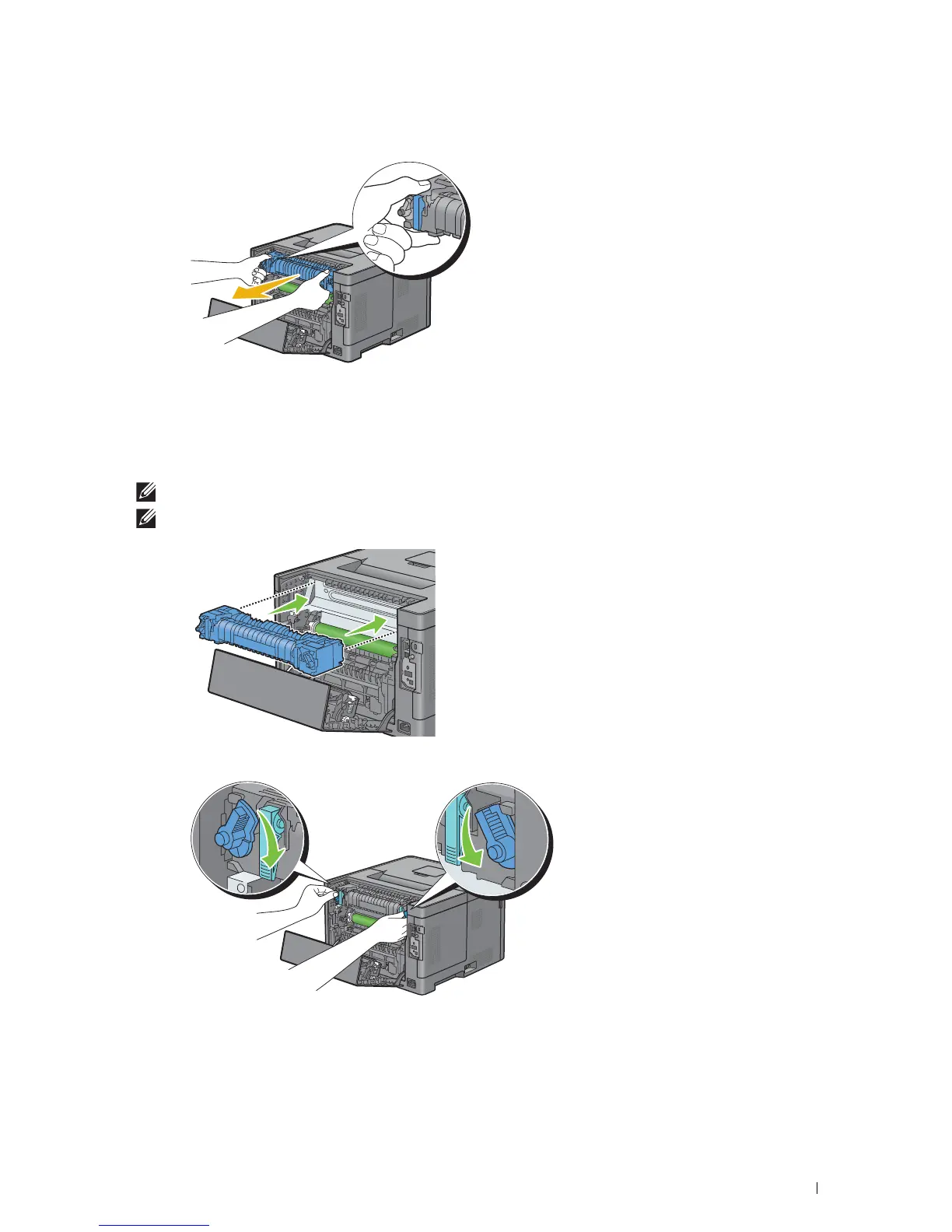
Grasp the grips on both sides of the fusing unit placing thumb on the knurling, and then pull out the unit.
Installing a Fusing Unit
1
Unpack a new fusing unit.
2
Remove the packing material from the fusing unit.
3
Insert the fusing unit into the printer until it clicks.
NOTE:
Hold both sides of the fusing unit with your hands.
NOTE:
Make sure that the fusing unit is firmly set in the slots and cannot be moved easily.
4
Lower the two gray levers to lock the fusing unit.



 To Next Page