Preparing the Machine
10
STEP 4 : Register the Cutting Tool You Want to Use (when you
are using SRP Player)
Before you can use a particular cutting tool type, you need to register it with
SRP Player.
You cannot use any cutting tool that has not yet been
registered. Be sure to make a registration before
creating an SRP Player le.
MEMO
If you are using MODELA Player 4 rather than SRP Player, proceed to ”STEP
5 : Attach the Cutting Tool” (p. 11).
Procedure
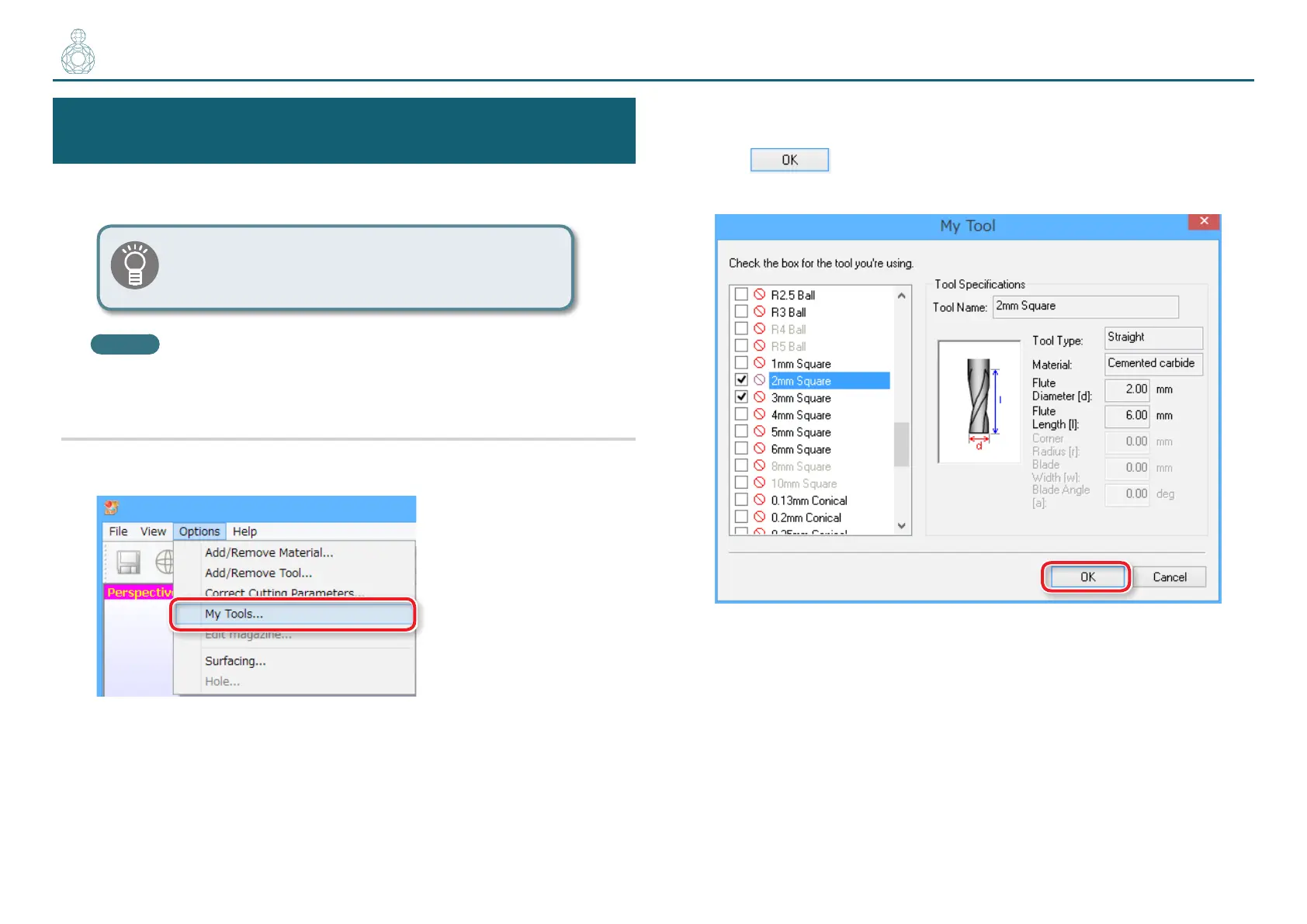
1. On the menu bar of SRP Player, click [Options] [My Tools...].
2. Register the cutting tool.
Select the check box next to the cutting tool you want to register and then
click
.
In the following example, “2 mm Square” and “3 mm Square” are selected.
〇〇〇●〇



 To Next Page