Creating a MODELA Player 4 File
71
STEP 3 : Set the Origin Point of the Model and Orientation
"User’s Manual “Origin point of the Model / Origin point”
Procedure
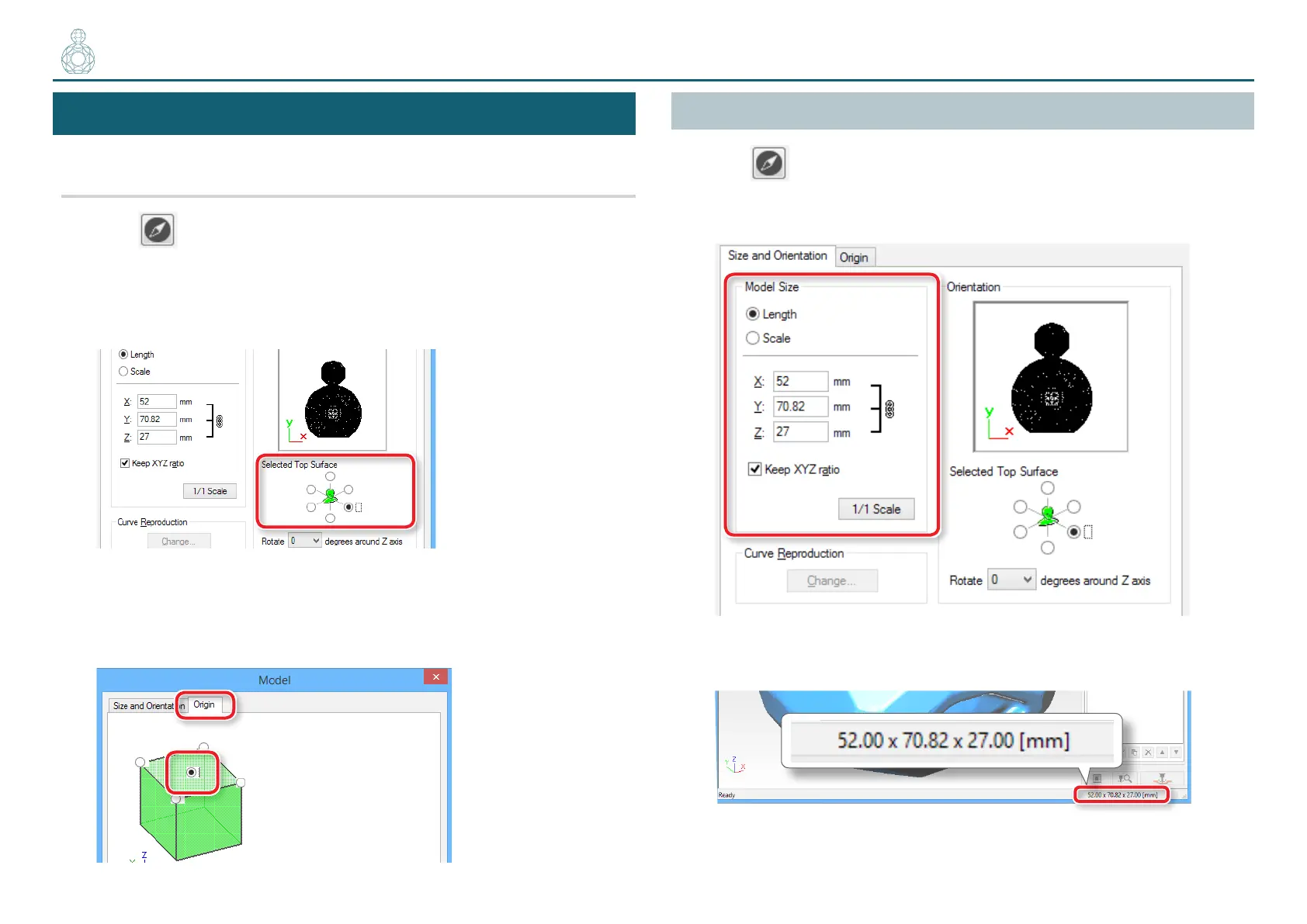
1. Click [Model].
2. Set [Selected Top Surface].
“Perfume.stl”: Following gure [OK]
3. Set the origin point of the model.
Click the “Origin” tab, select the origin position.
“Perfume.stl” : Center of the model [OK]
Set the Size of Cutting Data
Click [Model].
Input the “Model Size” values to change the size.
Click [1/1 Scale] to return to the original size.
The size of cutting data can be checked at the lower right of the main screen.
〇〇●〇〇〇〇〇〇〇〇〇〇



 To Next Page