70
Creating a MODELA Player 4 File
STEP 1: Load the Cutting Data
You can import a le in IGES, DXF (3D), STL, or MODELA Player (Ver. 3 or
later) format.
"“Sample Cutting Data” (p. 68)
Procedure
1. Start MODELA Player 4.
"User’s Manual “ Start MODELA Player 4”
2. Click [File] - [Open], and open ”Perfume.stl.”
C:\ProgramData\Roland DG Corporation\MODELA Player 4\Sample
( When the installation place of MODELA Player 4 is Drive C )
STEP 2 : Set the Machine Selection
IMPORTANT
Unless a machine setup is performed, a right setup or output cannot be
performed.
Procedure
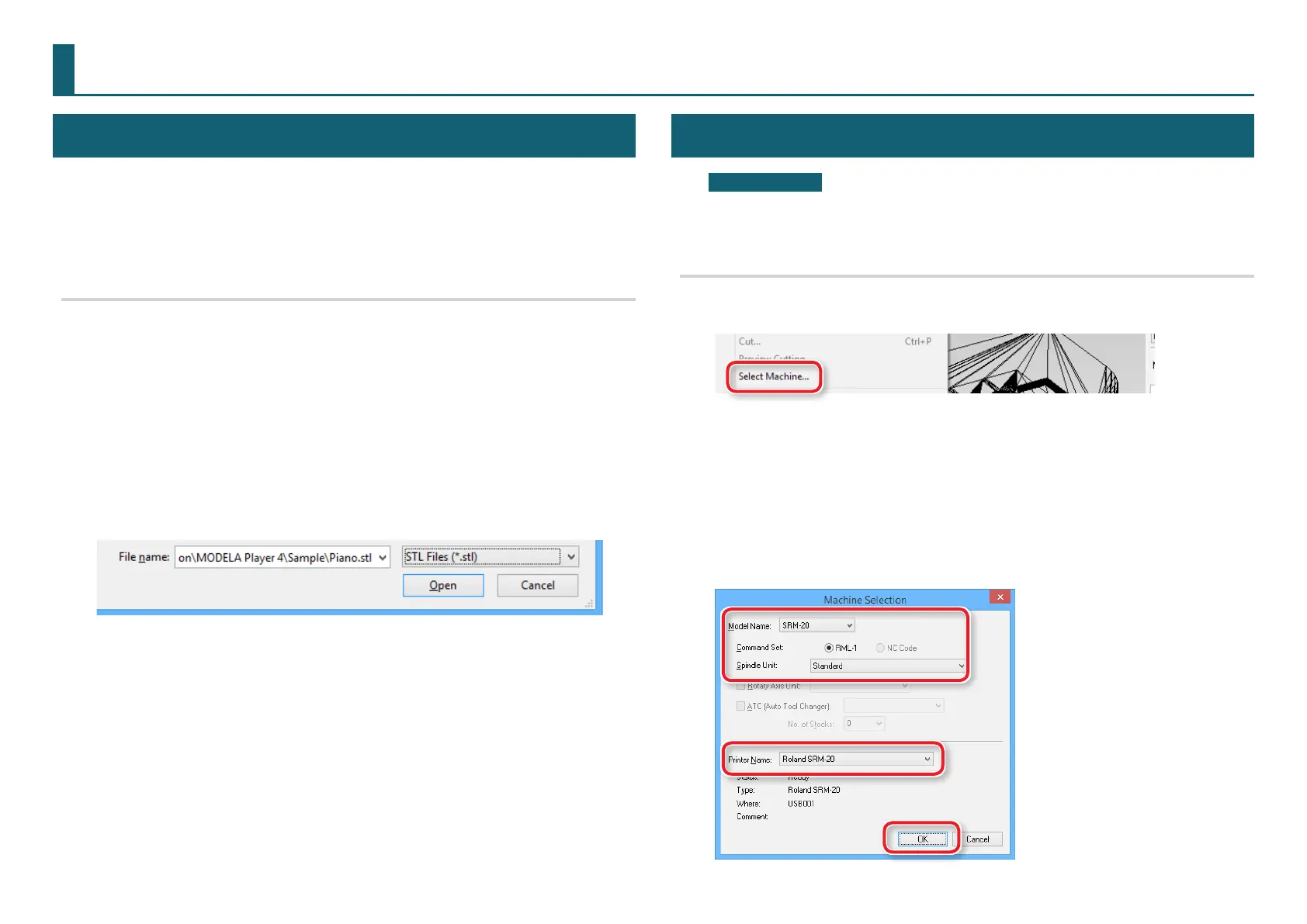
1. Click [File] - [Select Machine].
2. Set the machine selection.
2-1.
Model Name : [SRM-20]
2-2.
Command Set : [RML-1] Spindle Unit : [Standard]
2-3.
Printer Name : [Roland SRM-20]
2-4.
Click [OK].
●●〇〇〇〇〇〇〇〇〇〇〇



 To Next Page