Creating a MODELA Player 4 File
72
STEP 4 : Set the Material
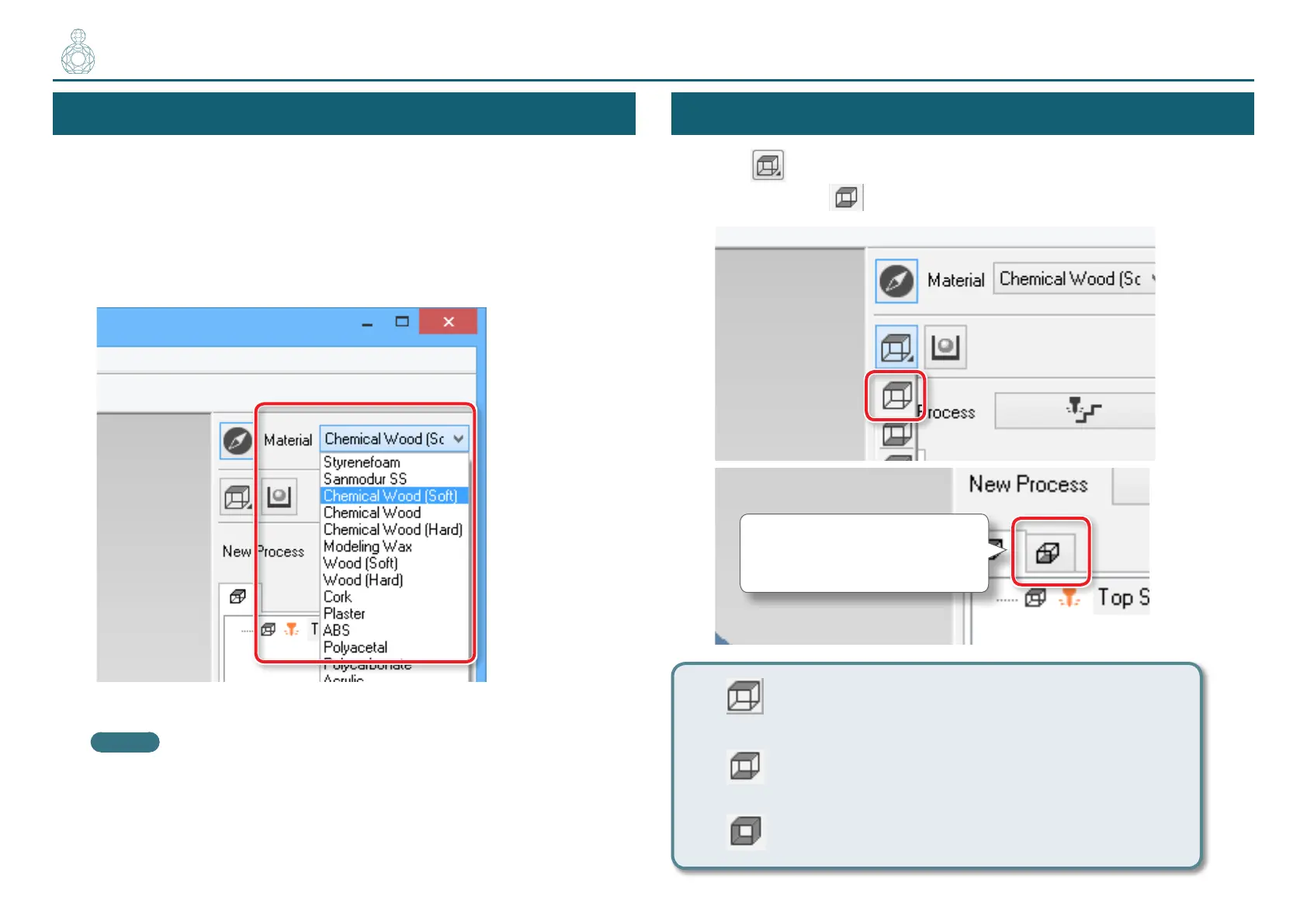
Select the quality of the material. Set the type of prepared material.
"User’s Manual “Material Types“
Select the material.
Choose a workpiece material from the pull-down list.
MEMO
Set up the quality of the material before process creation. Because changing
the composition also produces changes in the cutting tool and the cutting
parameters, changing the composition after you have created the processes
is not recommended.
STEP 5 : Set the Number of Cutting Surfaces
Click [Cutting Surfaces ], select number of cutting surfaces.
“Perfume.stl” : (Double sided cutting)
A tab is created.
One sided cutting (Only top surface)
Double sided cutting (Top surface/Bottom surface)
Three- or four-sided cutting (Top/Bottom/Front/Rear)
〇〇〇●●〇〇〇〇〇〇〇〇



 To Next Page