41
Cutting (Double Sided)
STEP 1 : Set the Origin Point
Before you start cutting, you must set the origin point. When you cut with
this machine, you need to set the X, Y, and Z origins.
"“About Origin Point” (p. 22)
Procedure
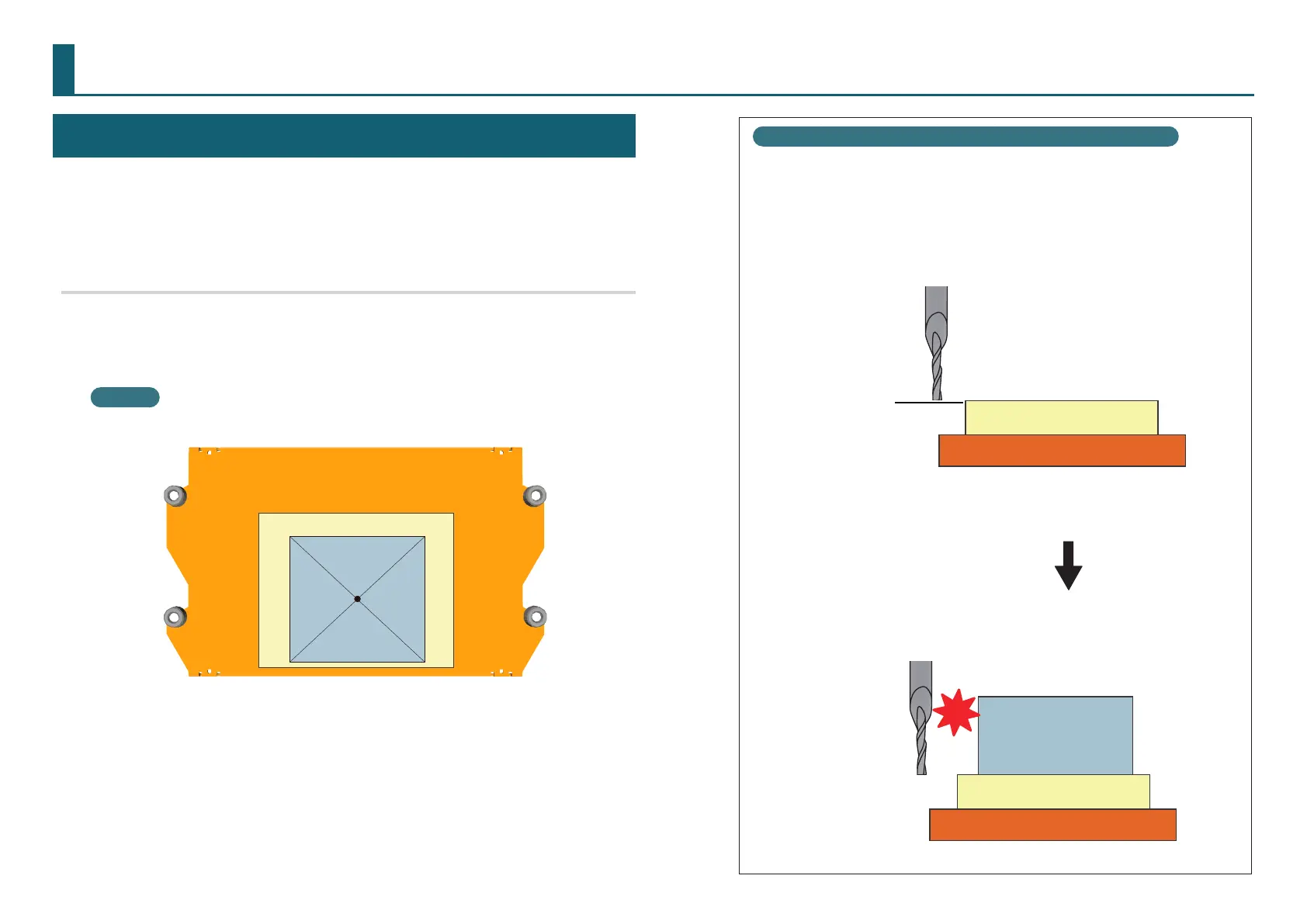
1. Attach the material to the scrap board.
* Mark the location that will be the origin point of the material.
MEMO
If you mount it in a position in the front, the work will be easier.
Front
2. Set the origin point to suite the material.
"“STEP 3 : Set the Origin Point” (p. 22)
Precautions to Take When Setting the Origin Point
* Make sure to reset the Z origin point to suit the material.
Failure to perform this operation may result in the cutting tool
hitting the material, which may cause the material to come loose
and damage the cutting tool.
Scrap Board
Table
Material
Scrap Board
Table
Z origin point
●〇〇〇〇〇〇〇〇



 To Next Page