Preparing the Material
26
STEP 4 : Level the Scrap Board Surface
The points to be checked before cutting
Check the following thing before starting cutting. If there are problems with
any of these, the cutting material may be wasted or the machine may be
damaged.
□ Is an output le right?
□ Have you made a mistake with the origin point position?
□ Do the cutting conditions match the type of cutting material?
Procedure
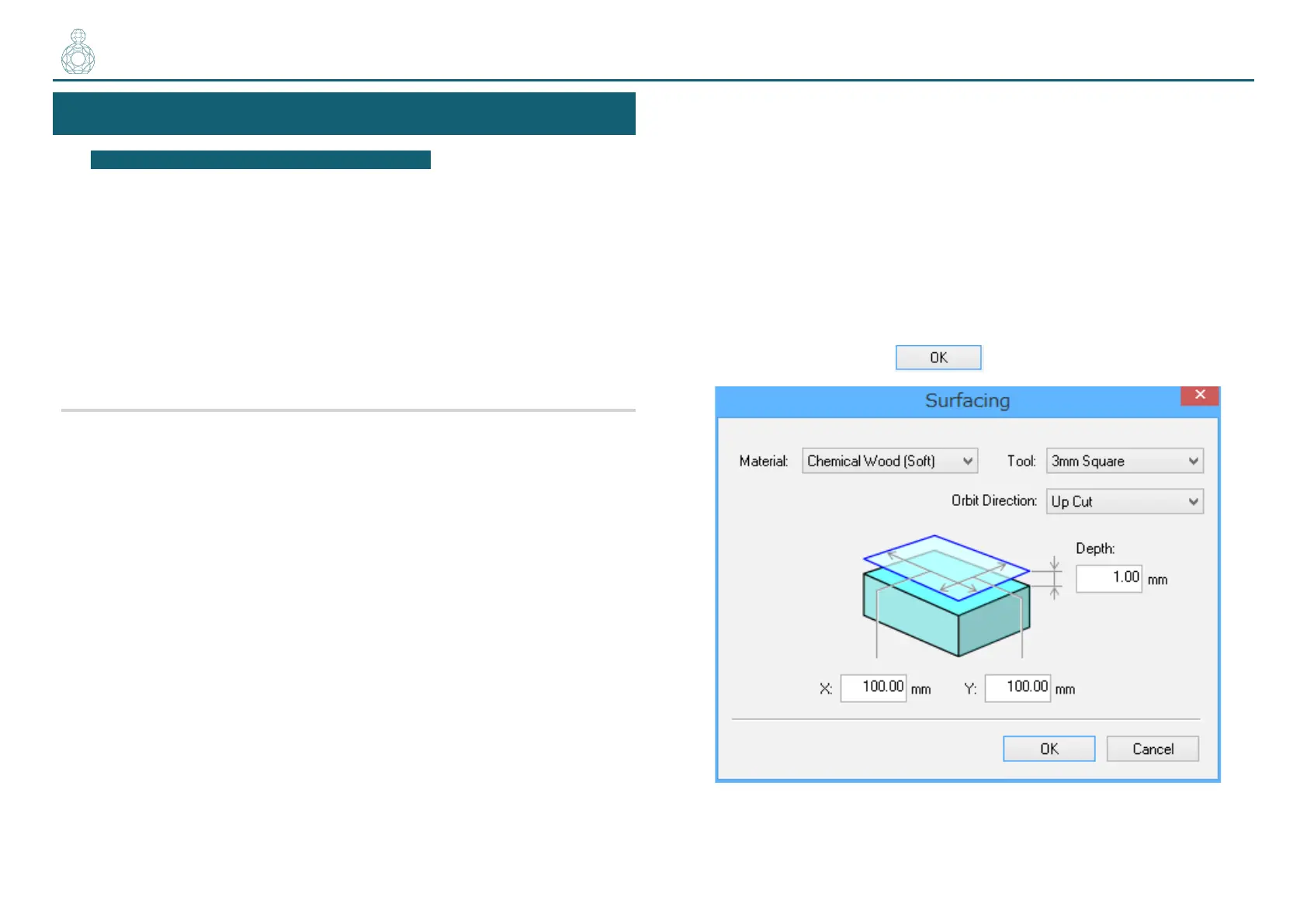
1. On the menu bar of SRP Player, click [Options] [Surfacing...].
2. On the dialog that appears, congure leveling cutting range,
depth, and other settings.
This example assumes that the following options are congured:
• Material : Chemical Wood (Soft)
• Tool : 3 mm Square
• Orbit Direction : Up Cut
• Depth : 1.00 mm
• X : 100.00 mm
• Y : 100.00 mm
When you are done, click
.
〇〇〇●〇〇



 To Next Page