Preparing the Machine
9
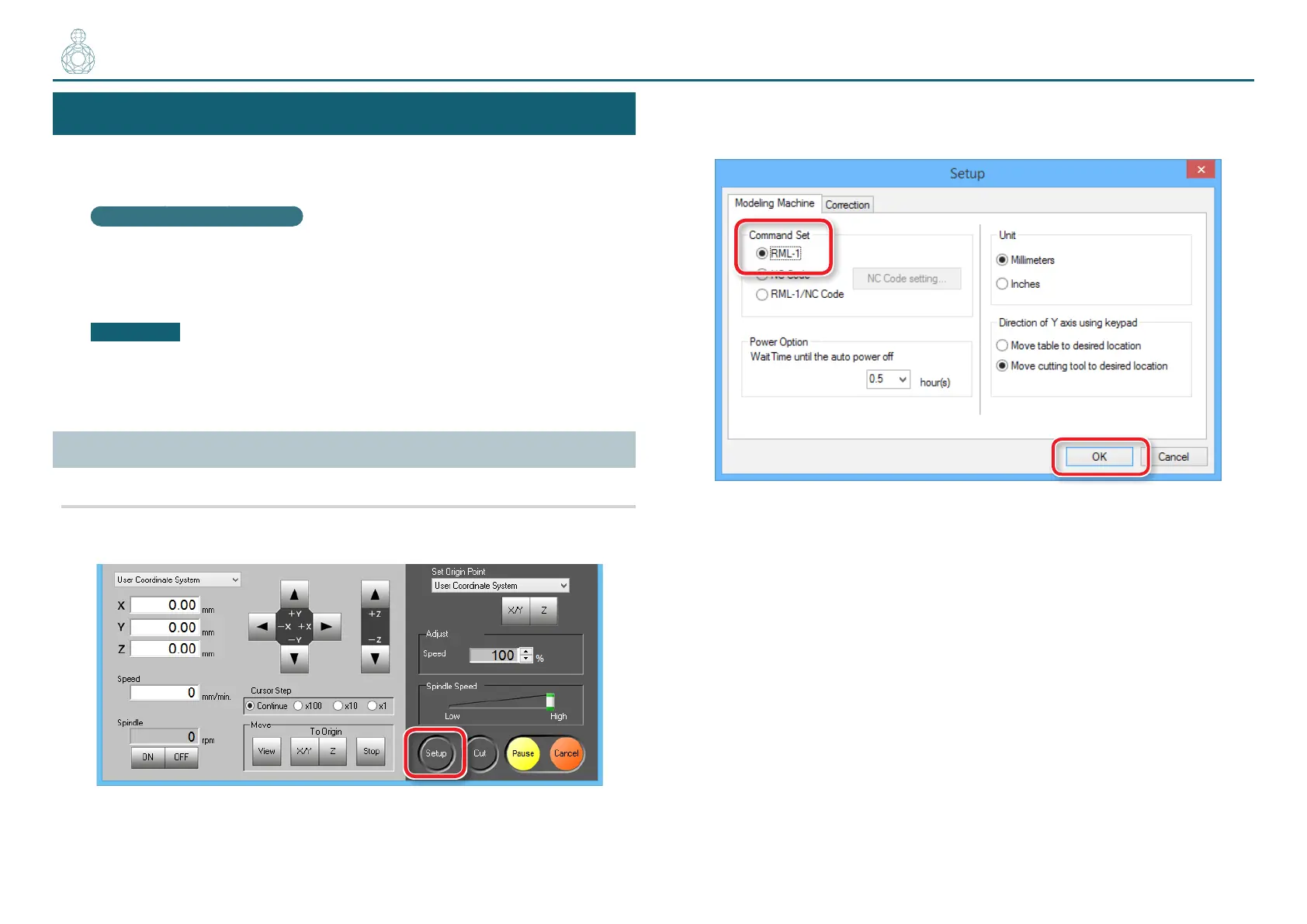
STEP 3 : Conrm the Command Set
Select the appropriate command mode to match the software to be used.
"User's Manual “Command Set”
NC Code le outputting
"User's Manual “NC Code”
CAUTION
If a command that is sent to the machine is dierent from the command set
selected on the VPanel, an error occurs and cutting becomes impossible.
Command Set Setting
Procedure
1. Click [Setup] on the VPanel.
2. Select the suitable command set.
"Piano.stl" : [RML-1] [OK]
〇〇●〇〇



 To Next Page