Preparing the Material
22
STEP 3 : Set the Origin Point
About Origin Point
Before you start cutting, you must set the origin point. When you cut with
this machine, you need to set the X, Y, and Z origins.
The X and Y origins are determined by the cutting data and the location of
the material. (“X” and “Y” cannot be set individually.) You normally align the
Z origin with the surface of the material. Take the size of the material and the
length of the cutting tool into consideration when you set the origins.
In addition, the locations that you should specify for the origins vary
depending on the application software that you are using. Set up depending
on the specication of the application software that you are using.
"User’s Manual “Origin point of the Model / Origin point“
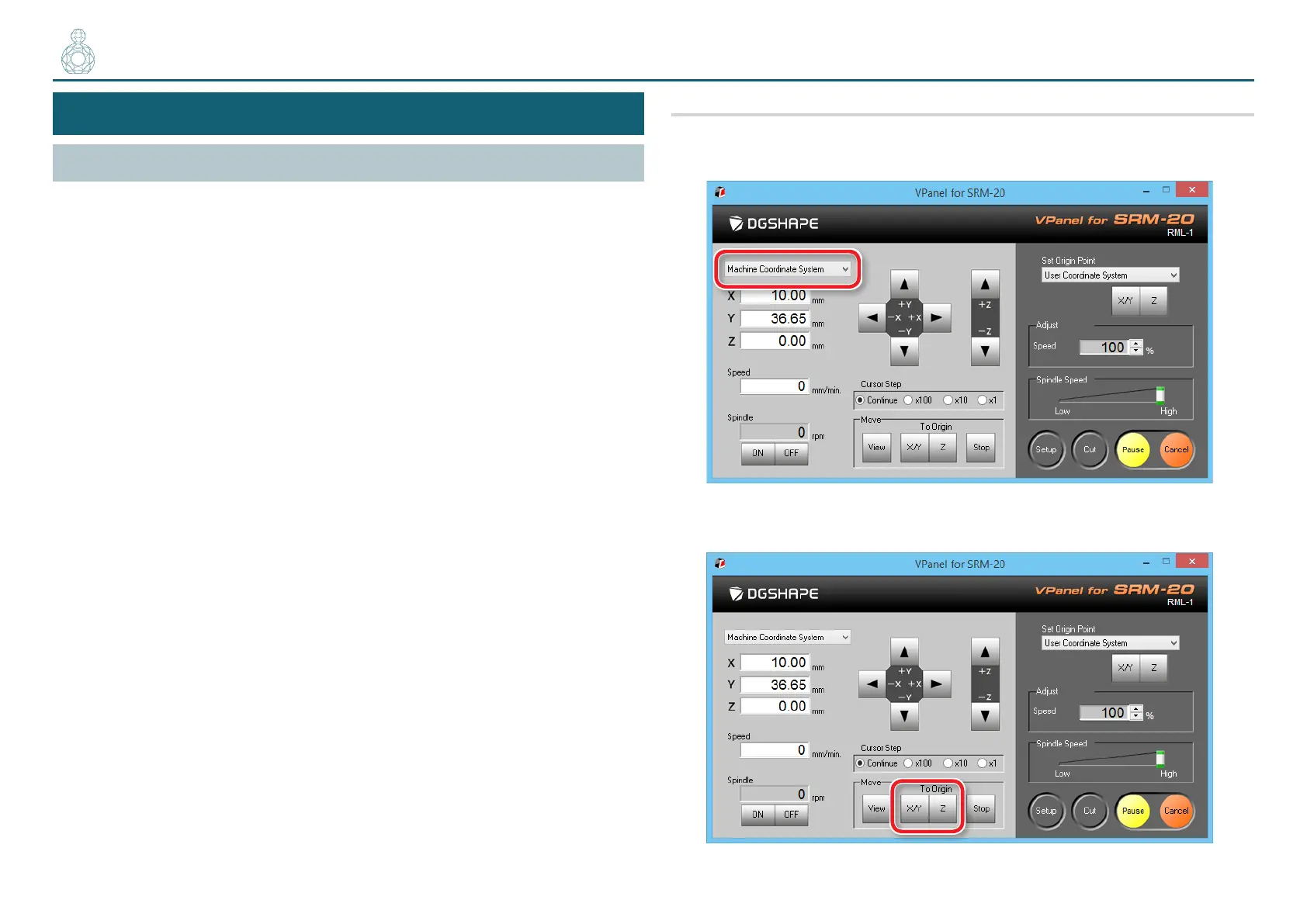
1. Prepare to set the origin point
1. Select [Machine Coordinate System] on the VPanel.
2. Click [X/Y][Z] of [Origin] in [Move].
〇〇●〇〇〇



 To Next Page