Preparing the Material
23
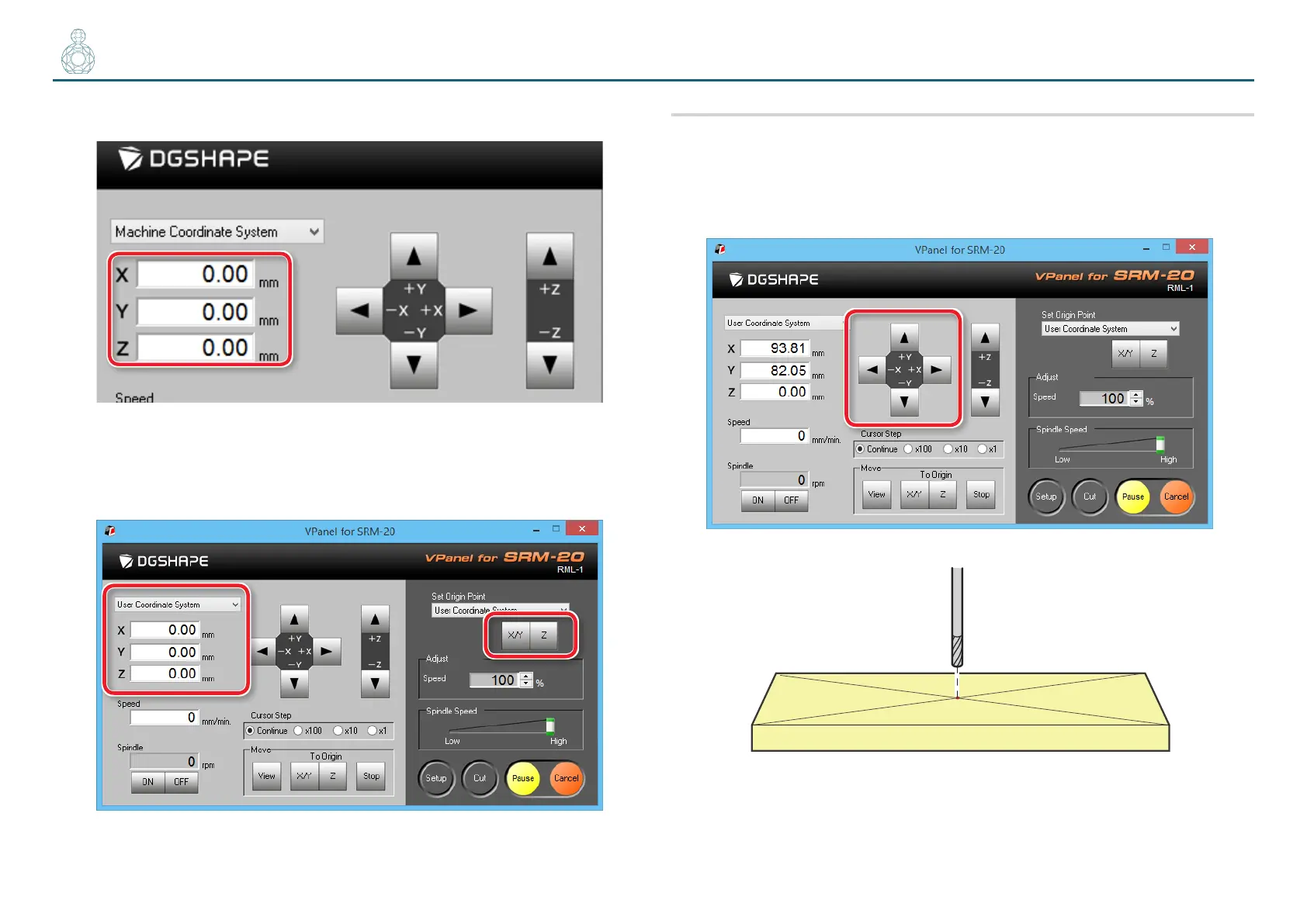
3. Check that XYZ is “0.00 mm.”
4. Select [User Coordinate System], check that XYZ is “0.00 mm.”
If “0.00 mm” does not appear for X, Y and Z, click [X/Y], then [Z] under set
origin point.
2. Set the origin point
1. Click [X][Y] feed button, move right above the origin point which
put the mark by STEP1.
"User’s Manual “Direction of Y axis using keypad”



 To Next Page