Cutting (Double Sided)
113
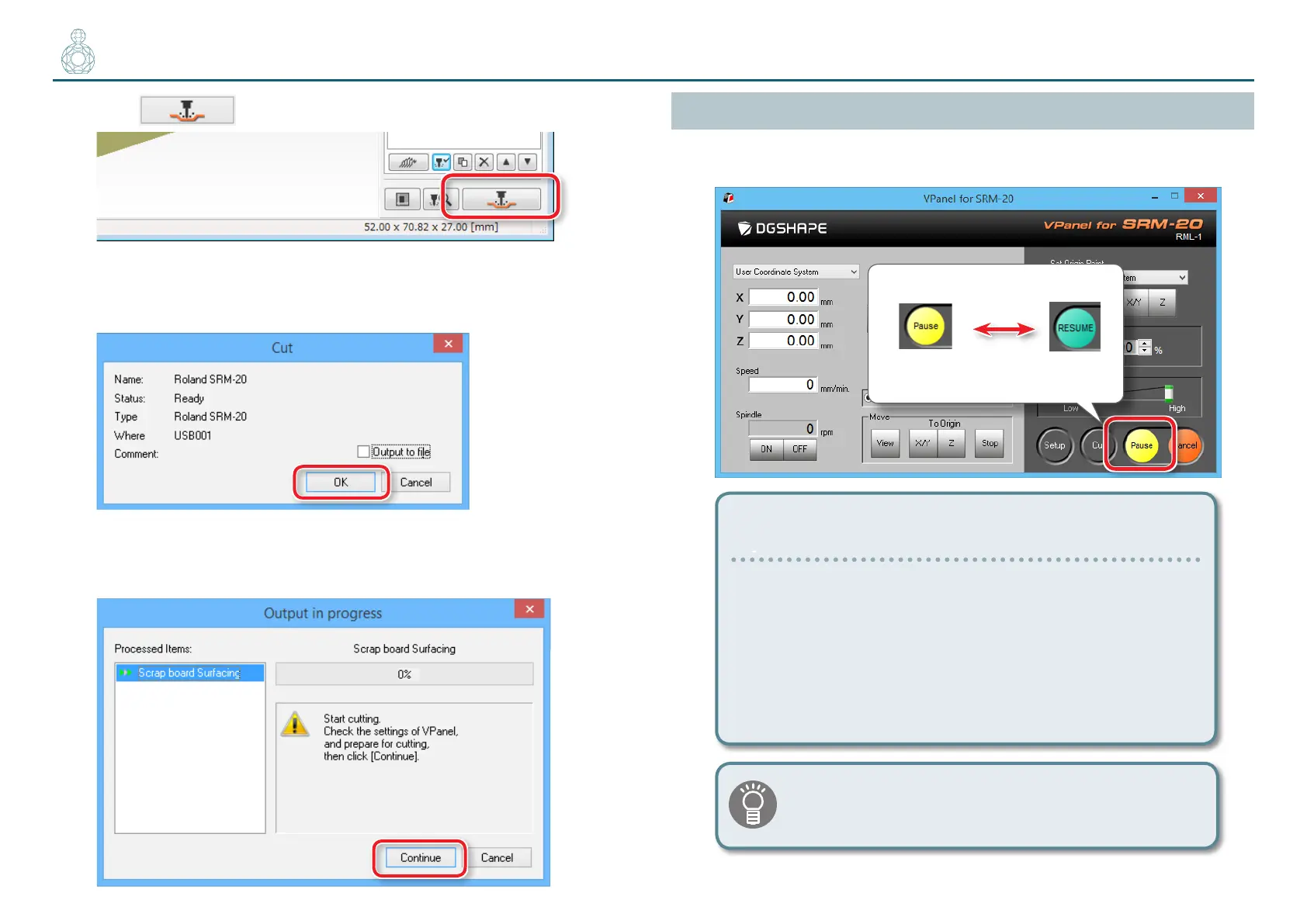
2. Click [Cut].
"“When “Cutting Position Setup” is displayed” (p. 117)
3. Click [OK].
4. Click [Continue].
In the “Processed items,” outputting contents is displayed.
Pausing / Resuming
Click [Pause] of VPanel. The display of a button changes to [RESUME]. Click
[RESUME] to resume.
Cleaning during an extensive cutting operation (X,Z-axis)
If cutting waste accumulates during an extensive cutting
operation, the machine’s operation may be hindered,
resulting in a product that does not meet expectations.
Keep an eye on how much cutting waste builds up and
pause the machine to remove the cutting waste that has
built up around the X- and Z-axes before the movement
worsens. Also remove the cutting waste in a dust tray.
If you [Pause] when the cutting tool is not touching the
material, traces of cutting will be less likely to remain on
the material.


 To Next Page