Creating a MODELA Player 4 File
87
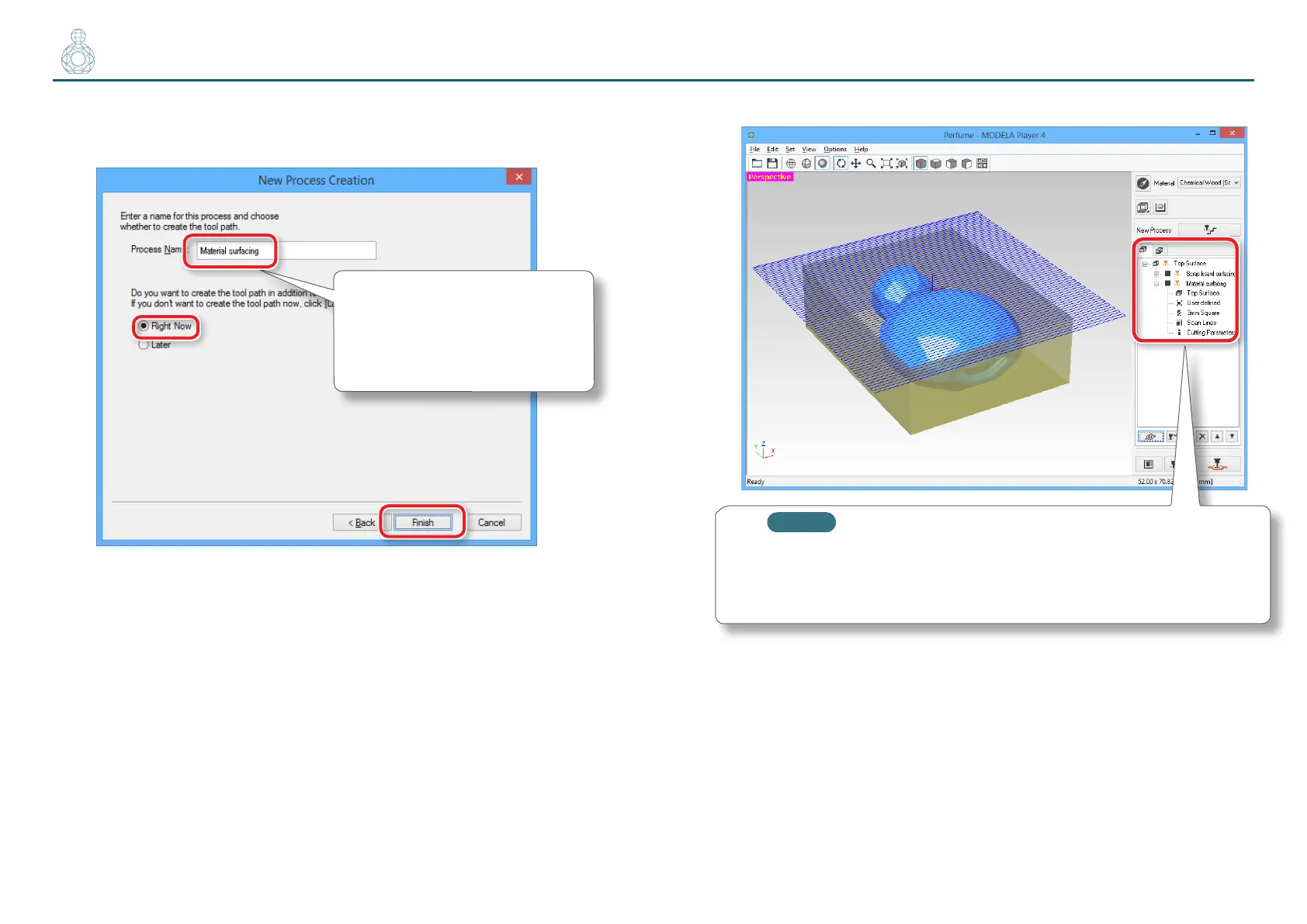
8. Enter a name for this process and create the tool path.
“Perfume.stl”: “Material surfacing” [Right Now] [Finish]
The tool path is created. And the process which is created is displayed.
MEMO
A double click of each setting item of a process display a setting
screen. The settings can also be changed after the process is
created.
9. Check the cutting preview by Virtual MODELA.
"“STEP 8 : Conrm the Cutting Preview” (p. 81)
Input “Material surfacing”.
“Perfume.stl” needs three surfacing
processes. Naming each process so
that it is easy to identify will facilitate
the output process.



 To Next Page