________________________________________________________________________________________________________
1592025400 – Vers. 1.0 - 101
-
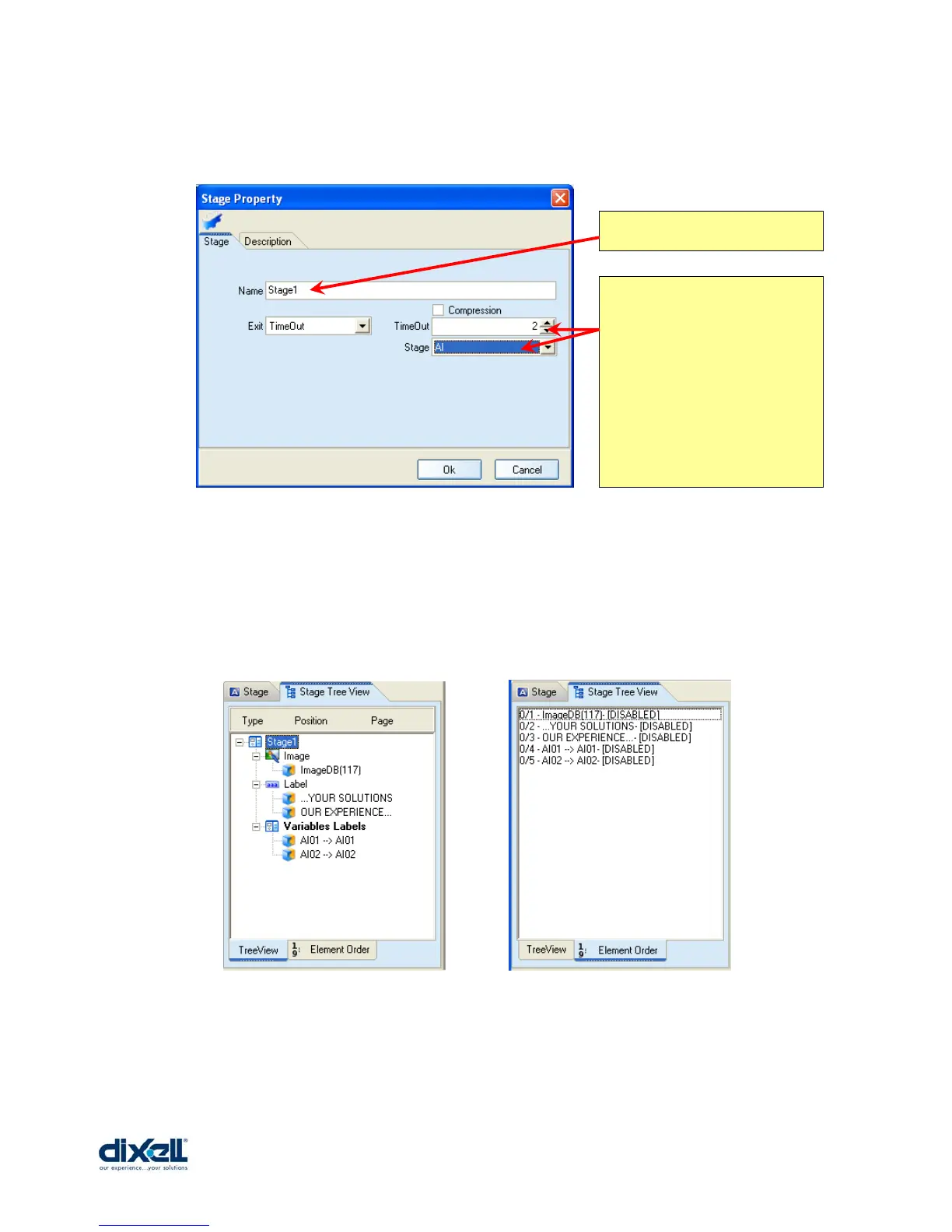
In the picture here below an example:
Other information available in this area are:
• Stage Tree View:
o TreeView Æ all the Images, labels and variables used in the stage.
o Element Order Æ the order of introduction of the elements.
Name of the stage
This configuration means
that after 10 seconds
from “Stage1” the display
will showed the stage
“AI”.
Pay attention because
the TimeOut period is
multiple of 5 seconds.















 To Next Page