________________________________________________________________________________________________________
1592025400 – Vers. 1.0 - 81 -
9.3 How to protect the function block FB
When one or more function blocks have been developed than is possible to protect them
with a password. The function blocks are visible in the project but to open or modify them it
is necessary the password.
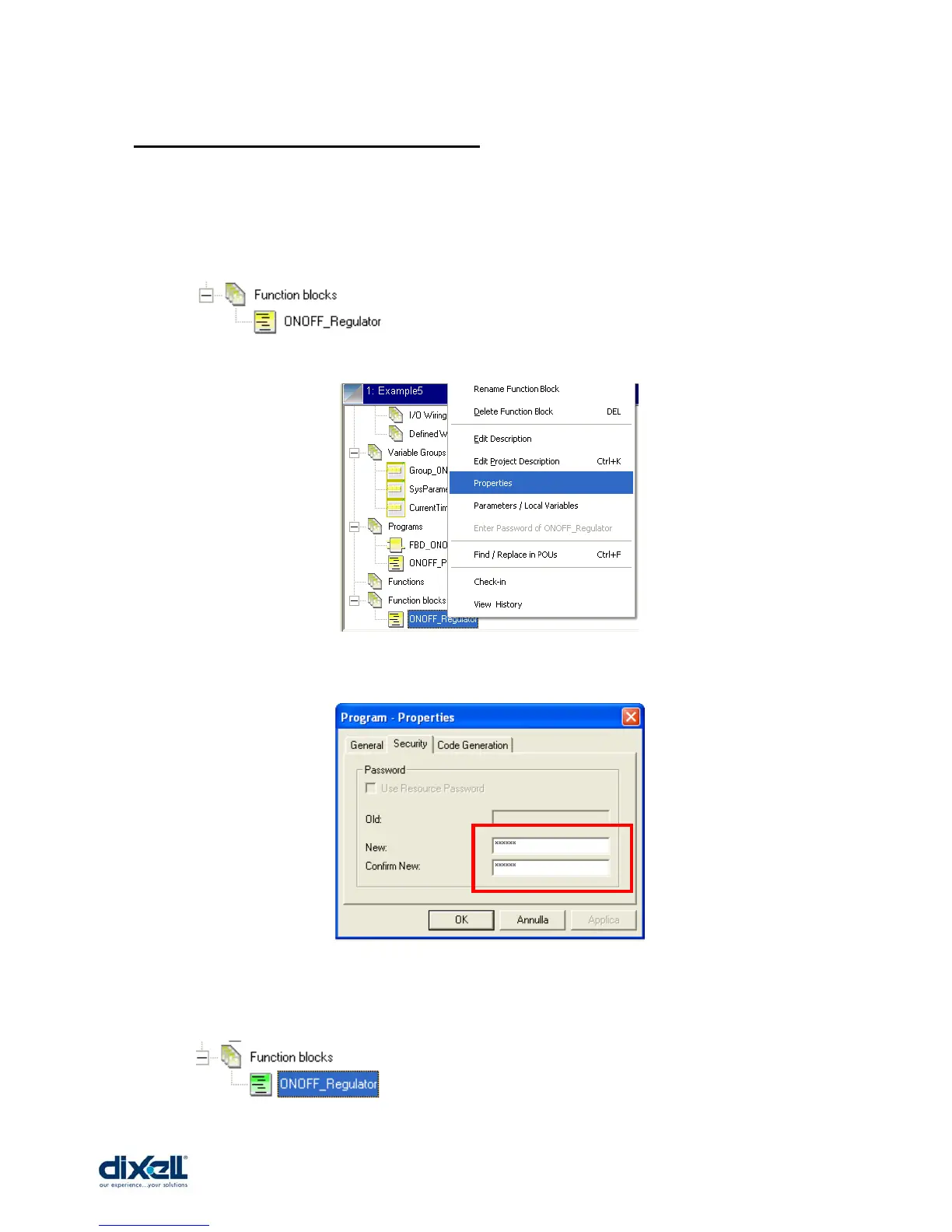
Select the function block to protect:
Click on the function block and with the right button of the mouse select properties:
Select security and write inside the boxes your password and confirm.
In your project the colour of function block will change colour from yellow to green; this
mean that your block is locked but non saved yet.















 To Next Page