________________________________________________________________________________________________________
1592025400 – Vers. 1.0 - 51 -
7.3 Debug Step by Step
This function is useful to check in your application what happen when the inputs change;
you can see in which part of your application the program is stopped because it is waiting
some new information or event.
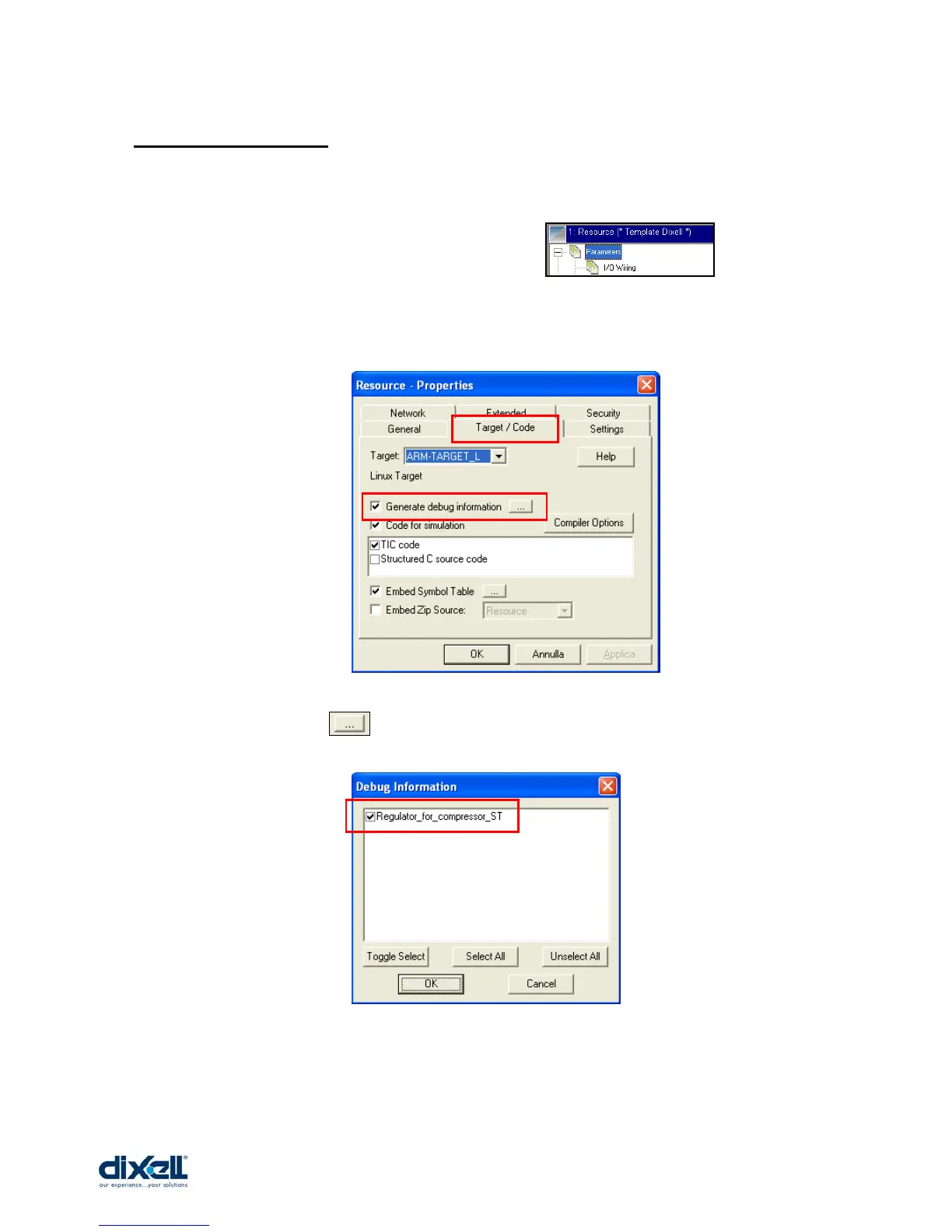
To enable this function, click on the Resource bar and , with the
right button of the mouse, chose Properties; in window here below, choose the tab
“Target/Code” and check “Generate debug information”.
Then, through the icon , select the program to debug:
Now the Debug Step by Step is enable; the next operation to do is to decide in which part of
the application or program put the “Breakpoints”.















 To Next Page