________________________________________________________________________________________________________
1592025400 – Vers. 1.0 - 138
-
14.2.4 Link between variables and boards
The last operation to do is link the new variable(s) with the new boards.
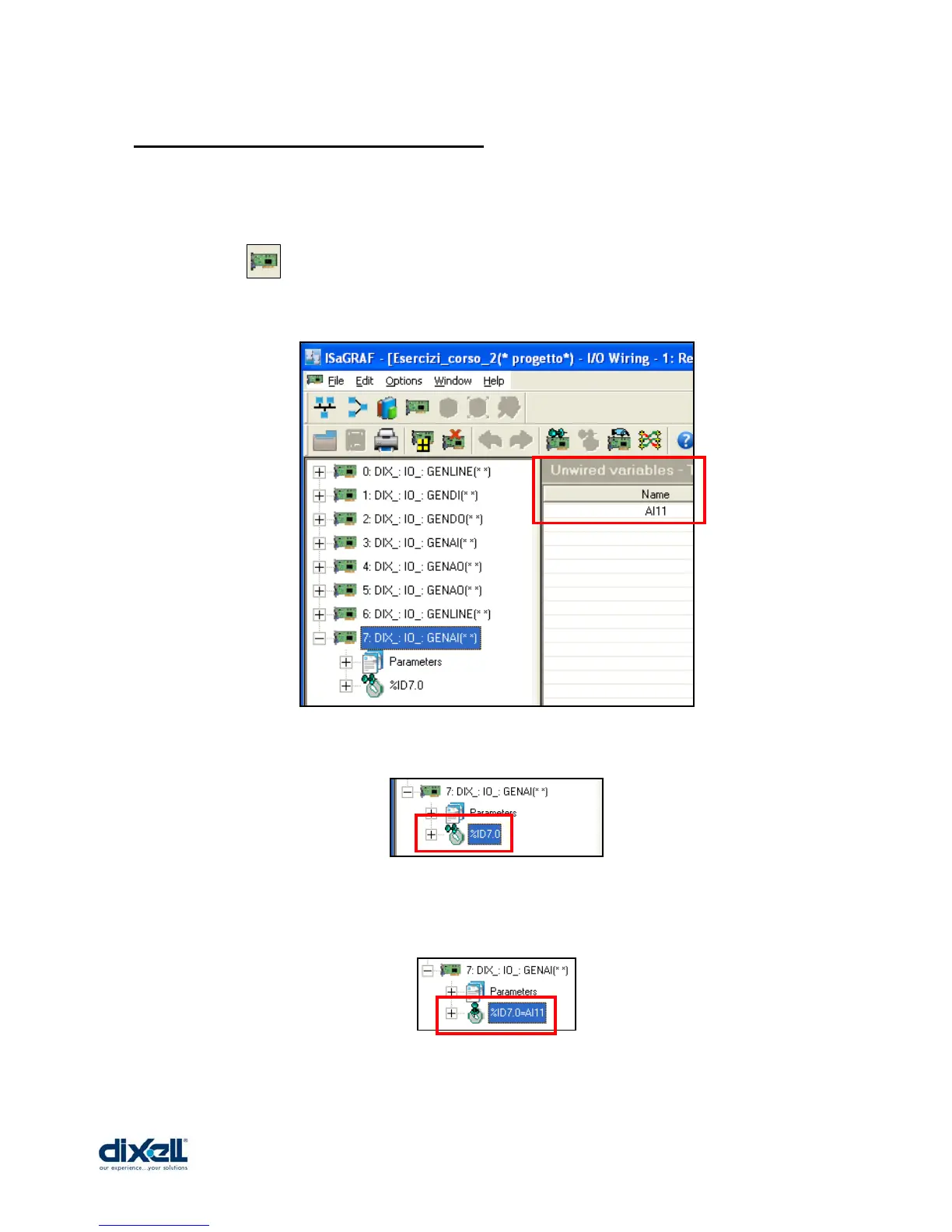
To complete our example, it is clear that we have to link the variable AI11 with the GENAI
board.
Click the icon to open the I/O window.
Click on the last GENAI board; in the Unwired variables (in the right side of the window) is
visible the variable AI11.
To link the variable with the board, select the “ID point” in the board:
and then double click on the variable AI11.
From the unwired variables the AI11 will disappear and the description in the GENAI ID point
will become:
Now save, compile and download the application in your iPRO.















 To Next Page