________________________________________________________________________________________________________
1592025400 – Vers. 1.0 - 90 -
11.3.1 Environment Language
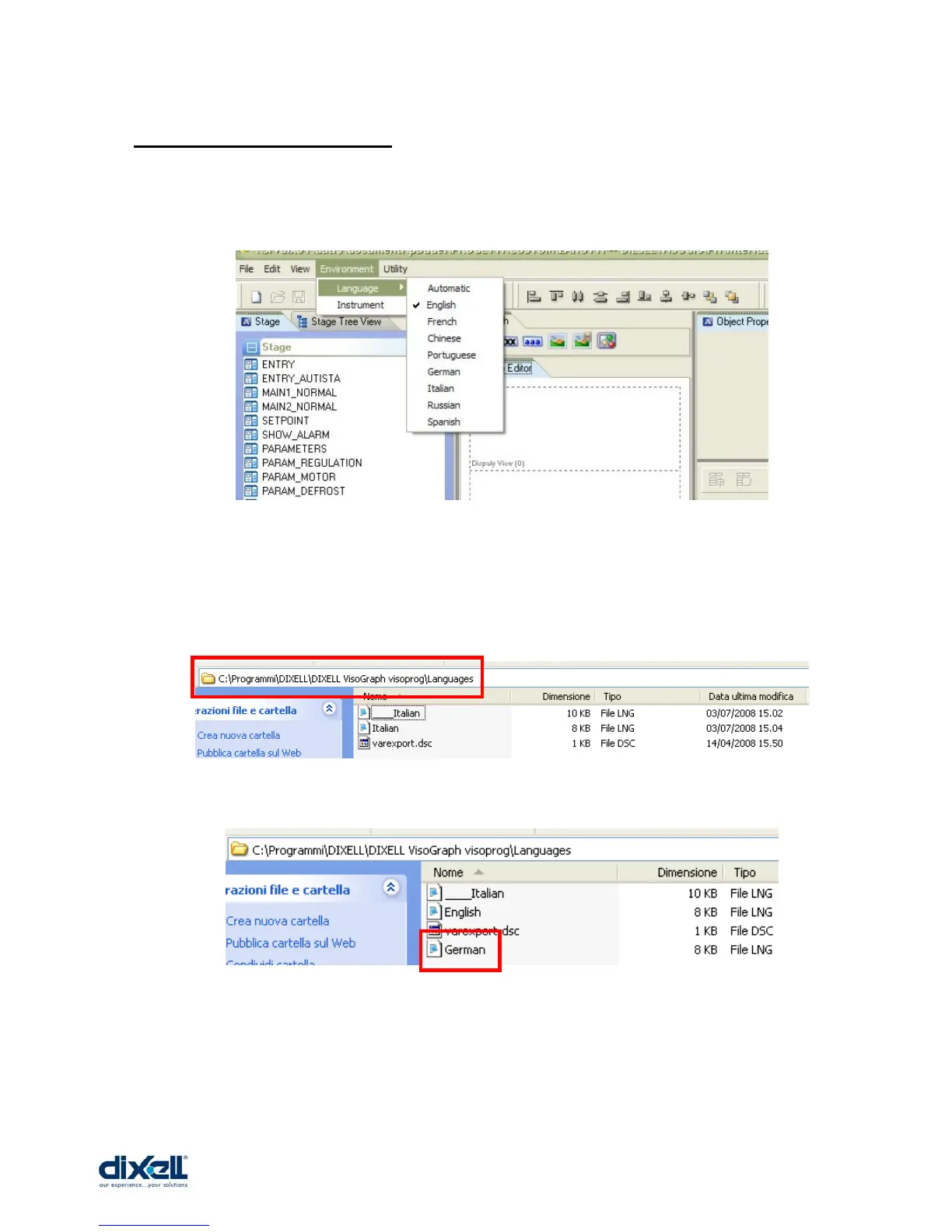
This set-up defines the language used in your environment.
Select: Environment Æ Language and choose your preferred language.
Pay attention because if your language is not included in the standard languages, you can
add it for yourself. Go inside the folder “Languages” that you can find in your default
installation directory.
For example, starting from Italian file, we have copied and renamed it in German file.
At this point, you can edit and modify the file translating the text into your language.
Save the file and, at the next starting of VISOPROG, you will be able to select your
language.















 To Next Page