________________________________________________________________________________________________________
1592025400 – Vers. 1.0 - 66 -
8.3.3 How to use the FB inside the programs
More or less the steps are the same used to write the program for Regulator ON/OFF; the
only difference is that we have to add the “INSTANCE” to recall the FB inside the variables
group. With the instance we can transfer the input values to the FB and the FB will return to
us the result (for example in our case the output will be TRUE (ON) or FALSE (OFF)).
Takes in consideration the diagram of compressor.
We have to define the:
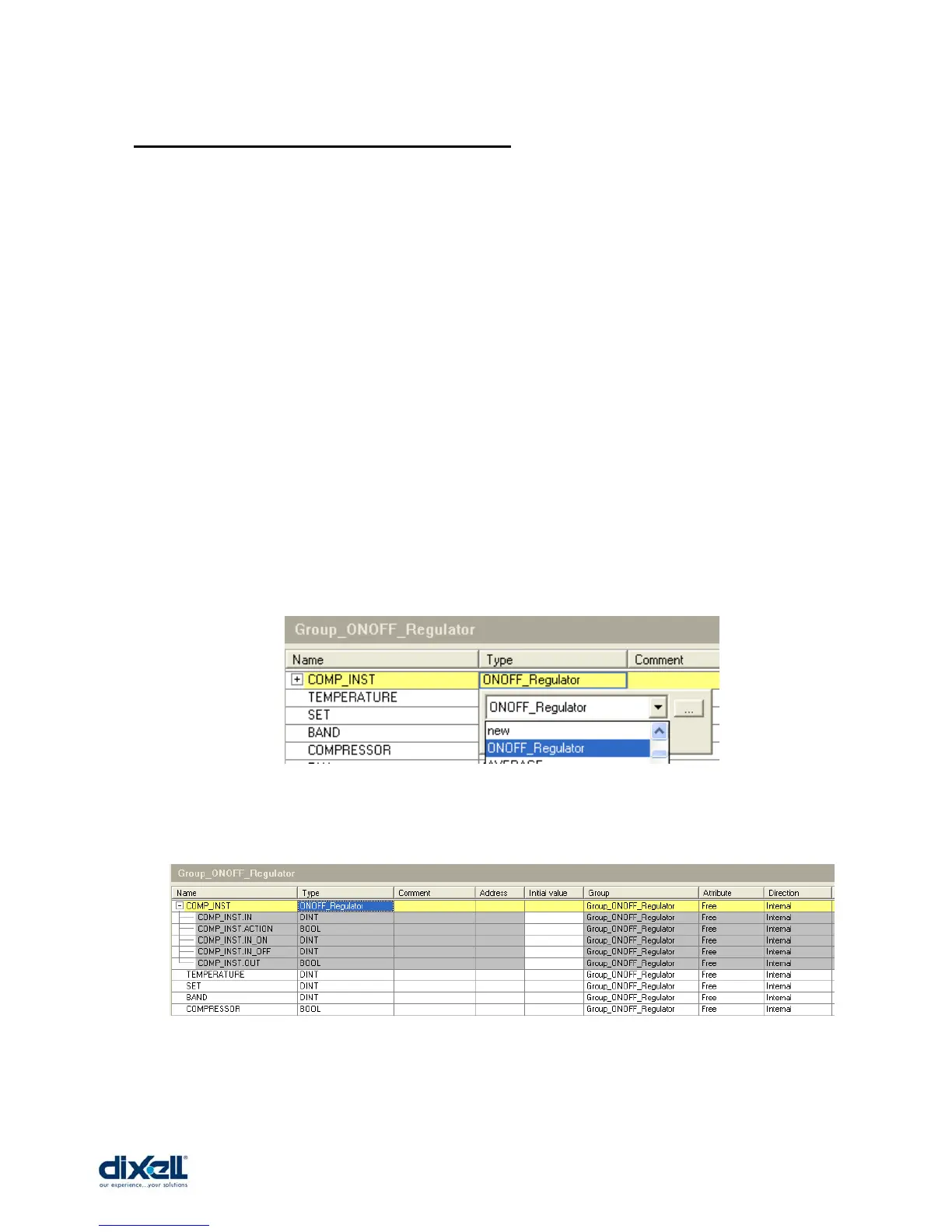
• variables (TEMPERATURE, SET, BAND, COMPRESSOR)
• instance (COMP_INST)
To call the function block ONOFF_Regulator , double click on the “Type” box of the instance
COMP_INST.
At the end, the configuration of your variables group is:















 To Next Page