________________________________________________________________________________________________________
1592025400 – Vers. 1.0 - 123
-
13.7 Features included
In the next chapters there are more information about the buttons, the disabled property, the
controls visibility and how to create the stages automatically.
13.7.1 Buttons combination and actions
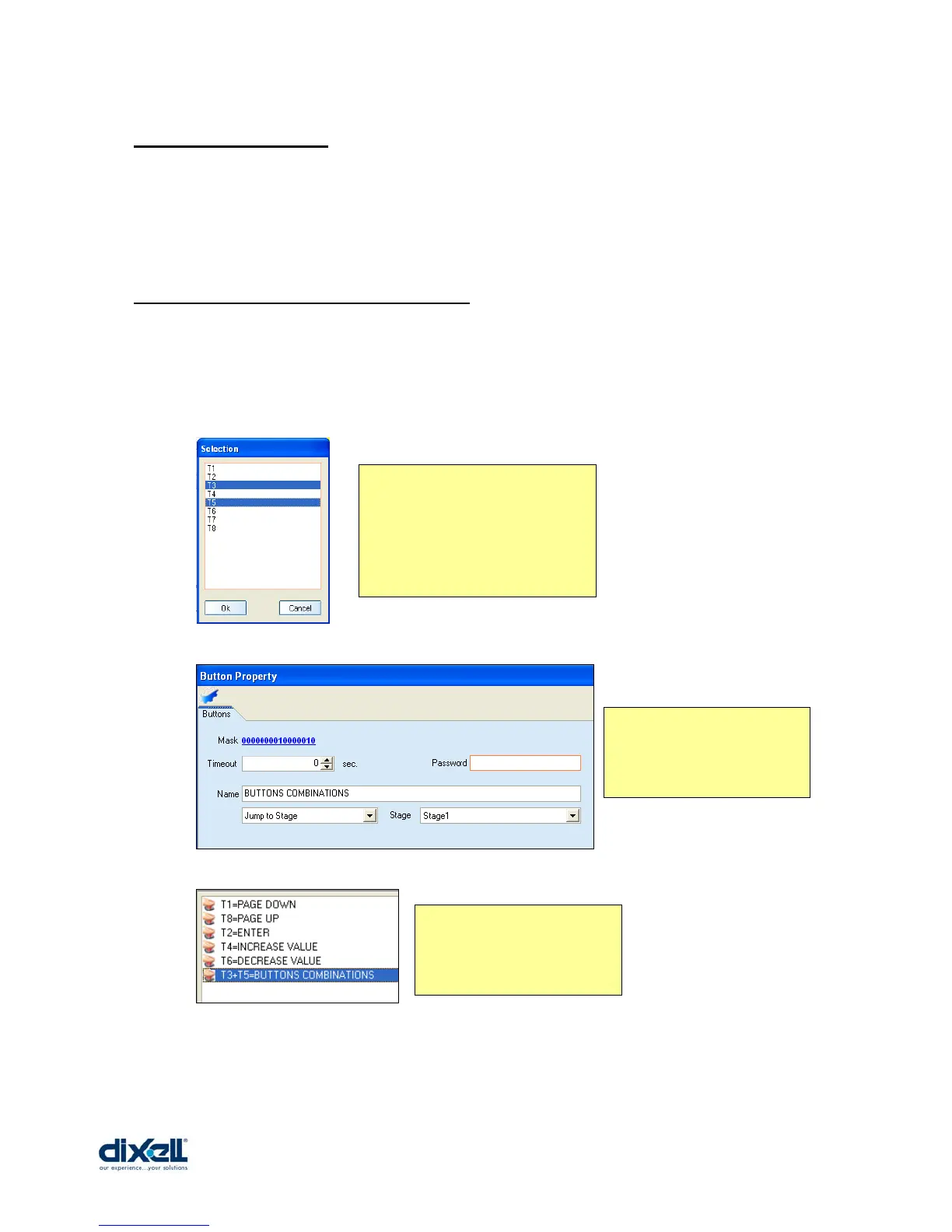
It is possible to activate a command only if two ore more buttons are kept pressed together.
If the buttons T3 and T5 are kept pressed together, from the Stage2 we will jump to the
Stage1; here below the example:
Add the buttons T3 and T5.
Choose, with the mouse, the
buttons; the “ctrl” key of the
keyboard must be kept pressed to
select more buttons in one time.
Here define the button
action:
- jump to Stage Æ Stage1
In the buttons area we have
added the buttons
combination.















 To Next Page