________________________________________________________________________________________________________
1592025400 – Vers. 1.0 - 124
-
In the button properties there are a lot of combination to choose:
• Jump to Stage: specify the stage to jump.
• Active Input: if the control is a variable Æ allow to change the value and confirm it.
otherwise Æ allow to do “conditional jump”.
REMARK: available only if the flag “Disabled” of the control is unchecked.
• Page UP, Page Down: in a multistage pages, change the current page.
• Prev Element /UP Value: select the previous active element / increase the value.
REMARK: available only if the flag “Disabled” of the control is unchecked.
• Next Element / DOWN Value: select the next active elements / decrease the value
REMARK: available only if the flag “Disabled” of the control is unchecked.
• Conditional Jump to Stage: jump to another stage according to the value of specified
variable.
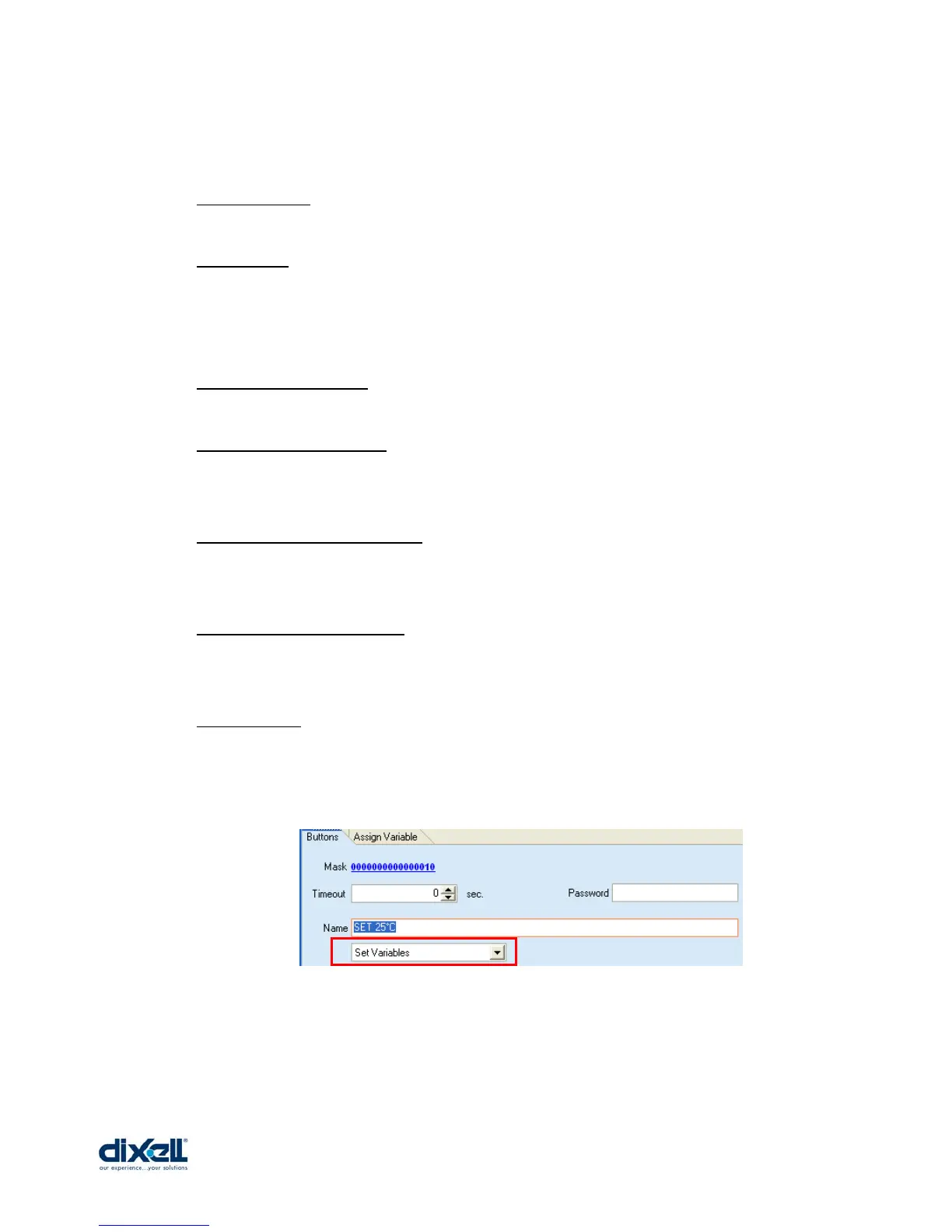
• Set Variables: allow to change the value of one variable.
To write 25°C in the variable SET, add a new button (or a buttons combination) and
configure it in the following way:
Select the action “Set Variables” and then the tab “Assign Variable”.















 To Next Page