________________________________________________________________________________________________________
1592025400 – Vers. 1.0 - 115
-
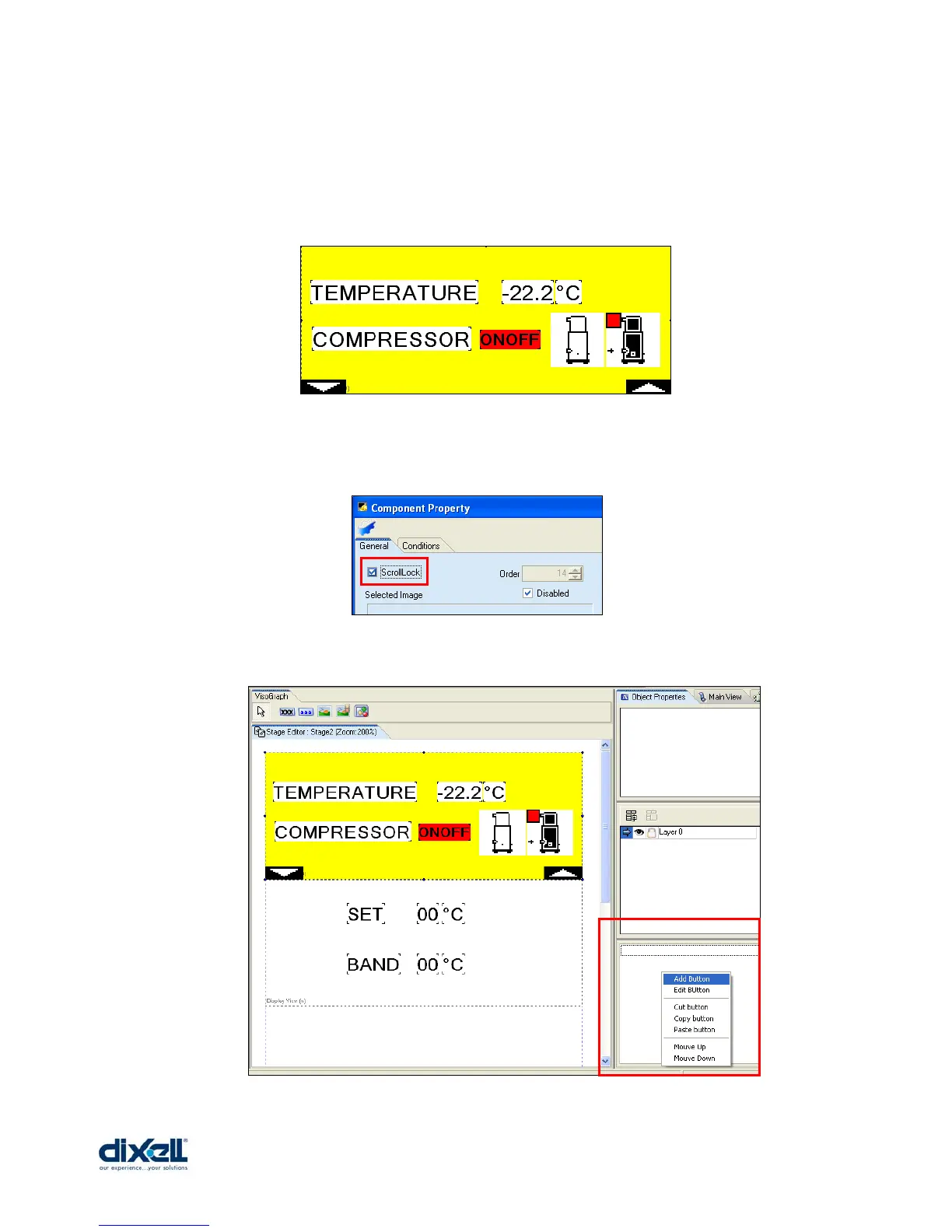
The buttons are completely programmable; in the pages of the stage we have to add some
images and then define the buttons in the “Object Properties”.
In our project is enough to put two buttons with the function of page down and page up.
In the Stage 2 add two images:
For these two images the flag “ScrollLock” have to be checked; in this way the images will
be replicate automatically in all the pages of the stage (also the buttons control will be the
same in all the pages).
In the third window of Object Properties click with the right button of the mouse and choose
“Add Button”:















 To Next Page