________________________________________________________________________________________________________
1592025400 – Vers. 1.0 - 117
-
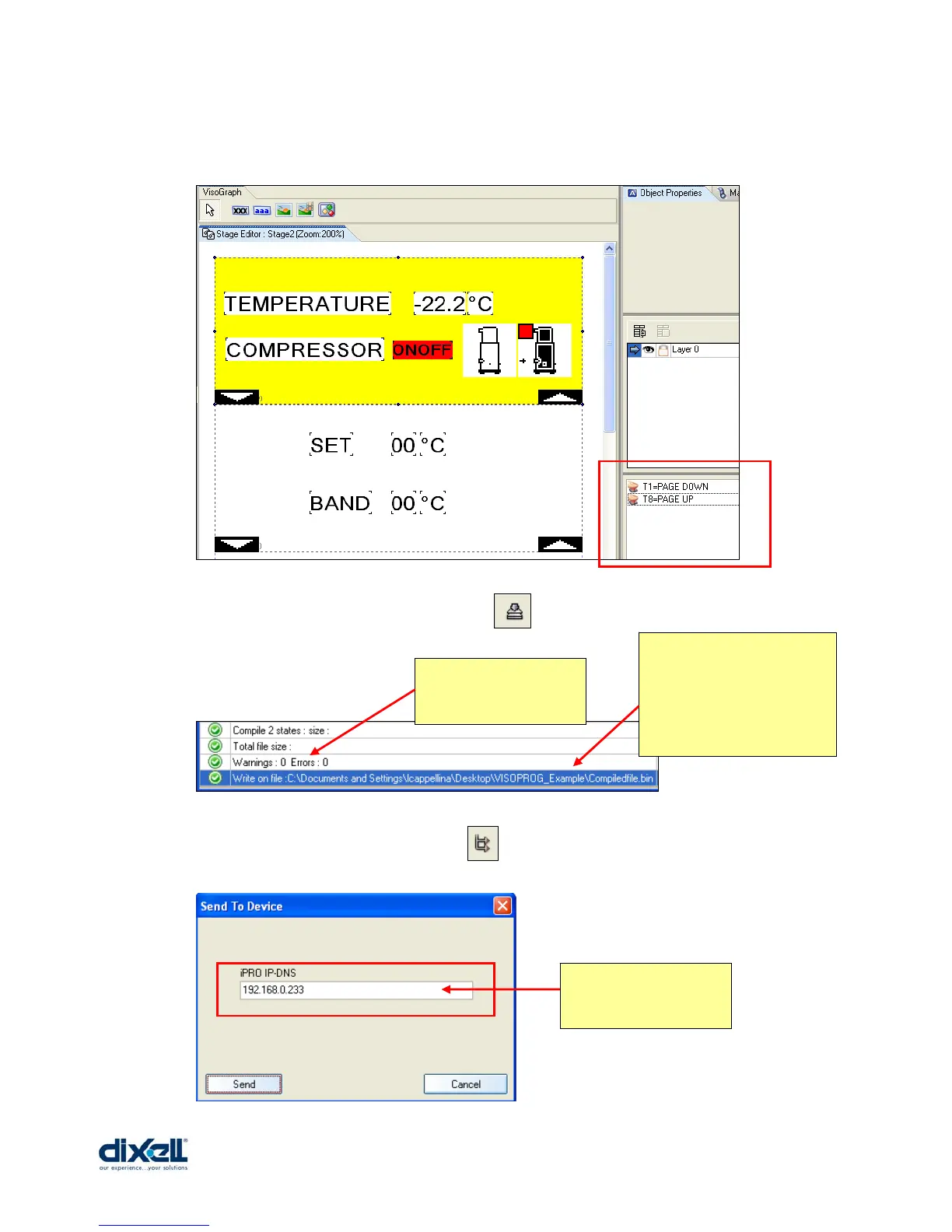
After this procedure in the Object Properties there are the two buttons just created.
The project is completed so we can compile the project:
With this file you can decide to download it immediately in your VISOGRAPH (the
IPRO and the VISOGRAPH have to be connected with your PC):
Here you can under
stand if your source file
is OK.
This is the folder where you
can find the file compiled
that we have called
“Compiledfile.bin” (to
define the folder and name
see pag. 97)
Write here the address
of your IPRO.















 To Next Page