________________________________________________________________________________________________________
1592025400 – Vers. 1.0 - 121
-
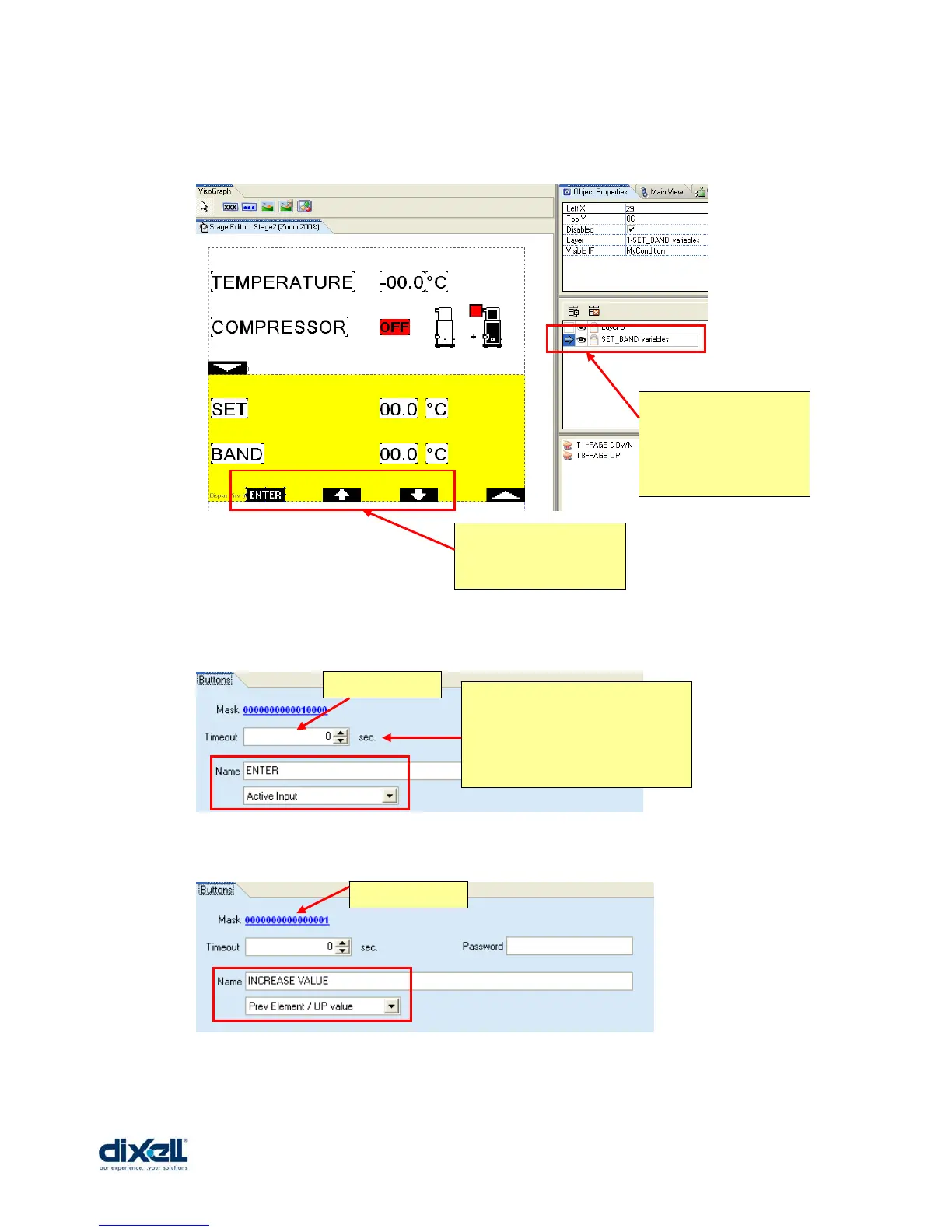
After this, add the new images in the page but in a new layer called “SET_BAND variables”:
The new buttons to define are T2, T4 and T6 and the properties for each of them are:
These are the new three
icons for the buttons.
This is the new layer
where we have added
the icons; the arrow
means in which layer
we are working.
T2 button
T4 button
This is the time that the button
must be kept pressed before to
get the activation; if the value is
“0” the activation will be
immediately.















 To Next Page