________________________________________________________________________________________________________
1592025400 – Vers. 1.0 - 132
-
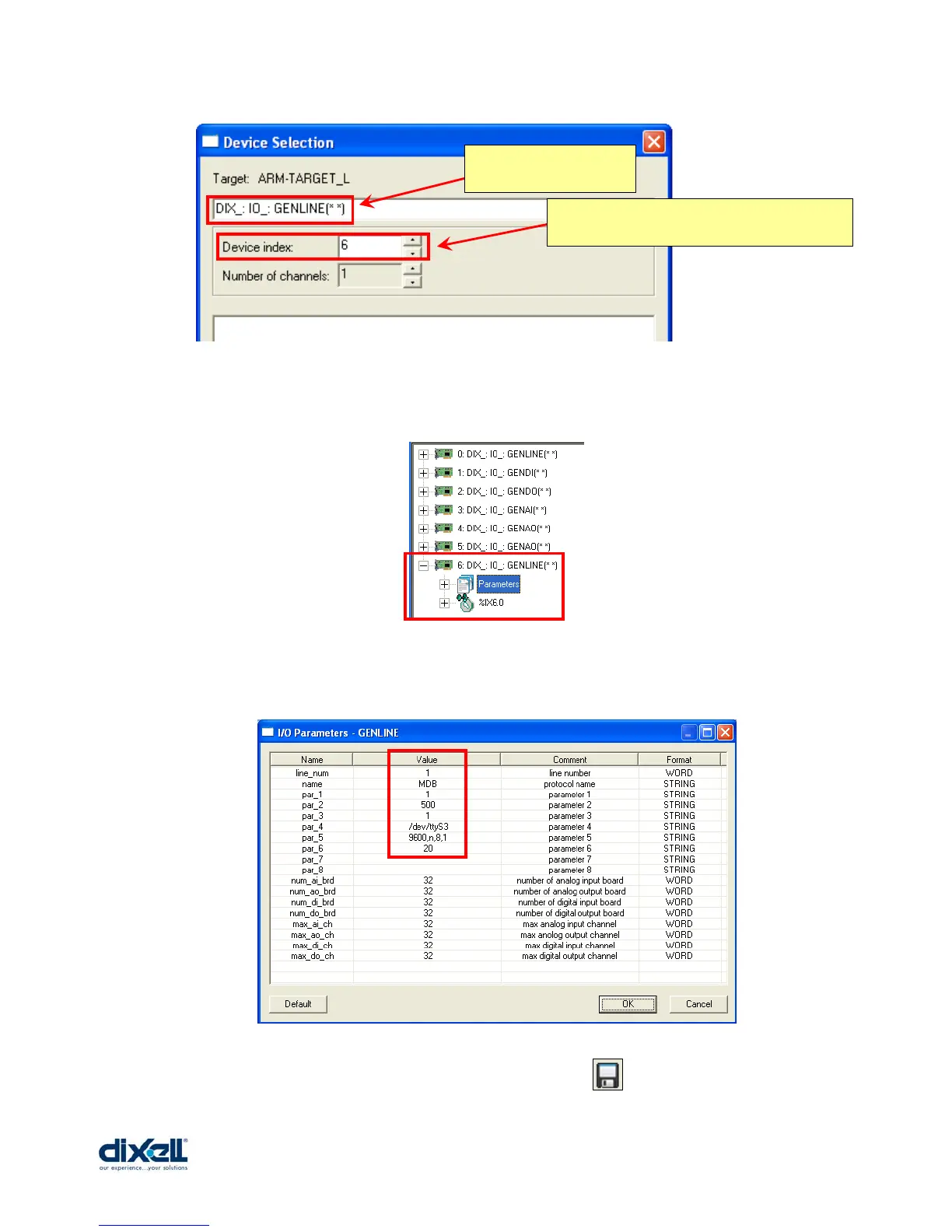
Then confirm and the new board will be added in your project.
Double click on “Parameters” to configure the GENLINE board.
To complete the configuration, confirm with “OK” and save .
This is the new board
to add.
This is the board number and the number
increase automatically.















 To Next Page