________________________________________________________________________________________________________
1592025400 – Vers. 1.0 - 141
-
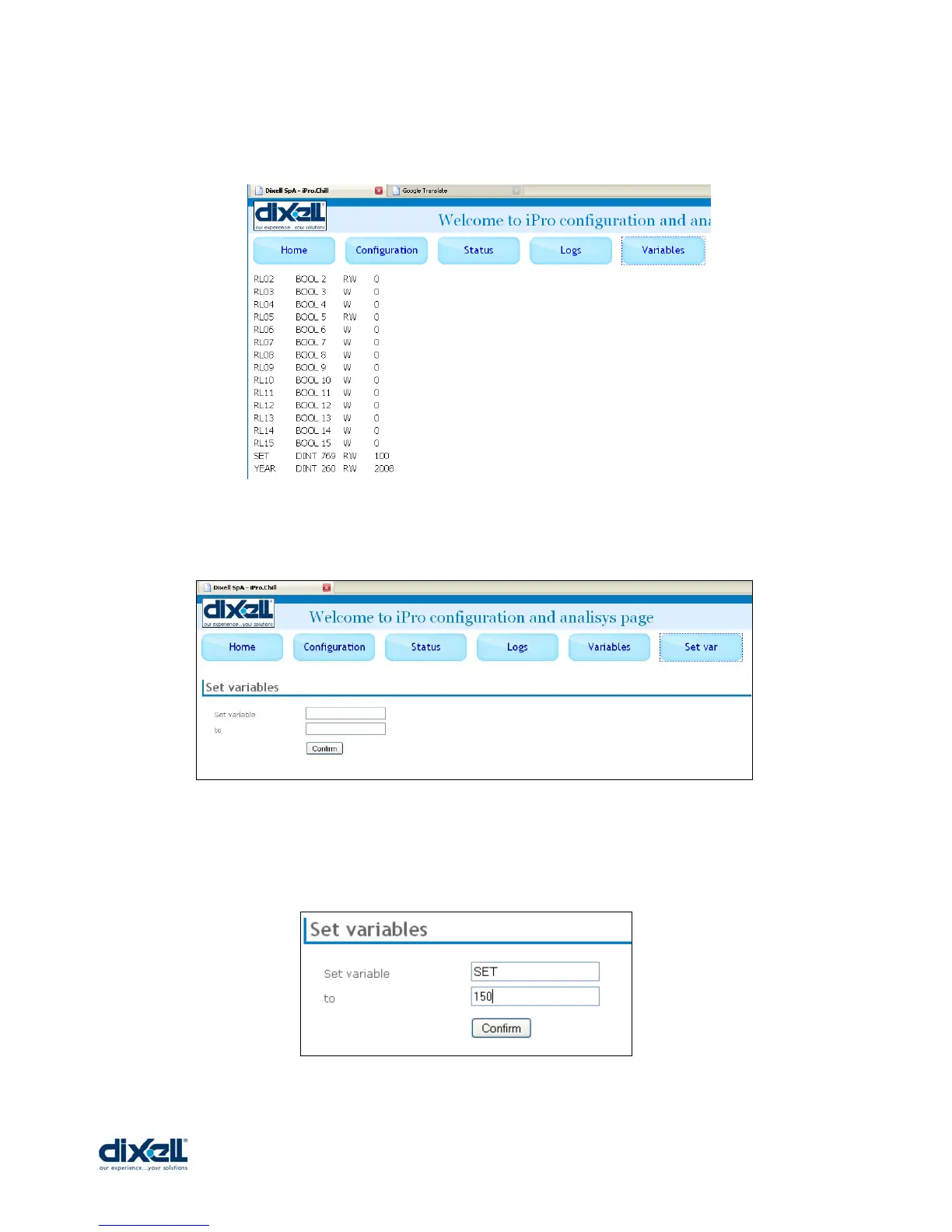
Click on “VARIABLES” to check the information about the variables used in your application.
Click on “SET VAR” to change the value of the variables.
If you want to change the value of the variable “SET” from 100 to 150, write the name of the
variable, the new value and then confirm.















 To Previous Page