________________________________________________________________________________________________________
1592025400 – Vers. 1.0 - 36 -
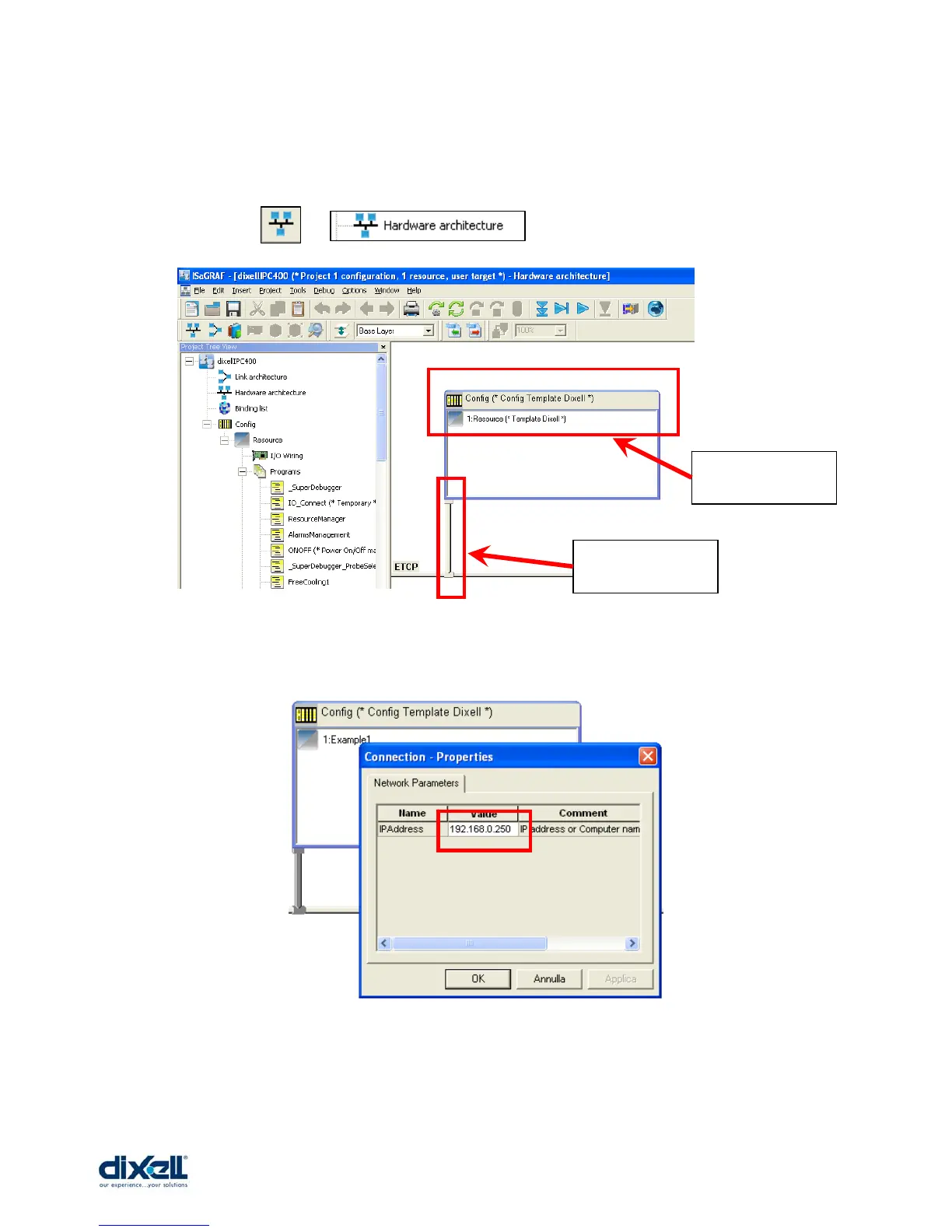
The last operation to do to complete the set-up is to define the IP address in the ISaGRAF
workbench.
Click the icon: or and then double click on vertical bar:
If the vertical bar is not visible, move the “Config” window until the vertical bar will appear.
Write inside the box the IP address of your iPRO, then OK.
Now the set-up of ISaGRAF is completed and you can start with your application.
Double click on
vertical bar
Config window















 To Next Page