
 Need help?
Do you have a question about the DKK-TOA WQC-30 and is the answer not in the manual?
Explains the meaning of various warning symbols used in the manual.
Details safety precautions for product usage and compliance with regulations.
Provides guidelines for effective use and handling of the instruction manual.
Details the technical specifications of the instrument and its measurements.
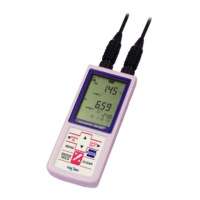
Identifies and describes the components of the instrument's main unit and control panel.
Explains the various symbols and indicators on the instrument's display screen.
Describes the parts and functions of the WMS-30 sensor module.
Details the components and function of the pH electrode.
Provides step-by-step instructions for installing batteries in the instrument.
Guides users on how to connect the sensor module to the instrument unit.
Highlights essential points to consider for proper product usage.
Explains the sequence of operations for performing measurements with the instrument.
Details the procedure for turning the instrument's power on and off.
Describes how to set the instrument's date and time correctly.
Guides users on how to switch between different measurement modes.
Explains how to freeze and unfreeze measurement values on the display.
Covers the process of manually saving measurement data to memory.
Details how to view, print, and delete stored measurement data.
Provides procedures and key points for calibrating the pH measurement.
Explains the methods for calibrating the turbidity measurement.
Details the calibration process for electrical conductivity measurements.
Describes how to perform one-point temperature calibration for accurate readings.
Covers the procedures for calibrating the optional dissolved oxygen measurement.
Visual guides illustrating the navigation flow between instrument screens.
Explains features related to saving and managing measurement data.
Details how to set up automatic data recording at regular intervals.
Explains how to enable or disable the instrument's audible buzzer.
Describes how to configure the automatic power-off function to save battery.
Covers specific functions and settings for turbidity measurements.
Details specialized functions for electrical conductivity measurements.
Explains specific functions and settings for salinity measurements.
Covers specialized functions for the optional dissolved oxygen measurement.
Provides instructions for connecting optional accessories like AC adapter, printer, and RS-232C cable.
Details how to print measurement and calibration data using an external printer.
Explains RS-232C communication formats and data transmission protocols.
Describes the parts, installation, and usage of the submersible stirrer.
Provides instructions for cleaning and maintaining the main instrument unit.
Details daily care, cleaning, and storage procedures for the pH electrode.
Explains how to clean and maintain turbidity sensors, EC cells, and temperature sensors.
Provides guidelines for the daily care and long-term storage of the dissolved oxygen electrode.
Covers the procedures for replacing components of the pH electrode.
Details the process for replacing the dissolved oxygen electrode and its parts.
Explains how to replace the instrument's batteries and interpret the battery icon.
Outlines safety precautions to take when an abnormal operation is detected.
Lists common error numbers, their causes, and recommended actions.
Provides solutions for common problems not indicated by error numbers.
Explains how to reset the instrument's system to resolve issues.
Provides guidelines for safely transporting the instrument.
Details the recommended conditions for storing the instrument.
Advises on proper disposal methods according to local regulations.
 General
| Measurement Items | pH, ORP, Conductivity, Salinity, TDS, Temperature, Dissolved Oxygen |
|---|---|
| pH Measurement Range | 0.00 to 14.00 pH |
| pH Resolution | 0.01 pH |
| ORP Resolution | 1 mV |
| Temperature Resolution | 0.1 °C |
| ORP Measurement Range | -1999 to 1999 mV |
| Conductivity Measurement Range | 0.0 μS/cm to 199.9 mS/cm |
| TDS Measurement Range | 0.0 mg/L to 100 g/L |
| Conductivity Resolution | 0.01 mS/cm |
| Waterproof | IP67 |
| Display | LCD |

 To Next Page