Using the F6300 Configuration Window
3-4 72A-2337-01 Rev. B 11/05
To configure this window:
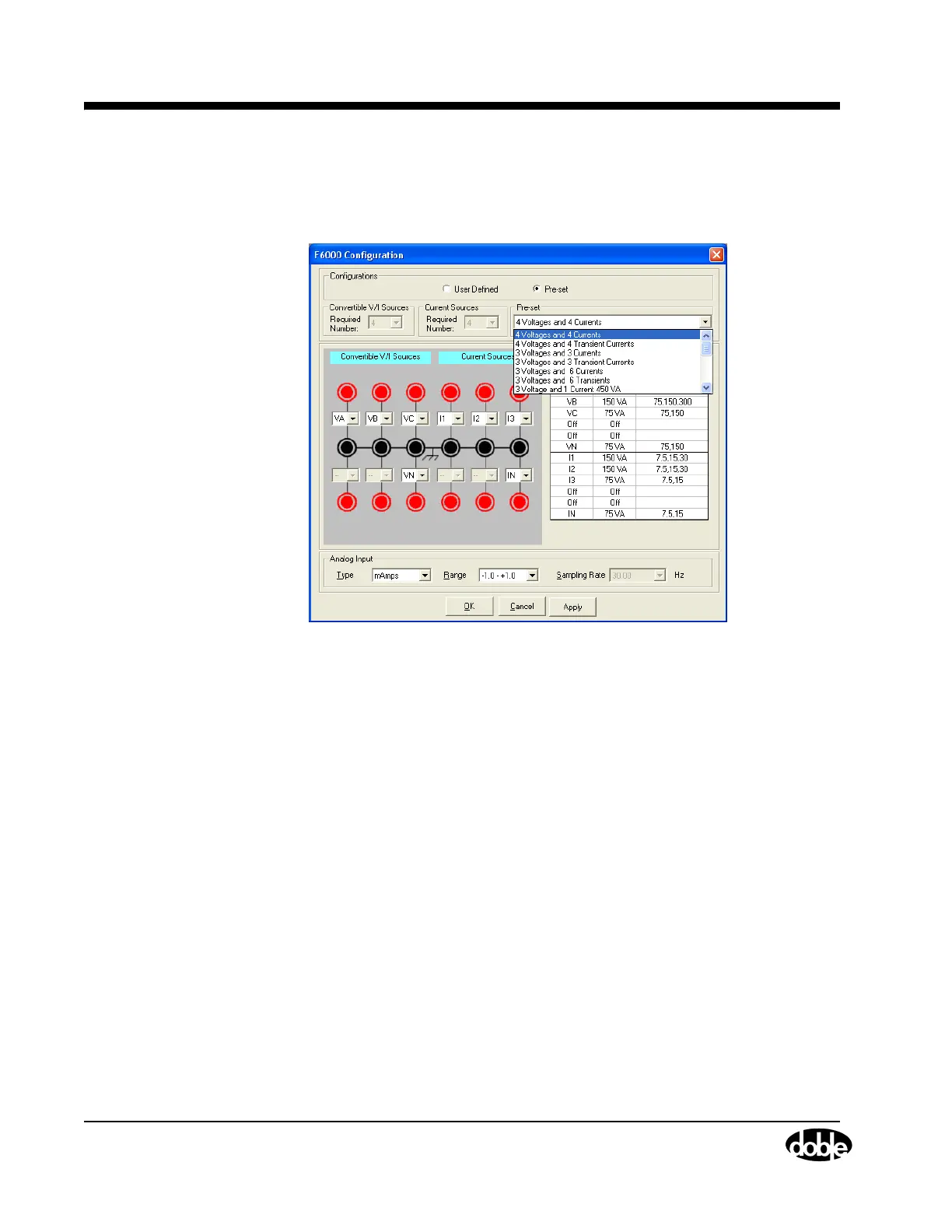
1. Select Tools > F6000 Configuration and the F6000 Configuration window appears
(
Figure 3.4).
Figure 3.4 F6000 Configuration Window
2. Configure the F6150/F6300 sources using the Pre-set Configurations dropdown box (User
Defined source configurations work with F6150 source configurations).
The F6150/F6300 Pre-set source configuration selections end with ...F6300 Required. The
connection graphics change to reflect F6150 and F6300 source configurations whenever a
F6150/F6300 source configuration is selected. The F6150/F6300 source configuration
selections are:
• 3 Voltages and 3 450 VA Currents
• 3 Voltages and 3 675 VA Transient Currents
• 3 Voltages and 9 150 VA Currents
• 3 Voltages and 9 225 VA Transient Currents
The F6300 Current Ranges (Resolution) are:
• 2 x 675 VA 1.5 Second Transient Source 15, 45, 90, 180 (0.01) A-rms
• 2 x 675 VA 1.5 Second Transient Source 10 (0.001), 30, 60, 120 (0.01) A-dc
• 2 x 450 VA Continuous Source 7.5, 22.5 (0.001), 45, 90 (0.01) A-rms
• 2 x 450 VA Continuous Source 5 (0.001), 15, 30, 60 (0.01) A-dc
• 6 x 225 VA 1.5 Second Transient Source 15, 30 (0.001), 60 (0.01) A-rms
• 6 x 225 VA 1.5 Second Transient Source 10, 20, 40 (0.01) A-dc
• 6 x 150 VA Continuous Source 7.5, 15 (0.001), 30 (0.01) A-rms
• 6 x 150 VA Continuous Source 5 (0.001), 10, 20 (0.01) A-dc



 To Next Page