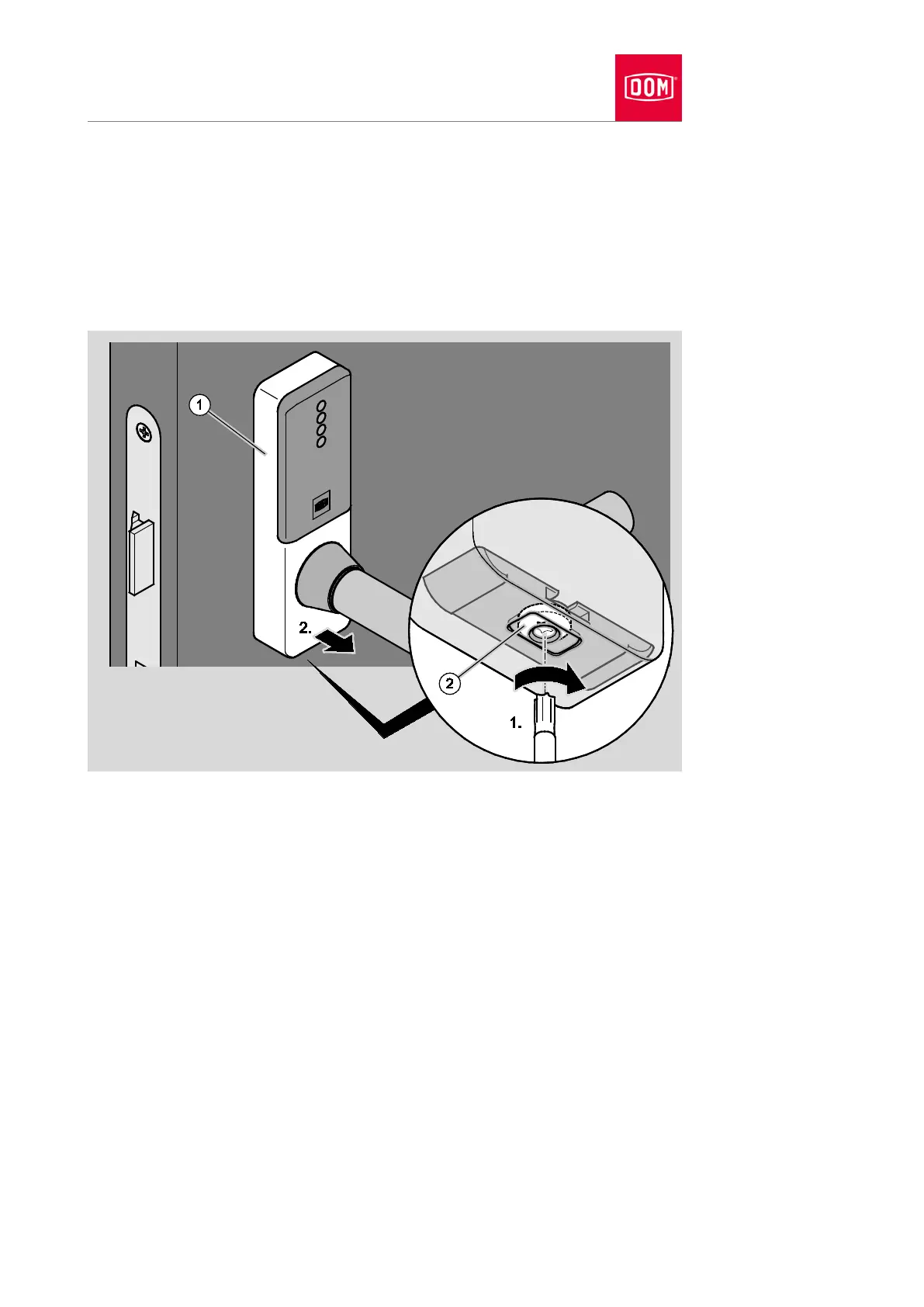
Turn the screw (2) on the underside of the cover as seen from below in a
clockwise direction (1) to open the cover closure.
The locking block moves inwards.
Lift the cover (1) away from the assembly profile at the bottom (2.).
Lift the cover away from the assembly profile at the top.
Pull the cover carefully over the lever handle while rotating it.


 To Next Page