43
ED100LE 02-2021DL4616-001
dormakaba ED100LE operator – Fine cover
Installation Instructions
Chapter 16
.. Select installation template.
. Select installation template based on companion
door configuration.
• Reference Para. ..
. Select installation template
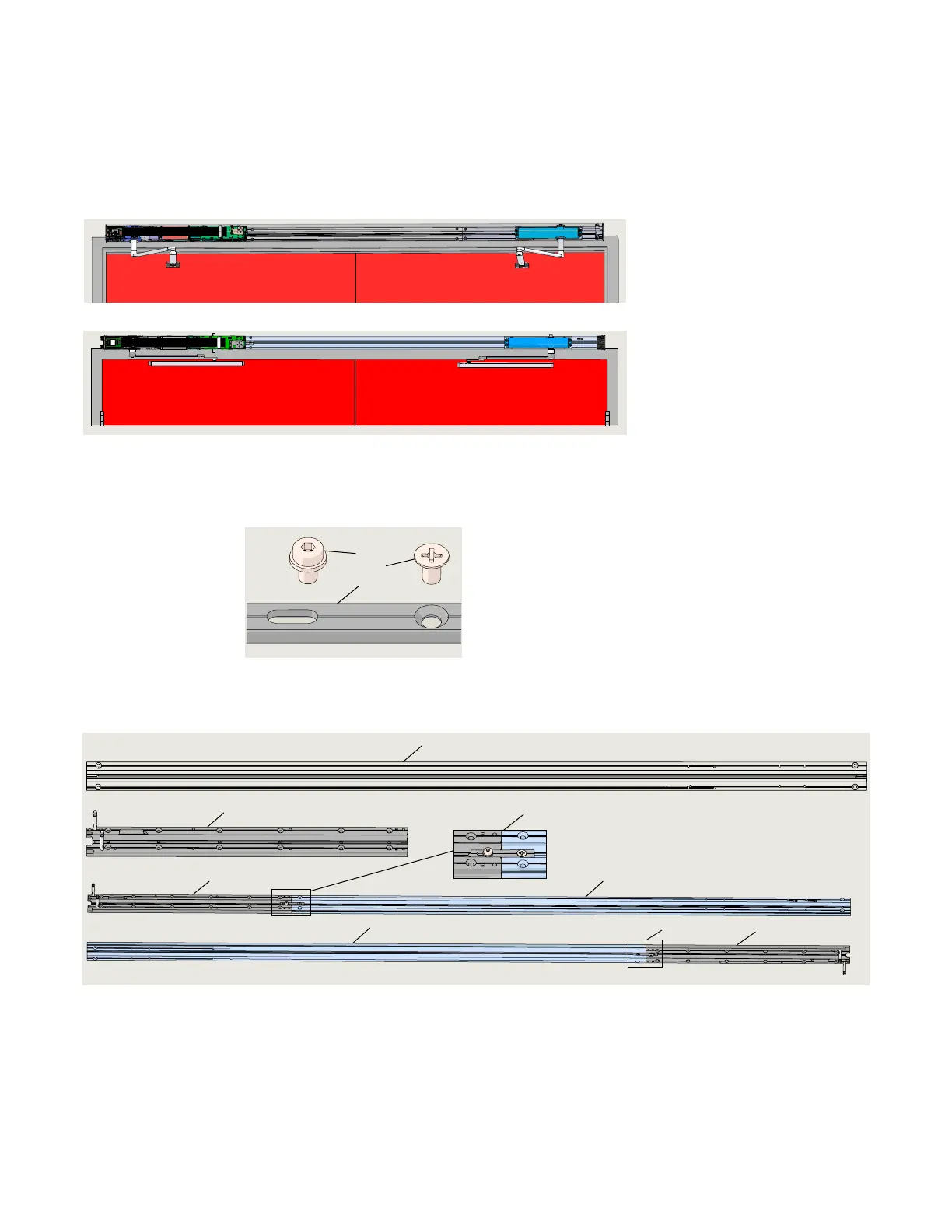
Fig. 16.3.1 ED100LE Companion push example
Fig. 16.3.2 ED100LE Companion pull example
. Assemble EDLE and closer backplates
1 ED100, mtg extr
connector
DC3491-010
2 M6 x 10 mm socket
head w/washer
DF3495-01Z
3 M6 x 10 mm
Phillips flat head
screw DF3496-01Z
1
2
3
Fig. 16.4.1 Backplate connect
kit HK3491-001
Fig. 16.4.2 Backplate assembly example
.. Remove EDLE operator from mounting plate.
. Reference Chapter , Para. ..
. Remove EDLE operator from its mounting plate.
.. Connect EDLE mounting plate and closer
mounting plate.
. Connect EDLE operator mounting plate to
companion mounting plate using backplate connect
kit HK-.
. Insure the two mounting plates are configured based
on door configuration.
1 Backplate, ED
operator
companion
HC3468-050
PULL (T) PUSH (J)
PUSH (J)
PULL (T)
1
2
1
3
3
1
3
2
2 Backplate connect
kit HK3491-00
3 ED100LE operator
mounting plate












 To Next Page