Vigor2860 Series User’s Guide
32
1
1
.
.
7
7
.
.
6
6
C
C
o
o
n
n
f
f
i
i
g
g
B
B
a
a
c
c
k
k
u
u
p
p
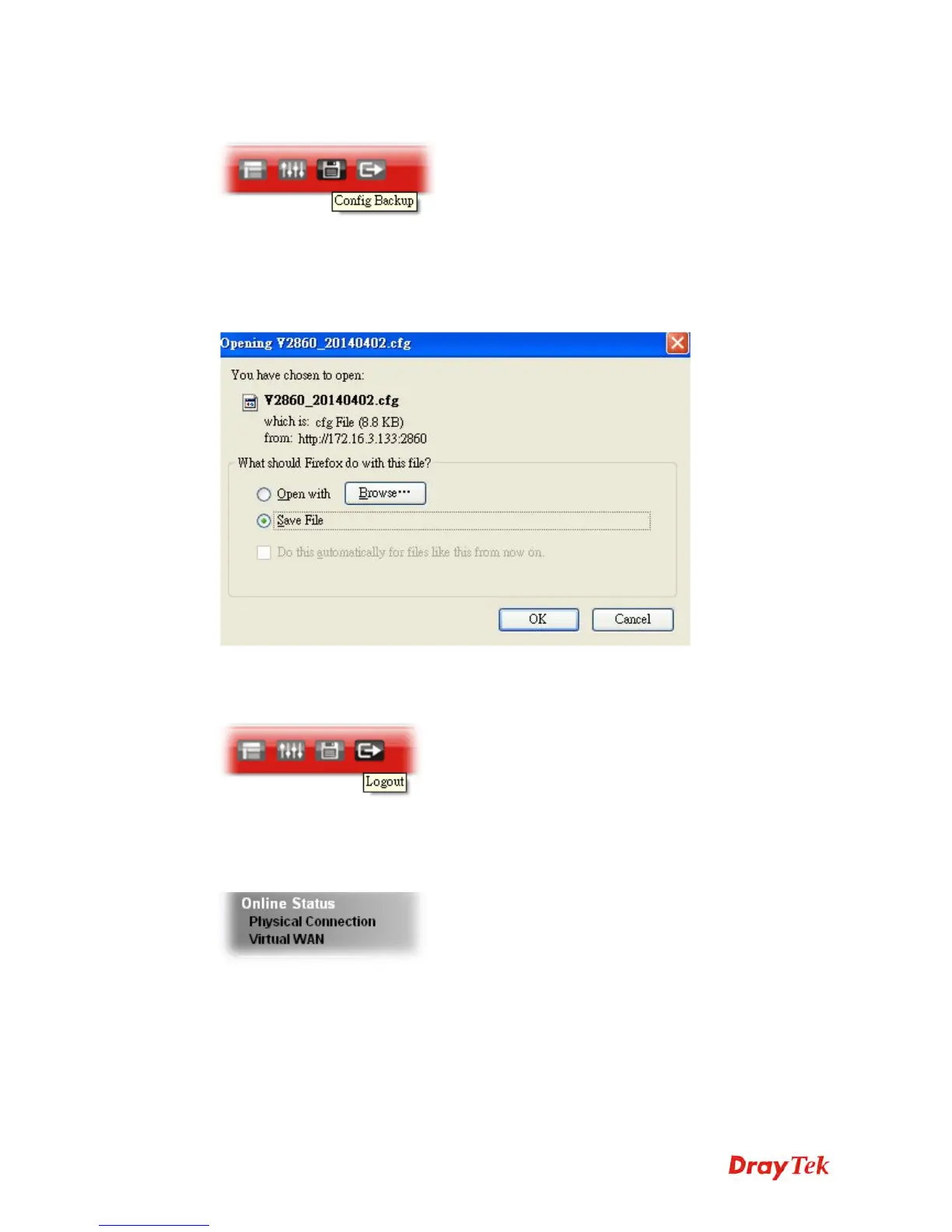
There is one way to store current used settings quickly by clicking the Config Backup icon. It
allows you to backup current settings as a file. Such configuration file can be restored by using
System Maintenance>>Configuration Backup.
Simply click the icon on the top of the main screen and a pop up dialog will appear.
Click Save to store the setting.
1
1
.
.
7
7
.
.
7
7
L
L
o
o
g
g
o
o
u
u
t
t
Click this icon to exit the web user interface.
1
1
.
.
8
8
O
O
n
n
l
l
i
i
n
n
e
e
S
S
t
t
a
a
t
t
u
u
s
s
1
1
.
.
8
8
.
.
1
1
P
P
h
h
y
y
s
s
i
i
c
c
a
a
l
l
C
C
o
o
n
n
n
n
e
e
c
c
t
t
i
i
o
o
n
n
Such page displays the physical connection status such as LAN connection status, WAN
connection status, ADSL information, and so on.



 To Next Page
 Loading...












