Vigor2860 Series User’s Guide
529
4
4
.
.
1
1
8
8
H
H
o
o
w
w
t
t
o
o
a
a
u
u
t
t
h
h
e
e
n
n
t
t
i
i
c
c
a
a
t
t
e
e
c
c
l
l
i
i
e
e
n
n
t
t
s
s
v
v
i
i
a
a
U
U
s
s
e
e
r
r
M
M
a
a
n
n
a
a
g
g
e
e
m
m
e
e
n
n
t
t
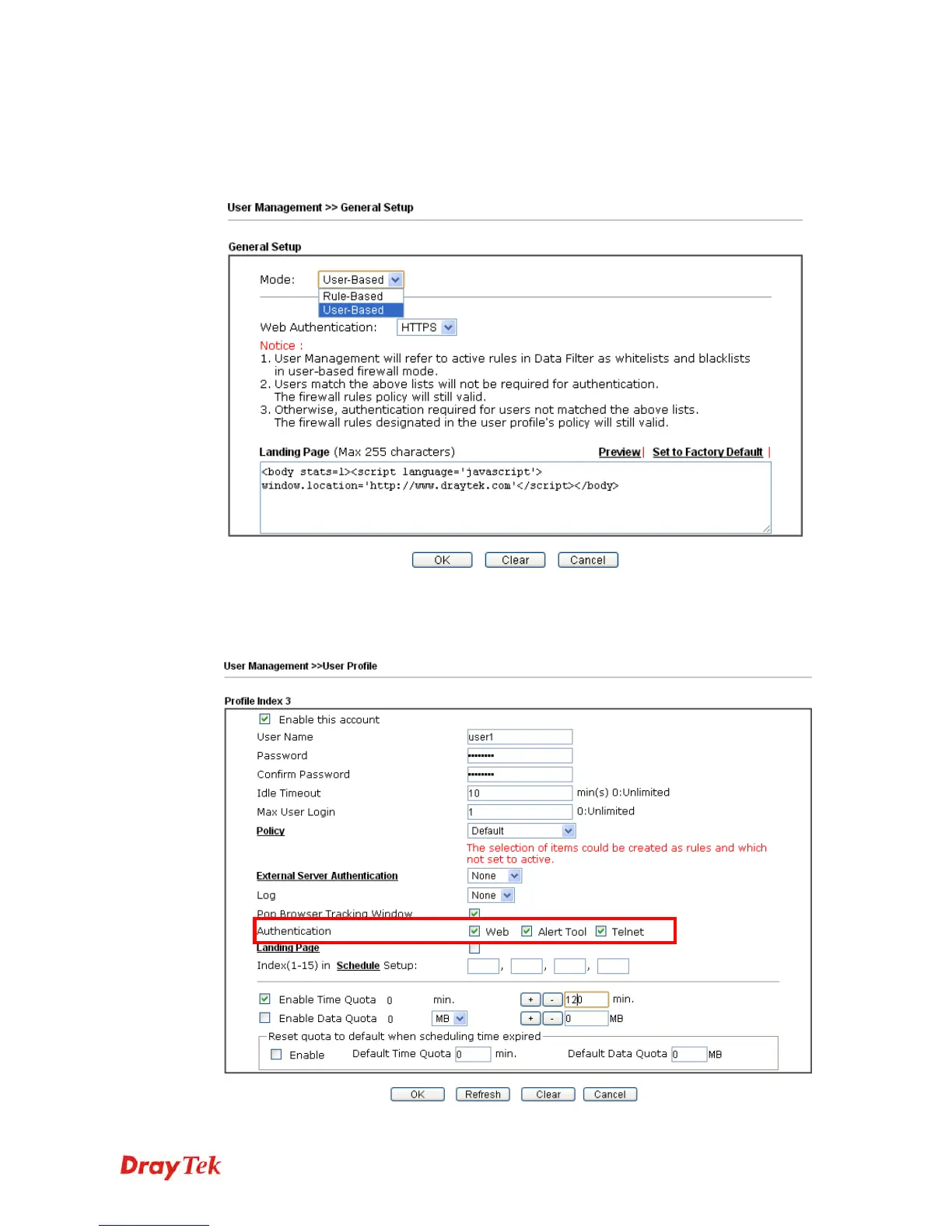
Before using the function of User Management, please make sure User-Based has been
selected as the Mode in the User Management>>General Setup page.
With User Management authentication function, before a valid username and password have
been correctly supplied, a particular client will not be allowed to access Internet through the
router. There are three ways for authentication: Web, Telnet and Alert Tool.


 To Next Page
 Loading...












