Operating peripheral devices
4.2 EST2 System Operations Manual
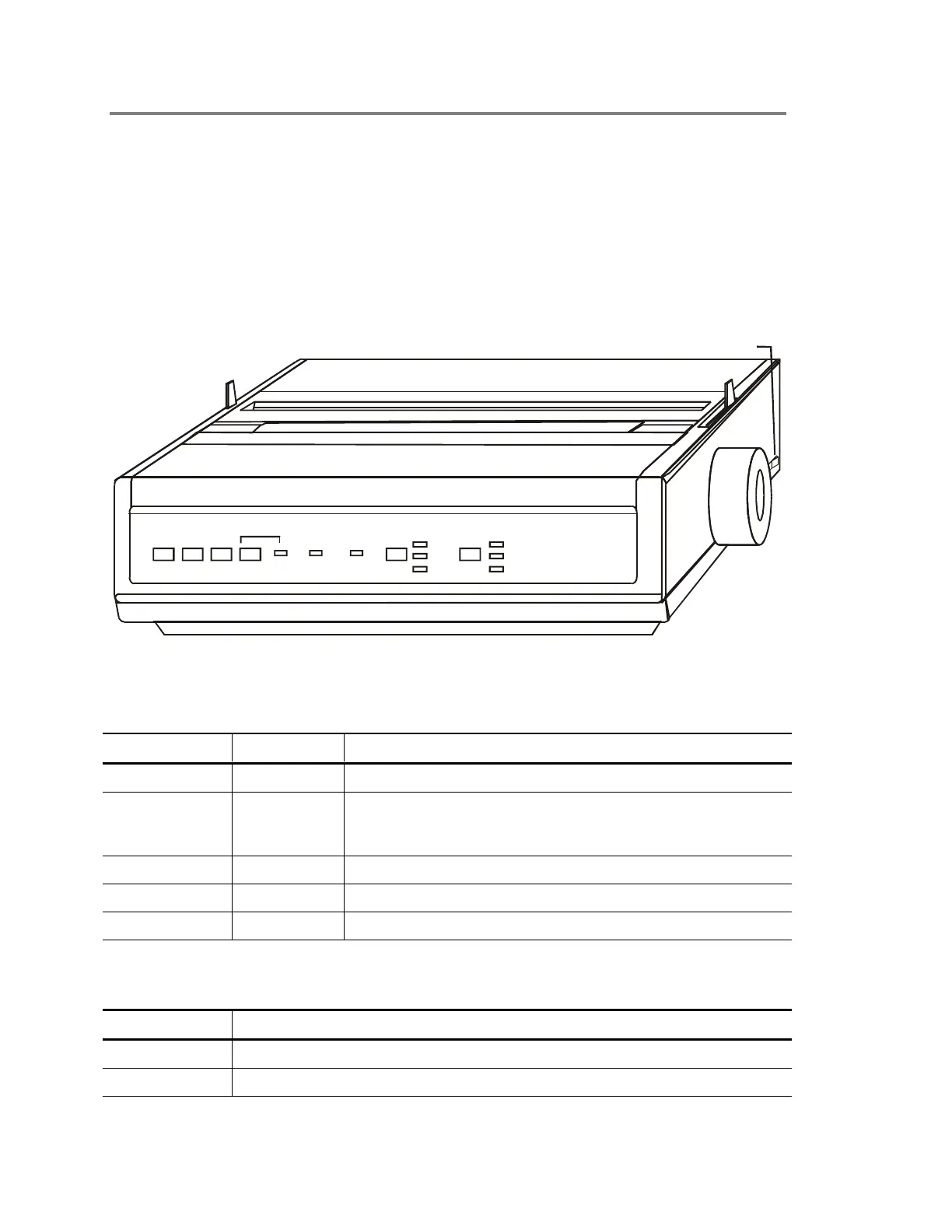
PT-1S Printer
The PT-1S printer provides permanent records of all system
activities, including sensitivity and history reports. The PT-1S
remains continuously active unless someone uses the printer
connection for maintenance purposes. The printer operates in
combination with the 2-LCD. See Generating reports in
Operating panel devices. The printer will generate a trouble
condition at the control panel if it has an internal problem or runs
out of paper.
STDOP038.CDR
FORM
FEED
LNE
FEED
TOF
SET
SELECT ALARM POWER PITCH MODE
10 NLQ
12 UTILITY
17 HSD
On/Off switch
Figure 4-1: PT-1S form printer
Table 4-1: Indicators
LED Color Description
Select Green The Select LED turns on when the printer is online.
Alarm Red The Alarm LED lights turns on when the printer has an internal
problem or needs more paper. Do not confuse this LED with a
fire alarm.
Power Green The Power LED turns on when the printer has power.
Pitch Green The Pitch LEDs turn on to indicate the selected character size.
Mode Green The Mode LEDs turn on to indicate the selected printer speed.
Table 4-2: Controls
Switch Description
Line feed Advances the paper one line.
Form feed Advances the paper to the next page.



 To Next Page