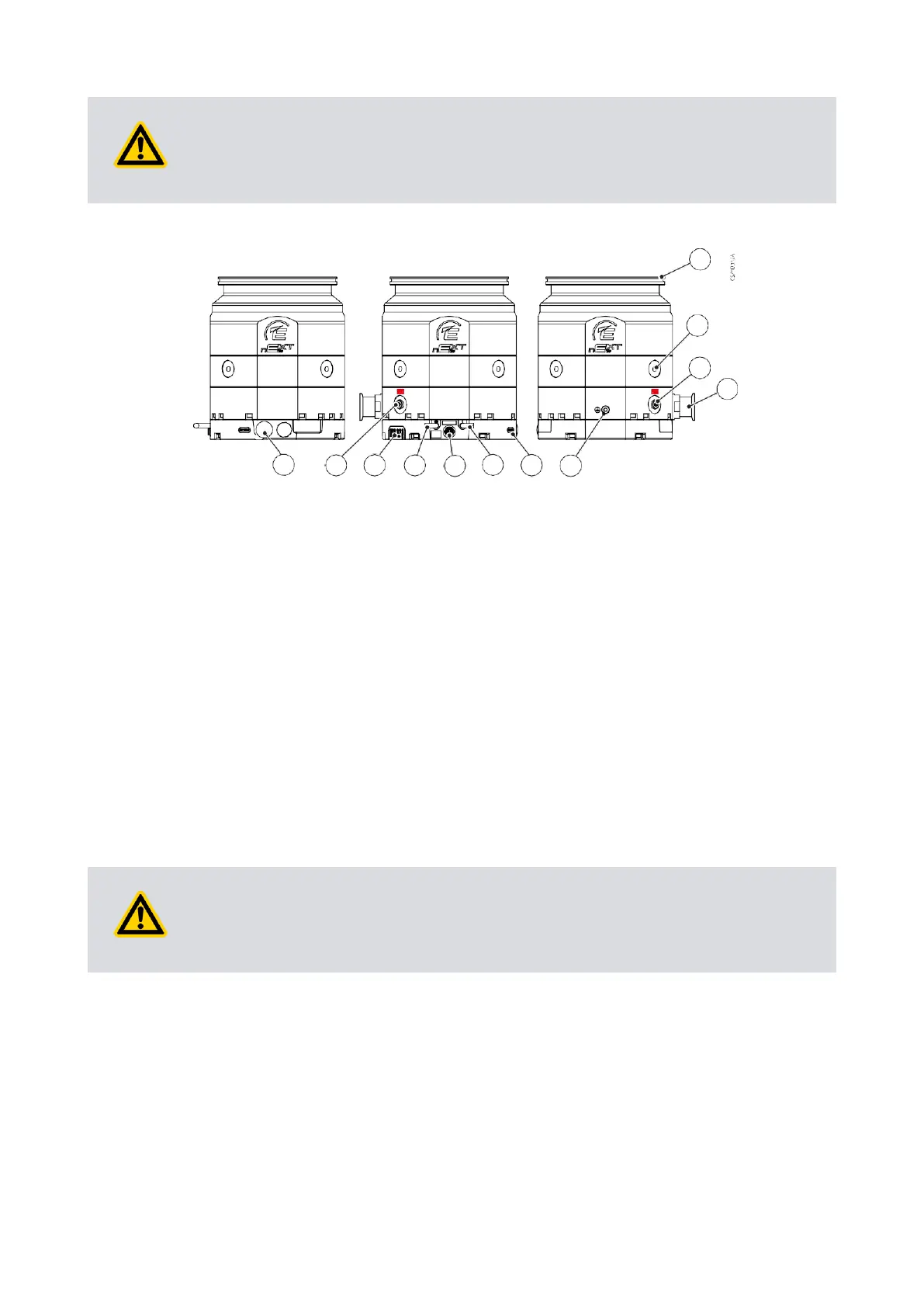
Figure 23 Connections and controls
1. Inlet flange 2. 4x Boreholes for transport eyes
M8, 14 deep
3. Purge port G 1/8", closed with
plug screw
4. Backing port
5. Grounding connection 6. Bearing status indication (indicates
when bearing service is
recommended)
7. Control interface 8. Accessory connector
9. 48 V d.c. power supply 10. LED indicators on drive unit
11. Vent port G 1/8", closed with plug
screw
12. RS485/CAN/RS232 slide switch,
USB connector, Standby speed
change buttons
5.2.1 Remove and replace the inlet screen
The inlet screen is supplied fitted on CF pumps only. Remove the inlet screen only if
there is no possibility that debris can fall into the pump. If the inlet screen is removed,
the pumping speed will increase by up to 20%.
Care must be taken to avoid foreign objects from entering the pump during installation.
The pump is supplied with either an integral mesh centring O-ring seal or a pre-fitted
mesh screen. This must be fitted during installation.
In the unlikely event of pump fracture, it is possible that the inlet screen may not trap all
of the debris within the pump. Ensure that the system can contain any debris that may
escape from the pump.
The screen protects the pump from contamination. Do not remove the inlet screen until
the pump is about to be mounted onto the system.












 To Next Page