1. To remove the inlet screen from a pump with CF inlet flange, use a bent wire hook
or small screwdriver to carefully lever the inlet screen out from the inlet flange.
2. To replace an inlet screen, locate it as centrally as possible over the CF inlet flange
and then, with fingers applying equal pressure around the edge of the screen, push
it firmly downwards.
If they are not already in place, the tangs must be snapped into the locating groove in
the inlet flange using a suitable tool to press them into position.
For ISO flanged pumps, Edwards supplies a combination inlet screen/trapped O-ring.
5.2.2 Mounting orientation
nEXT730 and 930 pumps can be mounted in any orientation,
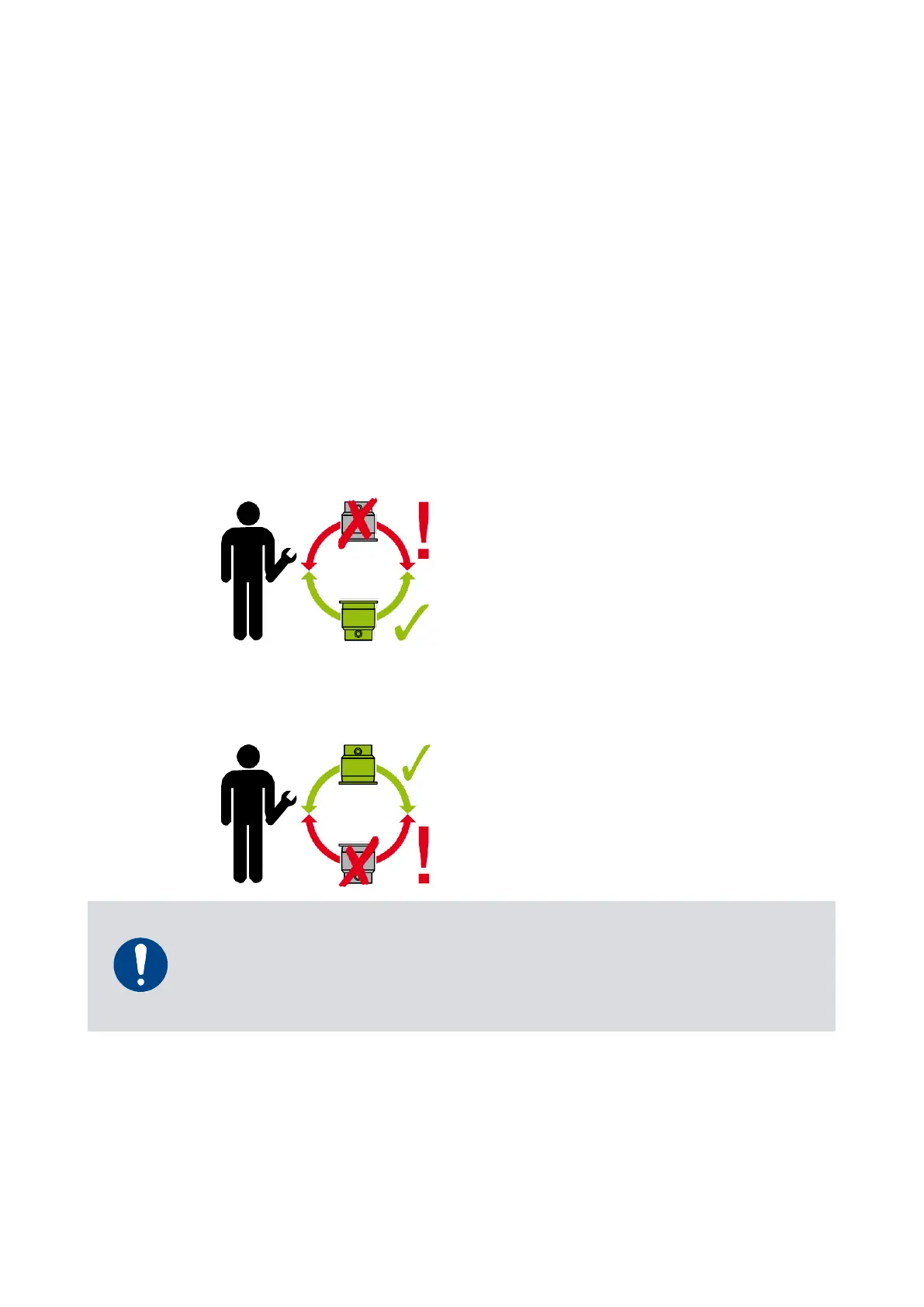
nEXT1230 pumps can be mounted
▪ horizontally or vertically, with the high-vacuum flange on top and in any orientation
in between or
Figure 24 Mounting orientation for nEXT1230H
▪ horizontally or vertically, with the high-vacuum flange on the bottom and in any
orientation in between (INV versions)
Figure 25 Mounting orientation for nEXT1230H INV












 To Next Page