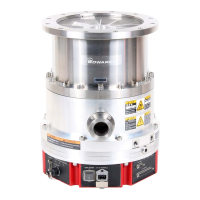
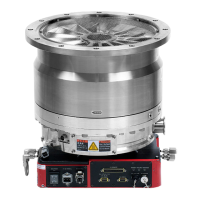
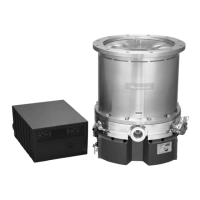
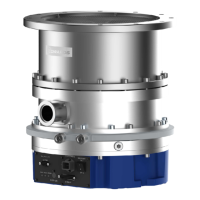
STP-iX455/iXL455 Series Instruction Manual
12
FIGURES
Figure 2.1 Cross Sectional View of the STP Pump ......................................................................... 2-2
Figure 4.1 Configuration of the STP Pump ...................................................................................... 4-2
Figure 4.2 Control Unit (Front panel) ............................................................................................... 4-3
Figure 4.3 Control Unit (Rear panel) ................................................................................................ 4-5
Figure 4.4 Installation of the STP Pump to the Vacuum Equipment ............................................... 4-9
Figure 4.5 STP Pump Installation Positions................................................................................... 4-11
Figure 4.6 Positions of the Outlet Port on the Horizontally or Slanted Installed STP Pump ....... 4-11
Figure 4.7 Example of Securing the STP Pump (When securing the inlet port with bolts) ........... 4-13
Figure 4.8 Example of Securing the STP Pump
(When securing the inlet port flange with claw clamps)................................................ 4-14
Figure 4.9 Example of Securing the STP Pump
(When installing the damper in the inlet port flange) .................................................... 4-15
Figure 4.10 Recommended Leg for Securing Base ......................................................................... 4-16
Figure 4.11 Position of the Screw Holes for Legs ............................................................................ 4-16
Figure 4.12 Connecting the Purge Port ........................................................................................... 4-19
Figure 4.13 Vent valve connection ................................................................................................... 4-20
Figure 4.14 Example of a control method when introducing the atmosphere (in dashed line) ........ 4-20
Figure 4.15 DC Power Cable ........................................................................................................... 4-22
Figure 5.1 Attaching Positions of the Baking Heater and Air-cooling Unit ....................................... 5-2
Figure 5.2 Air-cooling Unit U0-64 ..................................................................................................... 5-3
Figure 5.3 Air-cooling Unit U1-64 ..................................................................................................... 5-3
Figure 5.4 Installation Procedure for Air-cooling Unit U0-64 ........................................................... 5-4
Figure 5.5 Installation Procedure for Air-cooling Unit U1-64 ........................................................... 5-5
Figure 6.1 Pump Operation (Method 1) ........................................................................................... 6-3
Figure 6.2 Pump Operation (Method 2) ........................................................................................... 6-3
Figure 6.3 "ROTATION" LED Indication .......................................................................................... 6-5
Figure 7.1 X2 REMOTE Pin Arrangement ....................................................................................... 7-1
Figure 7.2 X2 REMOTE Input Signal Pins ....................................................................................... 7-4
Figure 7.3 X2 REMOTE Output Signal Pins .................................................................................... 7-7
Figure 9.1 Serial Port ....................................................................................................................... 9-1
Figure 9.2 RS485 Connections ........................................................................................................ 9-3
Figure 9.3 Grounding example (Both ends grounding) .................................................................... 9-6
Figure 9.4 Grounding example (single point grounding) .................................................................. 9-6
Figure 9.5 Example of ring ferrite core installation .......................................................................... 9-7
Figure 9.6 Example of cable installation in metallic duct ................................................................. 9-7
Figure 9.7 Example of differential signal waveform ......................................................................... 9-8
Figure 9.8 Block diagram of communication process example ..................................................... 9-17
Figure 9.9 Example of answer resending process ......................................................................... 9-18
Figure 9.10 Example of response when the command is sent continuously ................................... 9-18
Figure 9.11 Example of command sending during answer data reply ............................................ 9-18
Figure 9.12 Example of communication cycle process ................................................................... 9-19
Figure 9.13 Example of command sending process ....................................................................... 9-20
Figure 9.14 Example of answer receiving process .......................................................................... 9-20
Figure 10.1 Display Unit iDT-001 ..................................................................................................... 10-2
Figure 12.1 WARNING Output ......................................................................................................... 12-1
Figure 12.1 WARNING Output ......................................................................................................... 12-1
Figure 13.1 Failure Output ............................................................................................................... 13-2
Figure 15.1 External Appearance of the STP Pump (STP-iX455 series) ........................................ 15-4
Figure 15.2 External Appearance of the STP Pump (STP-iXL455 series) ...................................... 15-5
Figure 15.3 Label Affixing Positions for the STP Pump ................................................................... 15-6


 To Next Page
 Loading...