116
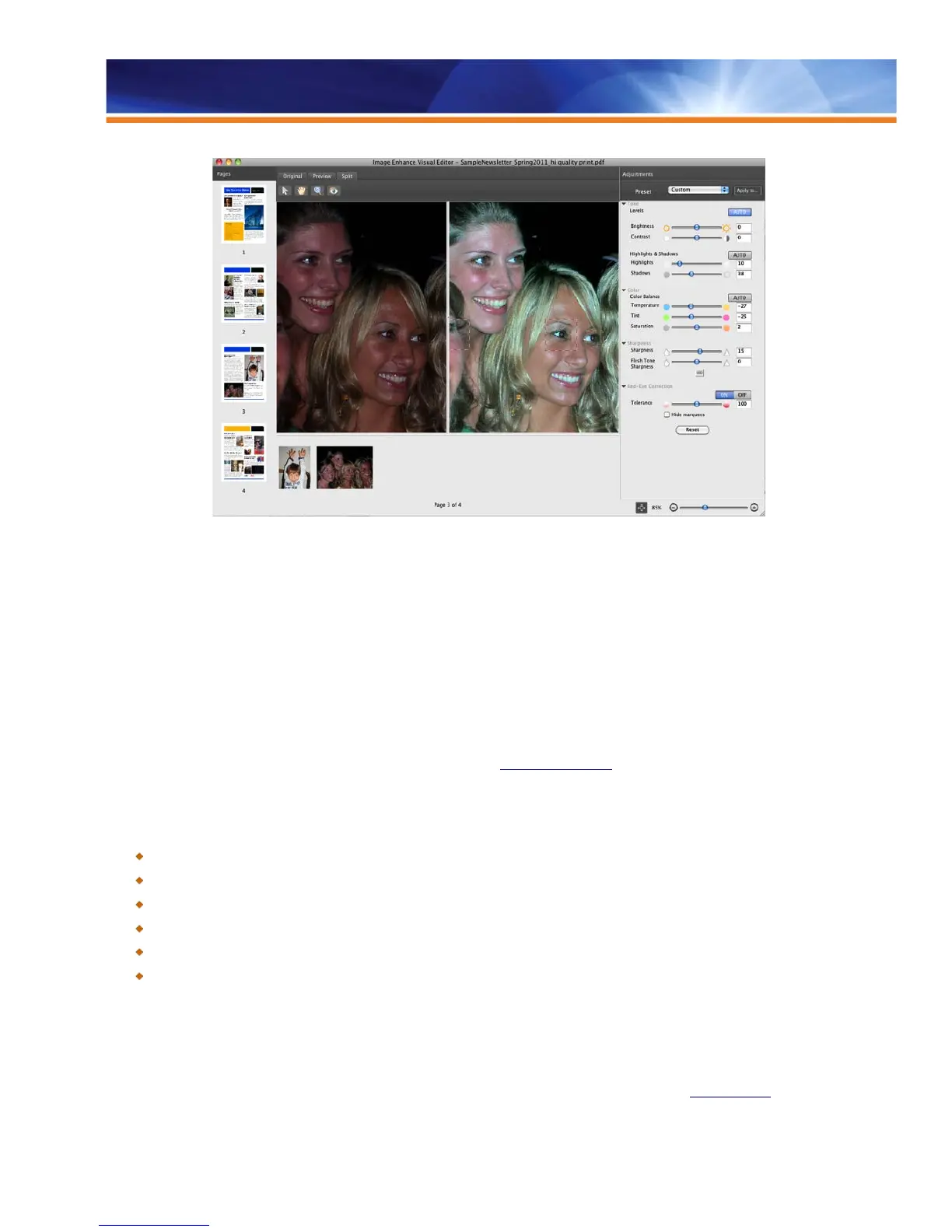
Users can select additional red-eye regions to correct or deselect areas that don’t need correction.
Once an operator saves image-correction settings from Image Enhance Visual Editor in PDF files, the settings are stored in the PDF so
that the user can fine-tune corrections later. This way, operators can also reverse PDF file adjustments.
Image Enhance Visual Editor works with file sizes under 2 GB, documents less than 100 pages and pages that contain fewer than 50
images. Additionally, the feature is designed to detect and enhance only natural images so it won’t affect bitmap versions of graphics such
as charts and graphs. Image Enhance Visual Editor supports RGB and CMYK input color and does not preview spot colors and inter-
object print settings such as overprint or transparency. These remain in the original file so that they will be honored when printing.
Fiery Image Enhance Visual Editor addresses the widest range of images and jobs by supporting RGB and CMYK color sources and the
most commonly used file formats. This aspect makes it the most complete toolset of this type in today’s market. It can be used to improve
the image quality of many types of applications such as office documents, photo books and professional publishing layouts.
Visit the Demos section at the Fiery Command WorkStation website at
www.efi.com/CWS5 to watch the Image Enhance Visual Editor
video demonstration.
Benefits:
Reduces turnaround time because operators do not need to return to the originating software application to correct images.
Saves money because expensive image retouching and layout software is not needed at every workstation.
Corrects saturated colors without harming flesh tones.
Definition control allows localized sharpening or smoothing.
Allows users to fix images late in the production process after the job is already on the Fiery Driven engine.
Makes it easy for any operator to enhance images with automated tools.
Image Enhance Visual Editor is located in the Image tab in Job Properties and can be launched from Command WorkStation (highlight
job, right-click).
Image Enhance Visual Editor requires Fiery external servers running Fiery System 10 and above or the Fiery Productivity Package for
embedded Fiery servers.
Users can also obtain these updates in Fiery Extended Applications, which are available for download on efi.com/CWS5.



 To Next Page