104
Job-based Calibration
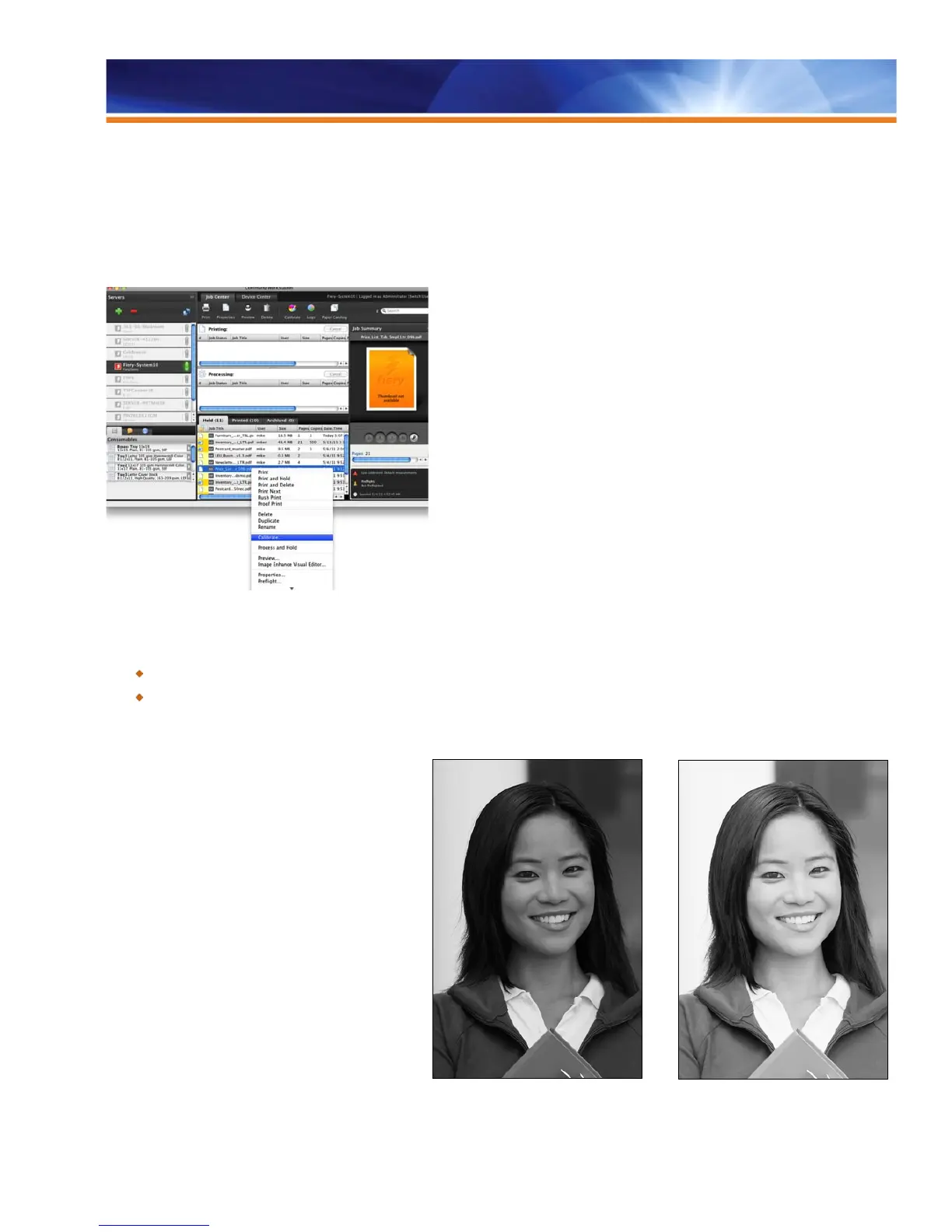
Job-based calibration increases accuracy and effectiveness because users customize calibration for a specific job and its associated
media and profiles. This is extremely useful for jobs that use nonstandard media because most users do not routinely calibrate special
media. To calibrate for a specific job, users simply select the job in the Hold queue and select Calibrate. A Calibrator Wizard will open to
guide the user through the calibration process. With job-based calibration, only the calibration setting(s) used by that job will display
automatically. When the job uses mixed media, the user can repeat the calibration process for all the media used in the job.
Starting job-based calibration from Job Center
Benefits:
Increases color consistency by calibrating for specific media.
Saves time by allowing operators to calibrate for the media they need at the time they need it.
Grayscale Calibration
Fiery Grayscale Calibration is a standard software
feature for black-and-white Fiery servers and requires
the use of an ES-2000/ES-1000 spectrophotometer.
Grayscale calibration is similar to color calibration. It
measures tonal variance from the desired target
performance and then compensates for that print
engine variance.
On a regularly serviced engine, calibration will
compensate for daily variances due to temperature,
humidity and paper stock.
Calibration provides consistency over time and ensures
that a file printed today will match when reprinted on the
same print engine.
Fiery Grayscale Calibration maximizes the dynamic
range of detail in images from the darkest shadow to
the lightest highlight. This ensures that shadows do not
plug up, even at maximum densities.



 To Next Page