25
• Publish, delete or edit virtual printers.
Key Functions and Features:
• Defines a combination of up to 252 virtual printers on a Fiery server.
• Is easily accessible from any print driver — ideal for "driver-based" workflows.
• Provides Fiery system actions such as Hold, Process and Hold, Print, and Print and Hold.
• Comes with imposition and override settings.
Benefits:
Automates workflow for all users, increasing productivity.
Reduces repetitive workflows for faster, error-free printing.
Ensures that print processes and company standards are maintained; relevant settings can be preserved as Admin-lockable.
Fiery Server Automated Workflows
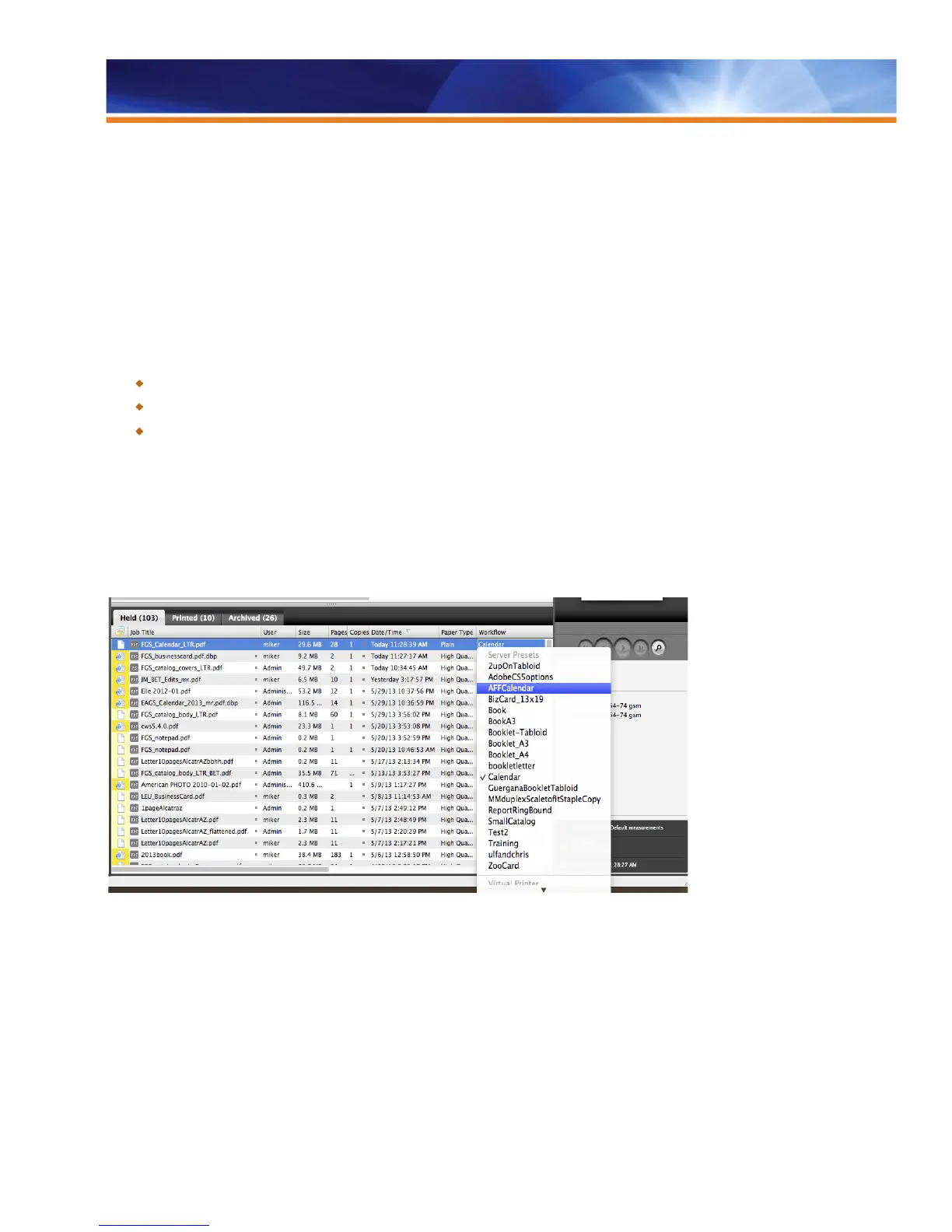
The Fiery Command WorkStation interface has a way to quickly select Server Presets by simply selecting one after right clicking on a job.
Fiery administrators can create and publish the workflows as easily as they can create a new Virtual Printer, and can publish the
workflows to make them available to all operators accessing that Fiery server. The automated workflows require a Fiery server with Virtual
Printers or Server Presets. Virtual Printers come standard with external servers and are an optional feature for embedded servers. Server
Presets are standard for both external and embedded servers, starting with Fiery System 10 and 10e.
Server Preset selection after a right click on a job
The new Drop Zones feature gives a new look and feel to the Fiery Command WorkStation by clearly indicating the areas open to drop
files for printing. It also enhances the server list view by displaying an easy way of associating Server Presets and Virtual Printers while
downloading the job onto the Fiery server; an enhanced view of the server list; and server information such as consumables, toners, alerts
and more.



 To Next Page