40
Benefits:
Increases productivity with support of the user’s existing workflow.
Automatically prints SPD embedded files without operator intervention to save time and increase productivity.
Sequential Printing
Sequential Printing guarantees that jobs print following one another in first-in, first-out printing order. For example, in transactional printing,
jobs need to be printed and mailed in a certain order. Another example is chapters in a book. The Sequential Print queue feature
guarantees that all jobs print in the order submitted and prevents smaller jobs from skipping ahead of larger jobs that are still spooling.
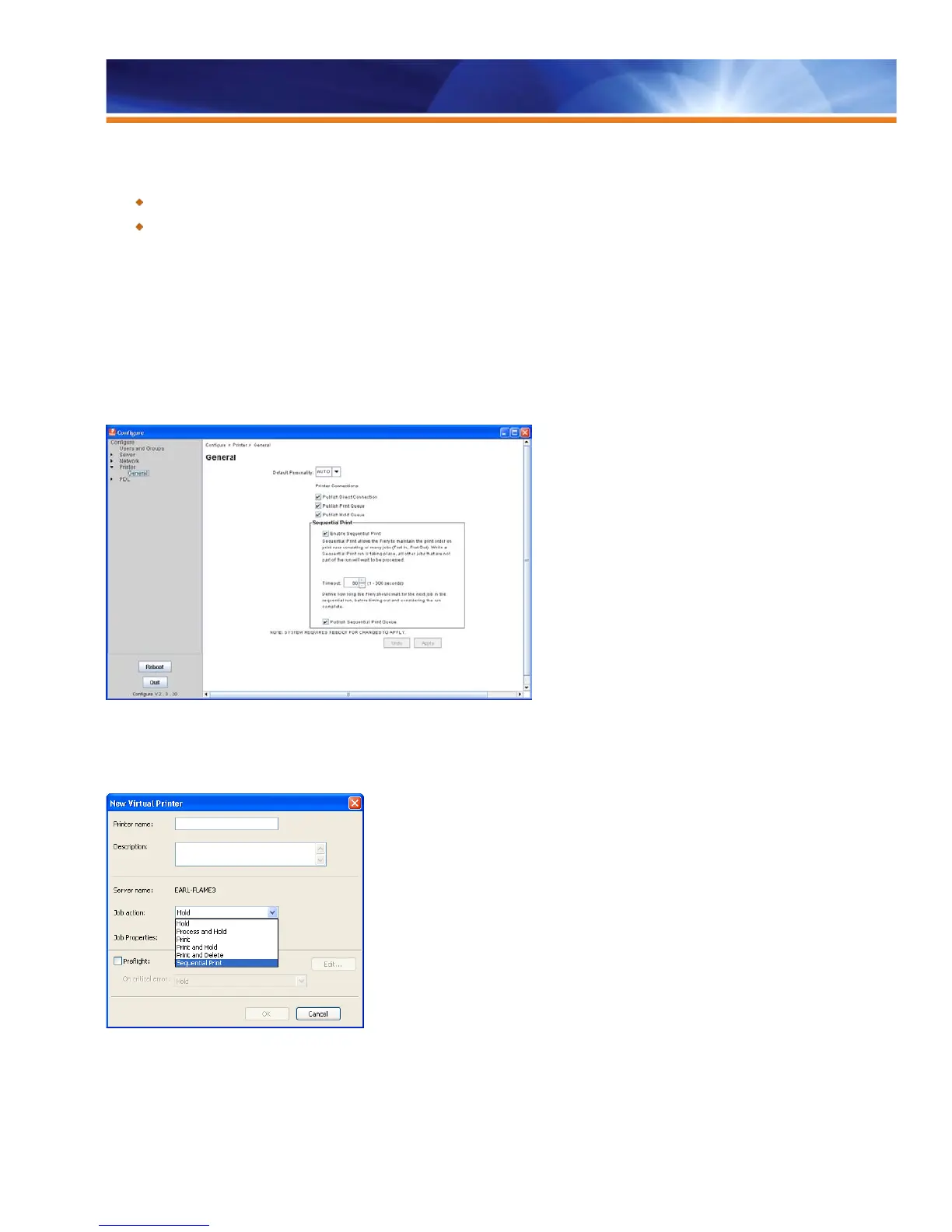
Users enable a Sequential Print queue in the Configure Tool under Printer, General settings, as shown in the screenshot below. The
configuration of a Sequential Print queue also requires the administrator to define a “time-out.” The time-out defines how long the Fiery
server should wait for the next job in the sequential run before timing out and considering the run complete.
Enable the Sequential Print Queue in the Configure Tool
Once enabled, the system publishes a new default Print queue called Sequential Print. Users can add new Virtual Printers and Hot
Folders using the Sequential Print queue, as shown in the screen shot below.
A new default print queue called Sequential Print is published.
Sequential Print jobs can be submitted through Hot Folders, Virtual Printers or Command WorkStation as well as directly through a
network protocol such as SMB, LPR or Port 9100.



 To Next Page