22
Proof Print
Proof Print allows users to produce a copy of any job in the Hold or Print queues with a single mouse click, eliminating the need to open
the job in Job Properties, modify the job ticket or change the copy count to print a copy for proofing.
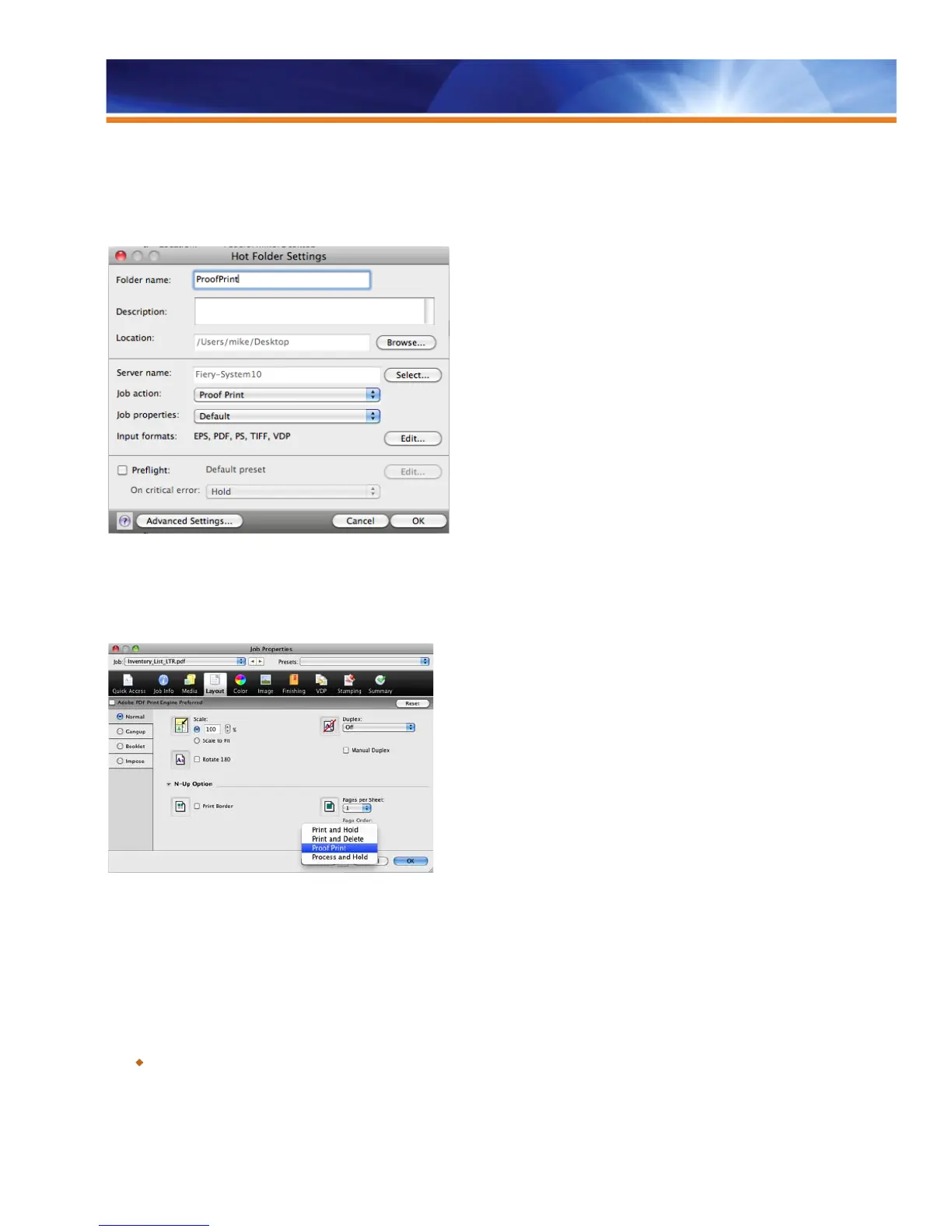
Request Proof Print from Hot Folders.
Targeted to Command WorkStation users, the Proof Print feature is particularly powerful in the Hot Folders workflow because Proof Print
can be selected as a Job Action when setting up Hot Folders. After the system produces the Proof Print, the job moves into the Hold
Queue until it is released to print the full copy count.
Request Proof Print from Job Properties
Users can even use Proof Print with VDP jobs. The feature prints one copy of the contents of the first record. If the VDP job wasn’t
RIPped, the raster is removed once Proof Print is completed, returning the job to the Hold Queue.
In the case of imposed VDP jobs, Proof Print produces a set associated with record number 1, printing all sheets that contain the first
record.
Benefit:
Saves time and increases productivity by allowing users and operators to check the Proof Print at the printer and release the job
to be printed for the actual copy count without risk of modification.



 To Next Page