57
Benefit:
Saves paper and click count with higher gangup repeats on one larger sheet of paper.
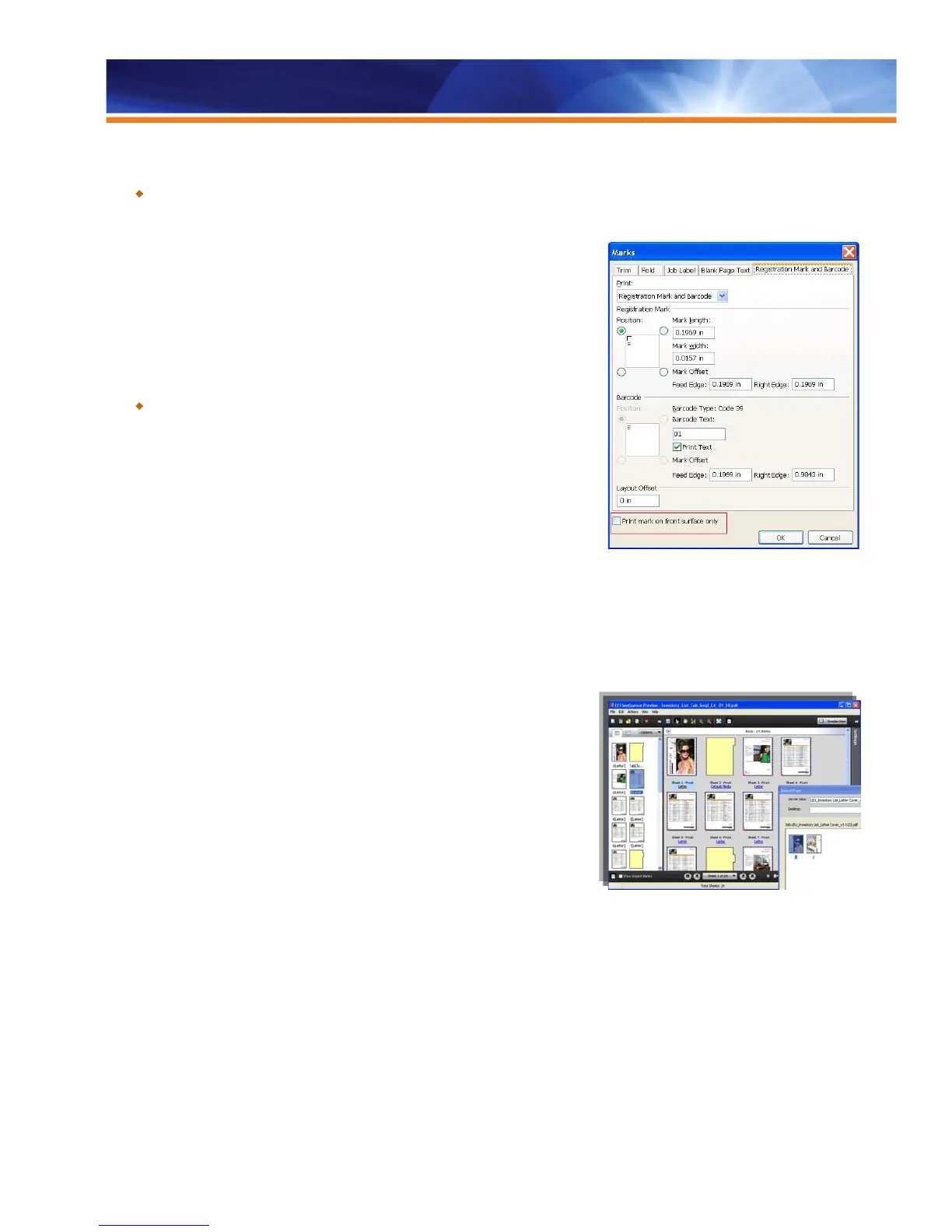
Print Marks on Front Surface Only
The checkbox “Print mark on front surface only” (located at the bottom of the “Marks”
window of Fiery Impose) prevents the printing of trim and fold marks, job labels and
blank page text on the back of a page when shops are using duplex printing. Because
trim marks are necessary only on one side of a page, this feature prevents unwanted
marks on the second side of a duplex page.
Benefit:
Prevents unwanted marks in the event that the marks don’t line up exactly on
both sides of a duplex page.
Fiery Compose
Fiery Compose provides centralized document assembly, WYSIWYG page-level ticketing, easy preview and powerful editing features,
including tab creation interface. The Compose software application option is designed to be the core toolset that operators use to prepare
documents for printing. Because Compose launches from Command WorkStation 5, it
is flexible enough to run on the user’s desktop or locally at the Fiery server.
Compose provides Fiery servers with an advanced preview and editing environment.
Its wide range of sophisticated document composition tools and advanced WYSIWYG
user interface improve document verification, speed up composition and enable less
experienced operators to perform complex document functions. In addition,
sophisticated tools with familiar Fiery-inspired user interfaces reduce training
requirements and increase the operator’s resource base.
From a single integrated window, operators manage tabs and specify mixed media,
taking advantage of the fully automated digital printing process to produce finished
documents with minimal operator intervention. Integration with the Paper Catalog’s
centralized paper warehouse database also makes it intuitive for operators to apply
media specifications on a per-page or per-chapter basis and improves paper management across the entire production environment.
For flexible document assembly, users can drag and drop files from the desktop and selected pages from jobs anywhere on the network
or from the Fiery job list. Operators can use a unique working space for all document layout tasks by adding the Fiery Impose Option. With
it, customers can incorporate visual and intuitive document imposition. Impose and Compose work together to simplify labor-intensive
document preparation activities to shorten job setup times of even the most complex jobs.
Professional Tools for Advanced Document Preparation Functions
Compose provides centralized document assembly, WYSIWYG PDF preview and editing. Functionality includes the following:
• Page View: Simplifies document setup and navigation in large jobs. Enables users to view entire document, including inserts, tabs
and chapter starts and visually confirms media color information.



 To Next Page