75
The Fiery Scan utility brings document scanning capability to workgroups
through any compatible output device with copier capability that is connected to
a Fiery server. Windows and Mac users can create high-quality scans and
specify destinations for the scanned files across a network.
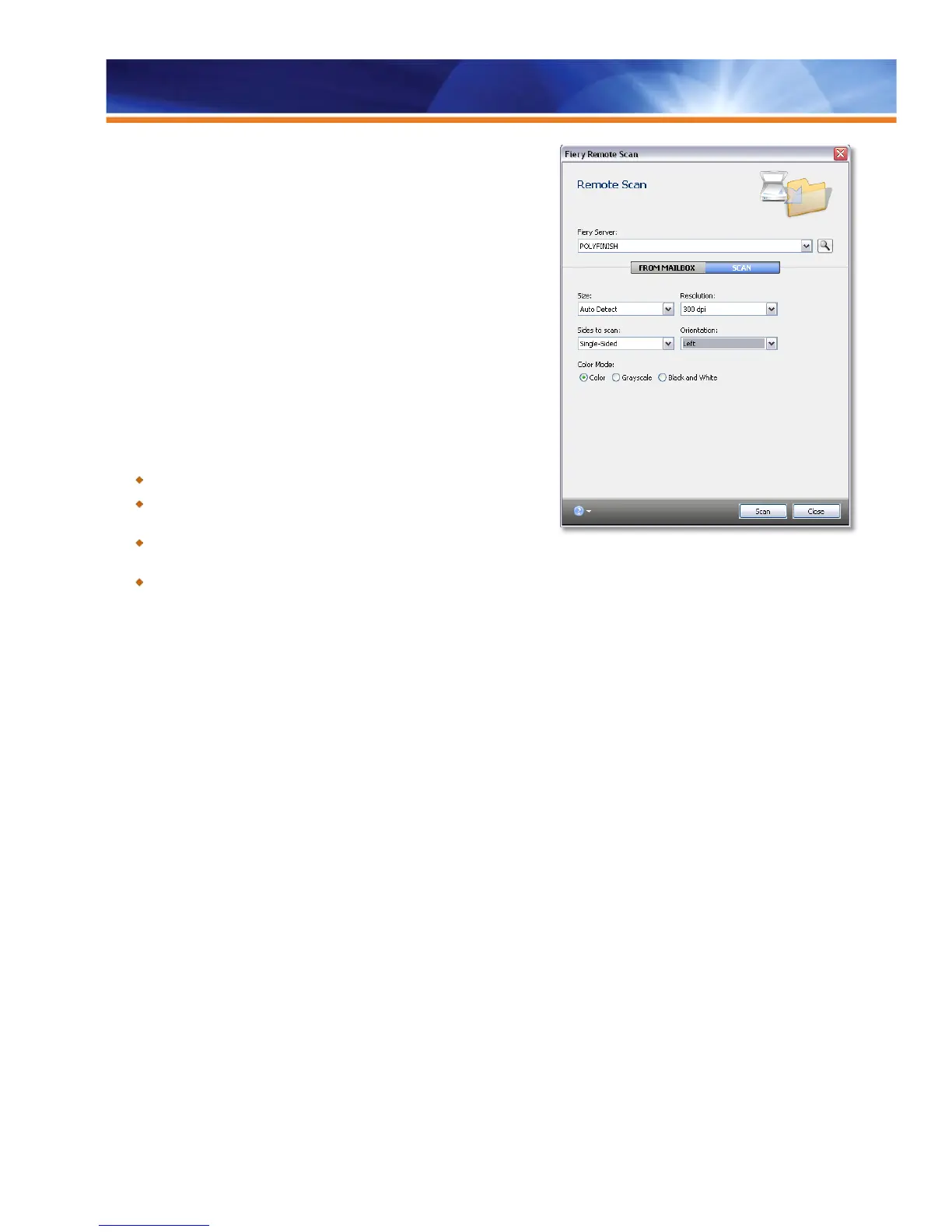
The Fiery Remote Scan plug-in allows users to control the Fiery
scanner/document feeder configuration remotely from a client workstation. The
TWAIN compatible application runs on both Windows and Macintosh operating
systems and allows the user to initiate new scans and import them into TWAIN-
compatible applications such as Adobe Photoshop.
All scans are initiated at the Fiery server and stored on the Fiery hard drive so
they are available for use and accessible from Fiery mailboxes. The Fiery
server can be configured as an input device for document-management
systems.
Benefits:
Turns any Fiery-connected device into a high-quality scanner.
Leverages digital workflows, eliminating bottlenecks and reliance on
outside services.
Reduces the need to store and track hardcopy documents,
decreasing overhead costs and improving efficiencies.
Provides flexible scan initiation options, including locally, with the copier LCD scan, Fiery Remote Scan TWAIN plug-in and Fiery
WebScan.
Fiery Remote Scan incorporates auto discovery, making it easy to add Fiery servers. Users can save files to their local hard disk drive with
a single click. Fiery Remote Scan supports all the new scan file formats that can be generated by print engines.
Fiery Remote Scan Improvements
The Fiery Remote Scan application offers the following improvements:
• Folder Mapping
• Auto Login
Folder Mapping
Folder Mapping replaces the Fiery Bridge application that was only available for Windows clients. It allows users who scan from the Fiery
server to synchronize the Fiery mailbox contents with a local folder. Folder mapping is available on both Windows and Mac clients. With
this feature, the scan jobs going to a mailbox automatically appear in a folder on the user’s computer.



 To Next Page