48
print users sometimes need to quickly check print jobs and output device status without launching a dedicated application or going to a
centrally located management system.
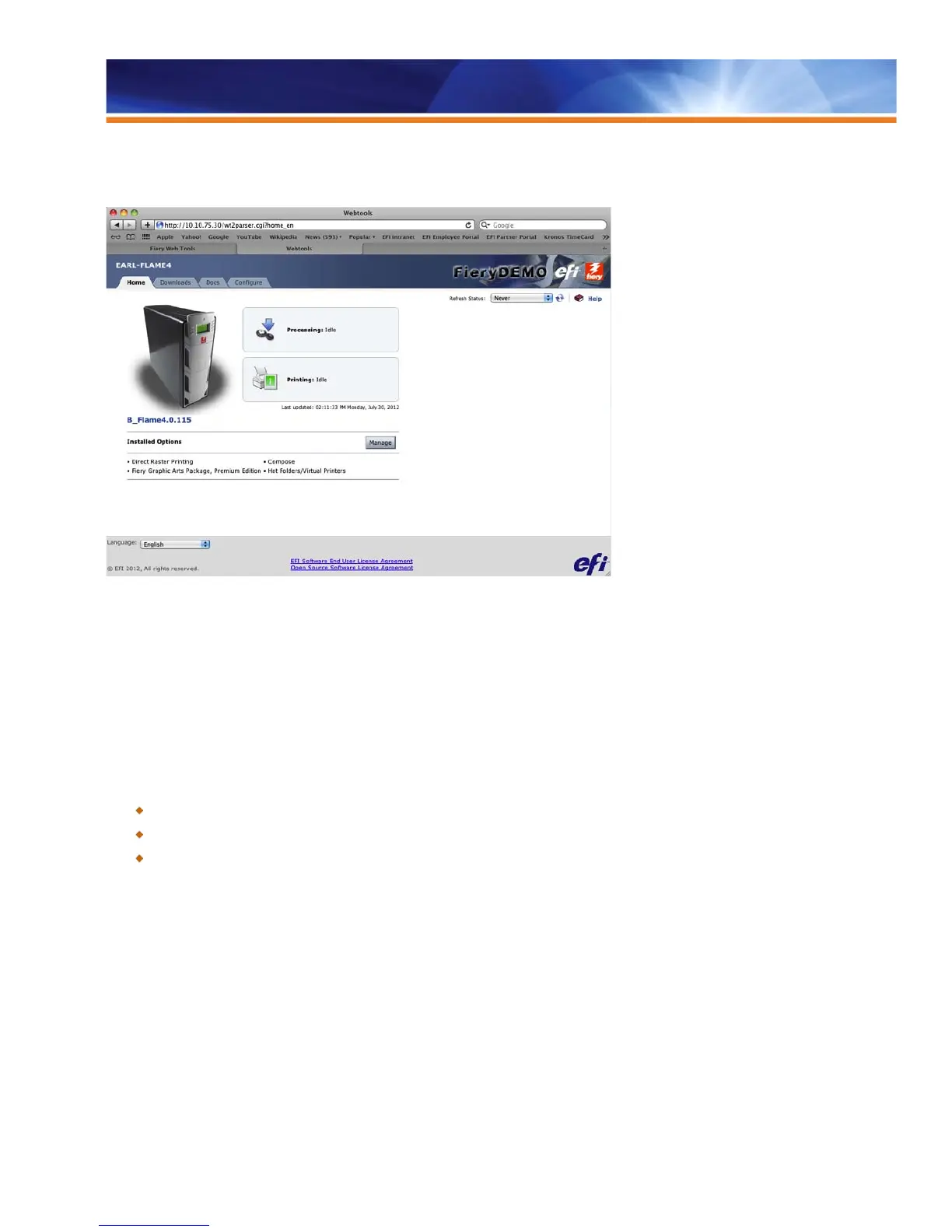
Fiery WebTools™ delivers basic Fiery functionality for users who don’t need Command WorkStation sophistication. WebTools, browser-
based and hosted on the Fiery server, delivers pertinent information on print and printer status at any Web-capable workstation. It also
allows users to do the following:
• Download — install client print drivers and applications.
• Access Docs — user-authenticated access to jobs in mailboxes, ability to download print jobs to the Fiery server and basic job
management.
• Configure — allows the administrator to configure the Fiery server.
Benefits:
Empowers administrators and operators with complete and flexible control, from complex production runs to individual print jobs.
Offers an intuitive GUI that leverages industry-standard navigation schemes to automate and streamline operations.
Gives access to any client without requiring additional software installations.
International Support
Dynamic Language Change
The Dynamic Language Change feature allows technicians and administrators to change the Windows language without having to reload
it. This feature saves time during the installation and Fiery setup process. Administrators and technicians can switch the language at the
Fiery Configure application, and the new language is displayed after the Fiery server reboots.
In addition, the behavior of the Fiery Configure application and other related applications is improved in a mixed-language environment.
This could include scenarios such as using English Fiery software with systems of non-English clients. The handling of double-byte file
names is also improved, enabled by the addition of UTF-8 support. In Command WorkStation, users can specify language preferences
after the installation.



 To Next Page