21
Product-Specific Presets
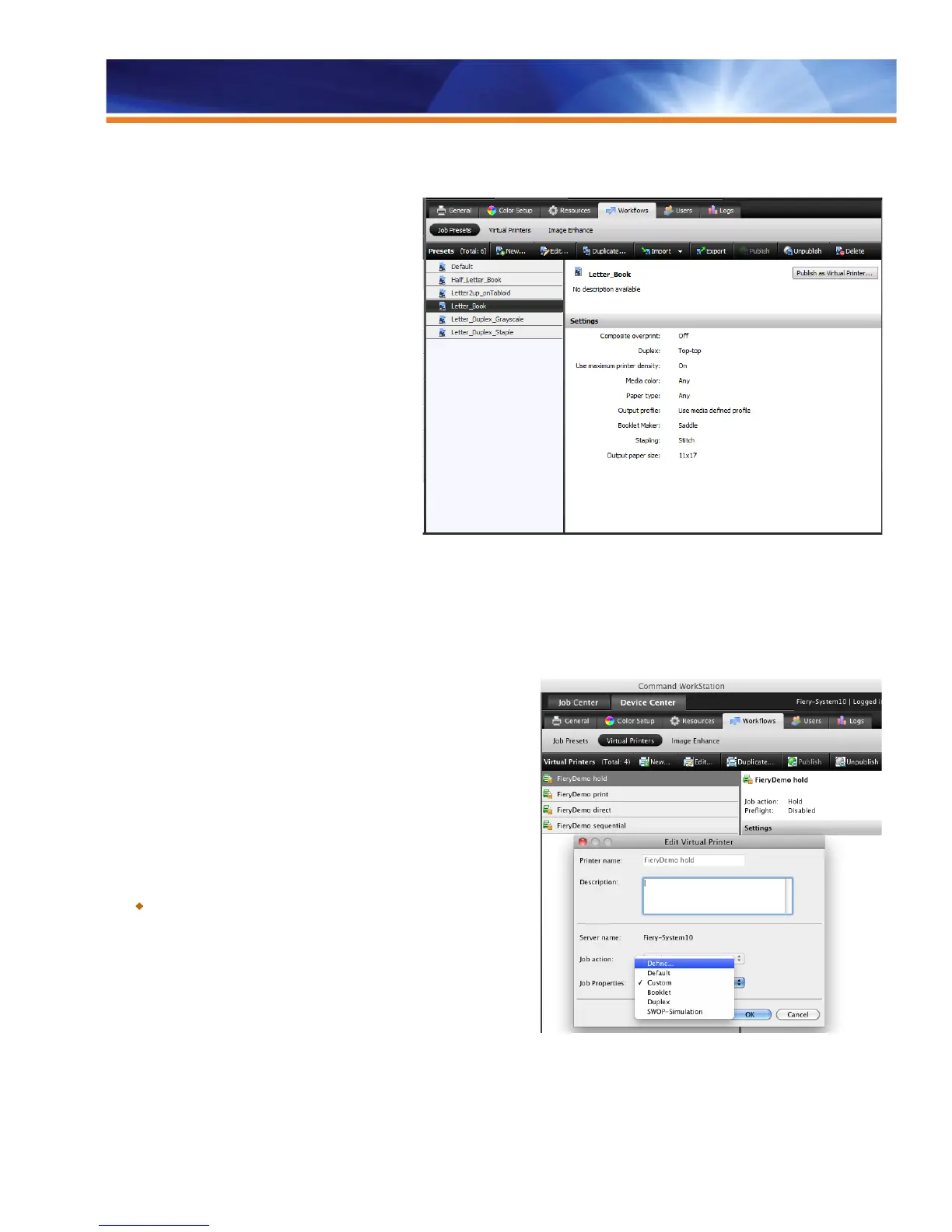
Fiery servers include five server presets to help users
quickly set up jobs with some frequently used print
settings, and also to promote the use of server
presets and workflows.
The server presets include the following:
U.S. Presets
1. Half-letter booklet
2. Letter booklet
3. Letter duplex grayscale
4. Letter duplex staple
5. Letter 2-up tabloid
Metric Presets
1. A5 booklet
2. A4 booklet
3. A4 duplex grayscale
4. A4 duplex staple
5. A4 2-up A3
Modify Default Queues
Operators frequently ask for a way to customize the default Job Properties
of the Fiery server so they can set options such as Duplex to be always on.
Fiery servers provide the ability to change the default Job Properties of the
Print and Hold queues.
Operators can do this through the Edit function in the Virtual Printers panel
in the Command WorkStation Device Center. Users may assign any
function available in Job Properties to the Hold or Print queues and lock the
settings to prevent changes.
Benefit:
Allows administrators to define the default Job Properties of the
Fiery server to adapt to their particular printing needs, increasing
workflow efficiencies and productivity.



 To Next Page