96
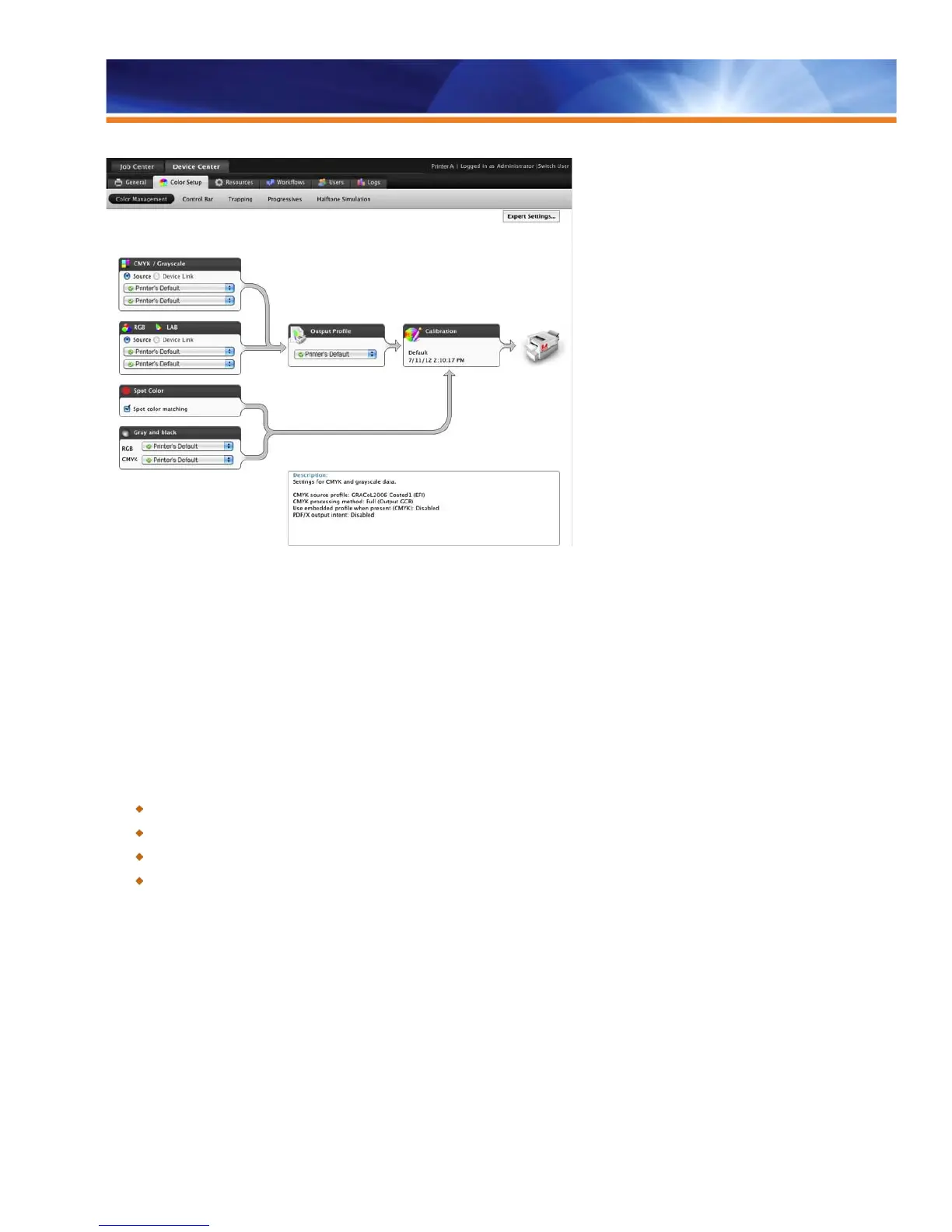
Color Setup in Command WorkStation
Color Transformations for Accurate Simulations
Fiery color management supports color transformation by providing all the tools needed to create accurate simulations quickly and easily.
Basic color users also benefit from fast, hassle-free, superior color printing. Fiery color management technology offers great out-of-the-box
color with features that convert raw files to stunning color prints quickly, easily and consistently. ICC profiles are used by Fiery servers for
accurate color printing, even from RGB applications such as Microsoft Excel, PowerPoint and Word. Users can download ICC sources,
simulations, output or device link profiles with Fiery Profile Manager for complete control over source color spaces, press simulations and
copier output. The Color Editor allows operators to edit simulations and output profiles, which can then upload to Windows or Mac OS
computers and download to other devices to provide the closest possible match between devices.
Benefits:
Achieves maximum color control for expert users.
Minimizes operator errors with easy user interface.
Provides excellent color quality for proofs, comps and short-run color.
Shortens learning curve with easy access and unified interface with Fiery Driver.
Rendering Intent
• Photographic: Prioritizes smooth color transitions typically found in photographs and scanned artwork.
• Presentation: Prioritizes bright saturated colors typically found in presentation graphics and charts. Optimizes for mixed use of
graphics and photographs.
• Relative Colorimetric: Setting for handling spot color data.
• Absolute Colorimetric: Prioritizes color accuracy while optimizing brightest whites in photographs.
Processing Method
• Full (Source GCR): The black channel from the original document is preserved. Recommended for proofing.



 To Next Page