24
Job Submission Automation
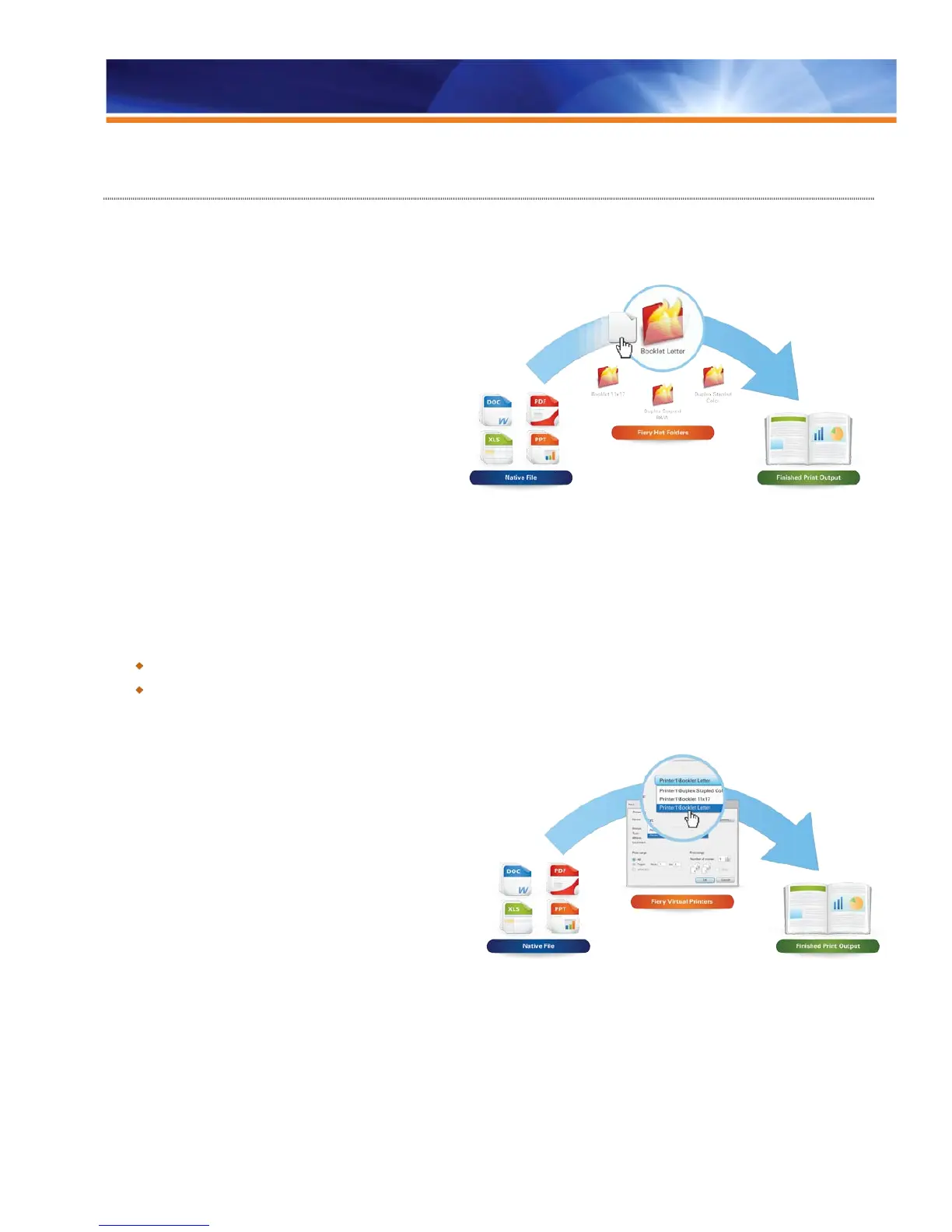
Fiery Hot Folders
Fiery Hot Folders provide the user with a simple and
automated method of sending documents to a Fiery server.
Users can copy or simply drop documents into Hot Folders
and then route them to a Fiery server with a job ticket
attached, or merge files from same folder. Job ticket
settings include PostScript Printer Description (PPD)
options and Imposition attributes. From the user standpoint,
a Hot Folder acts as a script that forces printing settings
and automates the printing process.
Hot Folders relieves the user of the repetitive task of
configuring print settings for multiple jobs and allows the
direct printing of files without need for an application such
as Adobe Photoshop®. Since Hot Folders appear as
folders on a host computer and can be shared on
networks, they provide a simple way to forward jobs without installing special utility software on each computer.
Included with the Graphic Arts Package, Premium Edition is a set of expert-level filters designed for Hot Folders. These filters allow users
to submit jobs in their native file formats without opening the native application. The result is that jobs can be routed to the Fiery server with
predetermined settings attached — including PPD overrides, imposition attributes and file format conversions.
Benefits:
Automates workflow for all users, increasing productivity.
Reduces repetitive workflows for faster, error-free printing.
Fiery Virtual Printers
It is critical to automate complex tasks and leverage all
available resources in a production environment that regularly
receives jobs from external sources. In-plant and CRD
operations, as well as commercial organizations, look to digital
workflow to capture as much formatting and direction from
nontechnical users as possible. Fiery Virtual Printers enable
production print administrators to create a specific
configuration for an output device and present it to users as a
printer with a specific name. For example, a user who prints
training manuals on a regular basis could simply print to a
printer named “Training Manual,” greatly reducing interaction
between user and production while capturing pertinent data.
In comparison with Hot Folders, Virtual Printers is managed
and configured centrally by a Fiery Administrator; all settings are controlled at the Command WorkStation, where only an administrator can
view and/or change the published virtual printers and details associated with them.
The administrator has rights to the following functions:
• Create new virtual printers.
• View the available virtual printers (and published queues).



 To Next Page