47
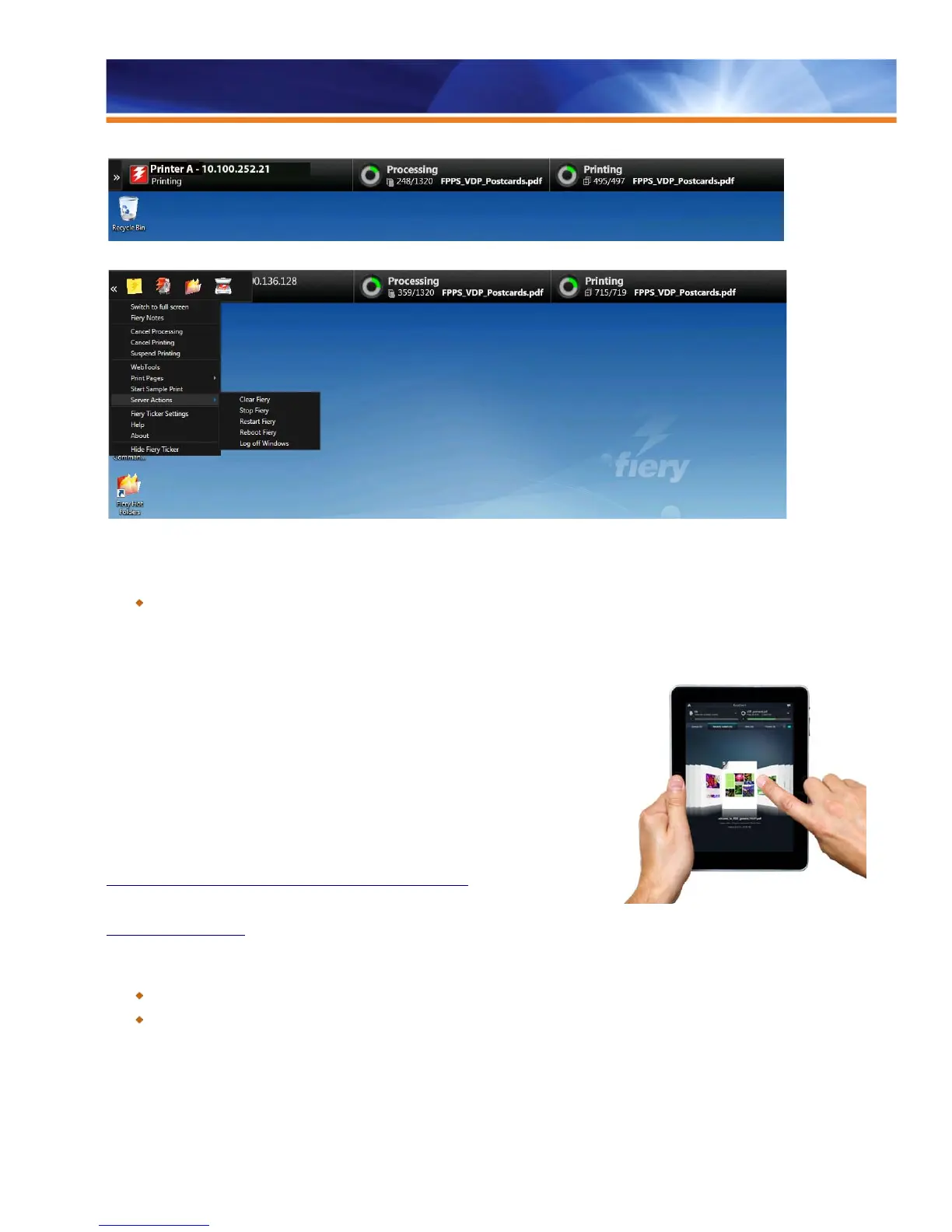
New Fiery Ticker bar showing Fiery server status at a glance
Fiery Ticker displays shortcuts to key Fiery applications and quick access to job management and server actions.
Benefit:
Increases operator’s productivity, offering quick access to the most frequently used Fiery applications.
Fiery Go
Fiery Go allows operators to manage Fiery Driven printers from their iPads and iPhone
devices. It allows monitoring of the status of multiple Fiery Driven printers to manage print
jobs from anywhere in the print shop. Using Fiery Go, operators can perform multiple job
actions such as printing, deleting, previewing and defining job attributes. The app sends
alerts about consumable status, errors in the print job, paper jams and more so that
operators can take immediate action.
Fiery Go provides more flexibility and allows operators to multitask for a more efficient
workplace and higher productivity. The app is simple to use, takes just minutes to deploy
and is free.
To download Fiery Go and get additional information, visit Apple iTunes store at
https://itunes.apple.com/us/app/fiery-go/id672206364?ls=1&mt=8
For additional information on technical requirements and a video tour, refer to
http://fiery.efi.com/fierygo
Benefits:
Allows operators to manage the jobs on Fiery servers from anywhere in the print shop.
Offers the flexibility to multitask for a more efficient workplace.
Fiery WebTools
With today’s fully connected systems, administrators in corporate and commercial print environments need unrestricted access to job-
critical information at all times to ensure that jobs and equipment run smoothly. Additionally, both skilled print operators and occasional



 To Next Page