88
Color Management Tools
Fiery color management tools give the expert user maximum control over color quality with a suite of advanced and precise tools.
Personalized settings can be configured to accurately simulate and fine-tune the output of other devices. The color management
technology included in every Fiery server supports any color space, including CMYK, RGB, spot colors and CIE L*A*B*. It also supports
ICC sources, simulation, output and device link profiles. Fiery servers deliver great out-of-the-box color and have an intuitive and easy-to-
use graphical user interface (GUI).
Out-of-the-Box Image Quality Enhancements
Fiery FS100 Pro and above servers give customers the best performance and quality with new default Job Properties settings. The new
default settings provide improved image quality without affecting performance and add an enhanced path for printing gradients and
blends.
Image Smoothing has been extended to enable 12-bit smooth shading for the best quality printing of gradients for any image resolution
type.
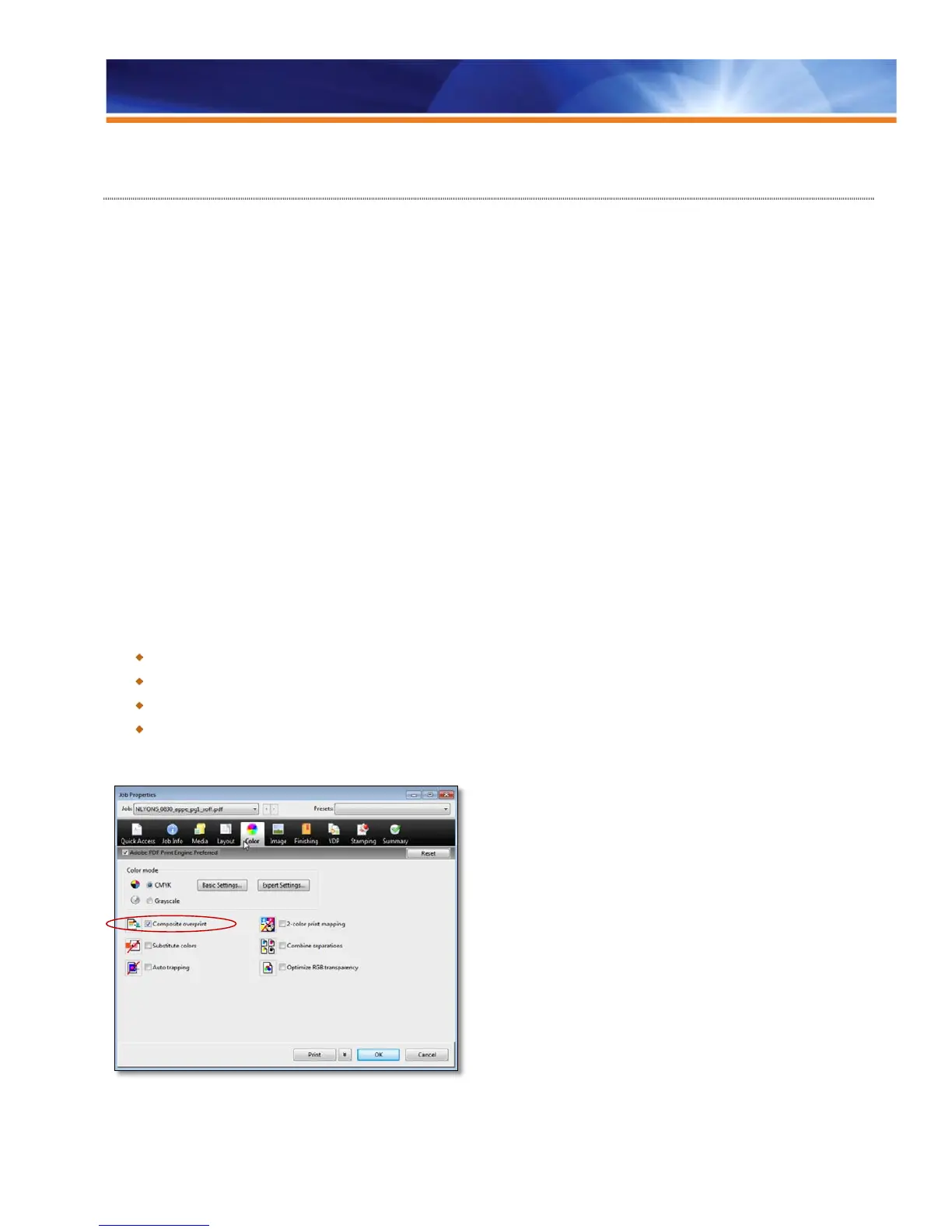
Composite Overprint and Best Image Quality, now enabled by default, deliver prints that better match the design on the first print, even if
the designer has applied techniques such as overprinting.
Caching reusable objects improves performance, and 12-bit smooth shades give better quality on gradients, right out of the box.
These imaging improvements can be seen in the Job Properties > Image tab. VDP caching improvements are located in the Job
Properties > VDP tab, and Composite Overprint is located in the Job Properties > Color tab.
Benefits:
Provides the highest level of performance with superior output quality, even on complex jobs with transparencies.
Reduces potential for error and eliminates the need to reprocess or reprint jobs.
Speeds job setup.
Adds an enhanced path for printing gradients and blends.
New Composite Overprint default setting



 To Next Page