127
Preflight
Eliminating errors before they happen and making sure all settings and systems perform correctly is an integral part of managing a
successful production printing operation. Interrupting a job to make corrections can waste valuable time and resources, and typically, it
takes much more time to correct a problem once production has started. These are reasons production administrators and operators take
time to review and test, or “preflight,” a job prior to submitting it to production.
In print production, preflighting involves checking a file for its "print-worthiness.” Several tests are performed, and settings are verified on
the file to determine whether it will print successfully and to gauge expected quality on the selected printing device.
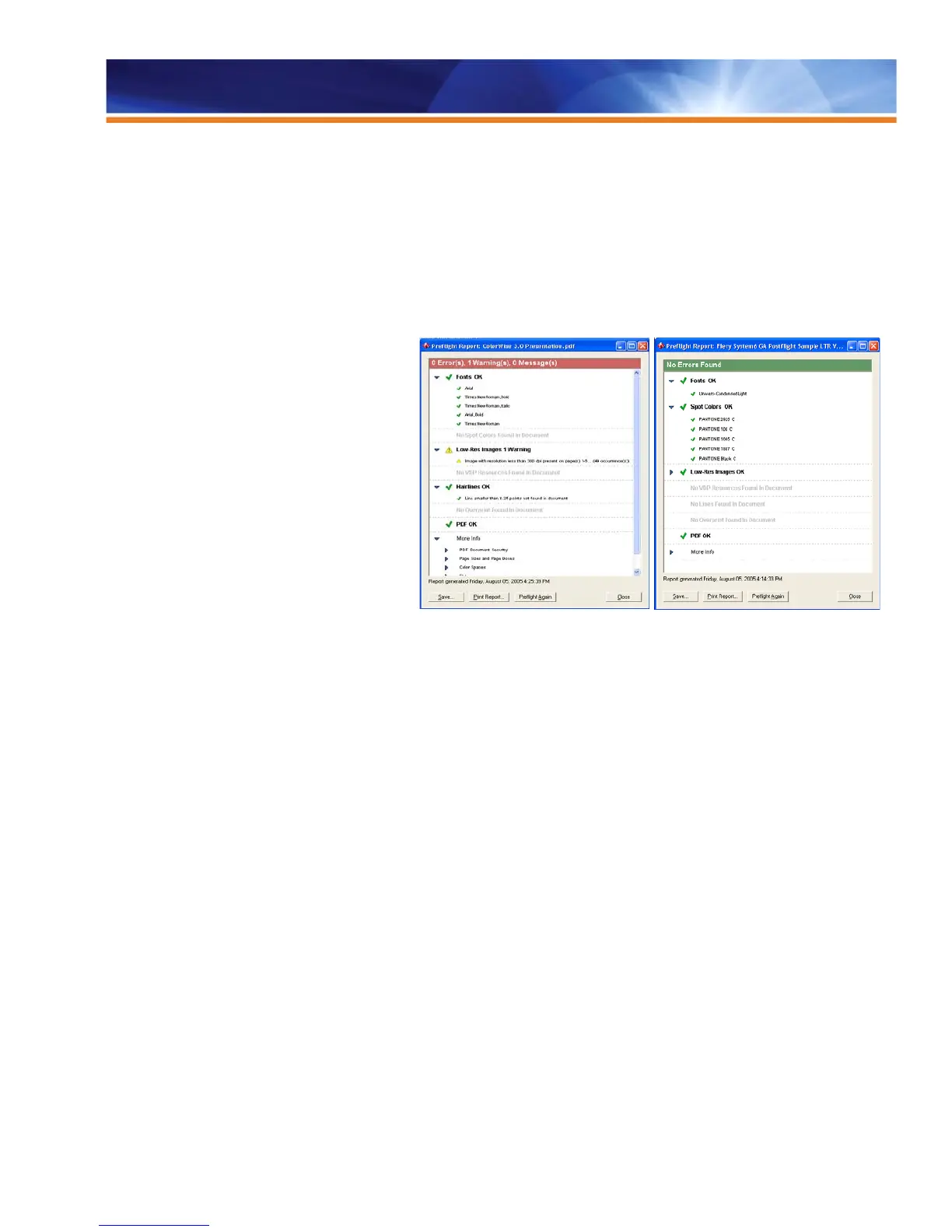
Especially created for digital color printing, EFI
Preflight is the most viable preflight tool on the
market. It is designed to check the most common
areas of error to ensure that files will print
successfully on a Fiery-driven printing device.
Preflight offers a fast process that does not affect the
performance of the Fiery device because it is
performed outside of the actual job printing. The user
sees the Preflight report displayed on the screen in a
matter of few seconds. In reviewing the report, the
user knows at a glance whether there are errors in
the job and can easily verify the status of every
checked area with the aid of color coding and icons.
Preflight is accessible from the EFI Fiery Command
WorkStation Macintosh and Windows Editions.
Preflight integrates a range of elements reported, including VDP resources, and is designed to optimize ways to communicate results,
including the following:
• Fonts
• Spot colors
• VDP resources
• High-resolution files
• Hairlines below threshold
• Overprint
• PostScript errors
Preflight also reports on the following:
• PDF Document Security
• Page size(s) and page boxes (e.g., trim, media, crop, etc.)
• Color spaces
• Existence of transparency
• Flatness
• Image compression



 To Next Page